

Извлечь текст из PDF и отсканированных документов

Перетащите файлы или выберите

Добавьте учебные материалы, чтобы AI мог извлечь и структурировать содержимое.



Почему стоит использовать Lynote для извлечения текста из PDF?

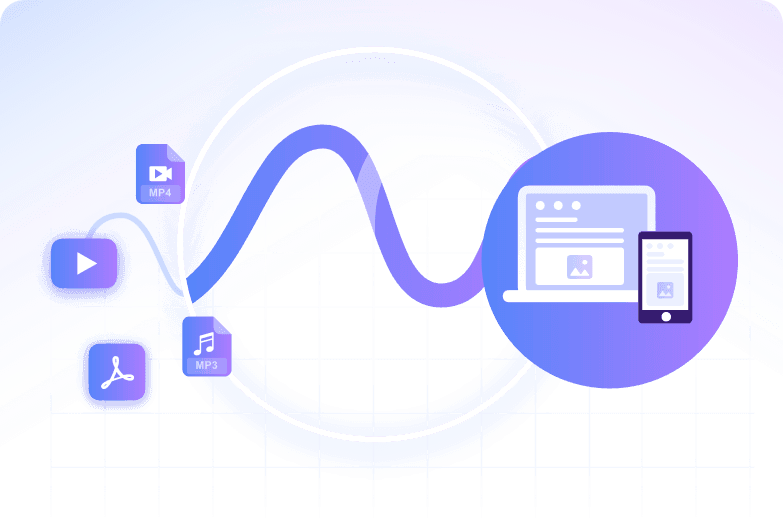
Работает с цифровыми и отсканированными PDF-файлами
Извлекайте текст из выделяемых PDF-файлов и используйте OCR, когда файл основан на изображении или отсканирован.

Получите копируемый результат
Превратите заблокированные или труднокопируемые страницы в редактируемый текст для заметок, черновиков, резюме или перевода.

Избавьтесь от ручного перепечатывания
Избегайте перепечатывания страниц из отчетов, книг, форм и учебных материалов, когда текст может быть прочитан автоматически.

Просмотр результатов OCR
Проверяйте имена, числа, таблицы, формулы и необычное форматирование, поскольку качество OCR зависит от исходного скана.

Подготовьте текст для других задач ИИ
После извлечения используйте текст для резюмирования, перевода, изучения или задавания вопросов.

Работа с длинными документами
Обрабатывайте многостраничные PDF-файлы быстрее, чем копируя страницу за страницей.
Цифровые PDF-файлы обычно чище
Если вы можете выделить текст в PDF, извлечение часто происходит без проблем. Отсканированные страницы полагаются на OCR и могут содержать ошибки.
Качество исходных сканов должно быть выше
Размытые изображения, наклонные страницы, рукописный текст, мелкие шрифты и плотные таблицы могут снизить точность распознавания текста.
Используйте извлеченный текст с осторожностью
Перед публикацией, цитированием или переводом сравните важные имена, даты, числа и таблицы с исходным PDF-файлом.
Как извлечь текст из PDF с помощью ИИ
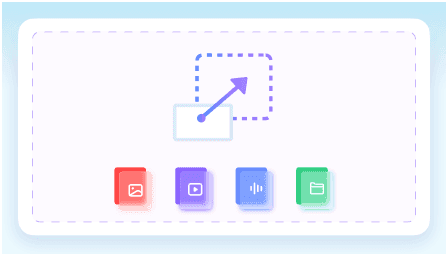
Загрузите PDF
Используйте самую четкую версию файла. Для сканов, если возможно, выберите копию с высоким разрешением.
Запустите извлечение текста
Позвольте Lynote прочитать документ и преобразовать читаемый текст в редактируемый вывод.
Просмотрите результат
Проверьте важные детали, затем скопируйте текст в заметки, резюме, переводы или другие рабочие процессы.
Кому подойдет этот экстрактор текста из PDF?

Студенты
Извлекайте отрывки из учебников, заметки и выдержки из исследований для учебы.

Исследователи
Извлекайте текст из статей, отчетов и архивов перед обобщением или сравнением источников.

Бизнес-команды
Извлекайте текст из PDF-файлов, предложений, руководств и форм для повторного использования.

Переводчики
Преобразуйте отсканированные PDF-файлы в текст перед переводом.

Писатели
Превращайте справочные PDF-файлы в редактируемые заметки.

Обычные пользователи
Копируйте текст из загруженных PDF-файлов без ручного перепечатывания.
Что говорят наши пользователи

Юридический консультант

"Я использовал его для извлечения текста из 48-страничного пакета документов по аренде и получил чистые пункты, которые мог просматривать построчно. Формулировки оставались достаточно точными для редактирования контрактов и внутренних заметок."

Научный сотрудник
"Я работаю с международными PDF-журналами, и этот инструмент обработал статьи на испанском, немецком и корейском языках в одном проекте. Извлечение текста из PDF-источников на более чем 130 языках избавило меня от необходимости переключаться между инструментами для разных статей."

Аспирант
"Мне нужно было извлечь заметки из 200-страничного PDF-учебника перед семинаром. Это было примерно в 10 раз быстрее, чем копировать разделы вручную, и я получил пригодный для использования текст за один проход."

Операционный менеджер
"Наша команда обрабатывает десятки PDF-счетов каждую неделю, и пакетная обработка значительно упростила работу. Мы извлекли текст из целой папки сразу, вместо того чтобы открывать каждый счет по отдельности."

Переводчик-фрилансер
"Мне нужен был редактируемый текст из 62-страничного PDF-руководства по оборудованию для проекта перевода. После извлечения текста я смог искать повторяющиеся термины и использовать их в разных разделах."

Технический писатель
"Мне просто нужно было извлечь текст из спецификации в формате PDF, и я не хотел сначала создавать учетную запись. Возможность начать базовое извлечение без регистрации была большим плюсом для коротких задач."
Часто задаваемые вопросы
Ответы на распространенные вопросы перед использованием этого инструмента.
Да, если OCR может четко прочитать отсканированные страницы. Плохие сканы могут потребовать предварительной очистки.
OCR означает оптическое распознавание символов. Он преобразует текст внутри изображений или отсканированных страниц в редактируемые символы.
Не всегда. Проверяйте имена, числа, таблицы, формулы и необычные макеты, прежде чем полагаться на результат.
Вы можете скопировать его, обобщить, перевести, найти или использовать в качестве заметок для другого рабочего процесса.


