NotebookLM kontra ChatGPT: Które jest lepsze do nauki?

NotebookLM jest zazwyczaj lepszy, gdy musisz przestudiować określony zestaw źródeł, odnaleźć odpowiedź w tekście lub przekształcić duży pakiet materiałów kursowych w materiały do nauki wielokrotnego użytku. ChatGPT jest zazwyczaj lepszy, gdy potrzebujesz adaptacyjnego korepetytora, rozwiązywania problemów krok po kroku, spersonalizowanych wyjaśnień lub pomocy w zastosowaniu pomysłu poza przesłanym materiałem.
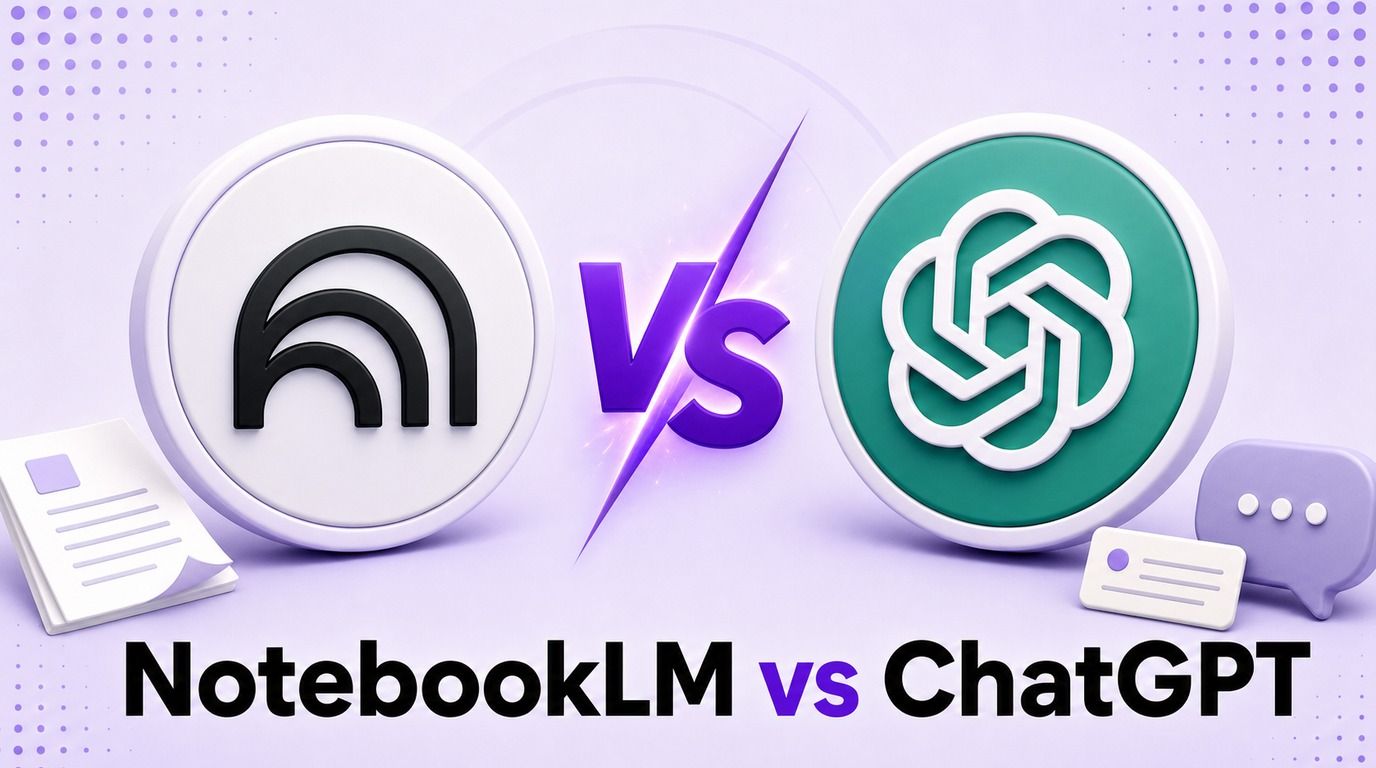
Żadne z narzędzi nie jest uniwersalnym zwycięzcą. Użyteczne pytanie nie brzmi po prostu „Która sztuczna inteligencja jest mądrzejsza?”, ale „Czy potrzebuję ściślejszej kontroli nad dowodami, czy bardziej elastycznej rozmowy edukacyjnej?”
To porównanie NotebookLM i ChatGPT analizuje tę decyzję poprzez pięć praktycznych rund nauki: syntezę pakietu lektur, wyjaśnianie pojęć, przygotowanie do egzaminów, rozwiązywanie problemów i weryfikację dowodów. Porównuje również pliki, limity, ceny, organizację, współpracę oraz przedmioty, w których każde narzędzie ma wyraźną przewagę.
Szybki werdykt: NotebookLM czy ChatGPT?
Wybierz NotebookLM, gdy Twój profesor, podręcznik, artykuły, slajdy z wykładów lub dokumenty wewnętrzne określają granice odpowiedzi. Jego projekt skoncentrowany na źródłach ułatwia sprawdzenie, co skąd pochodzi, porównywanie wielu tekstów i tworzenie materiałów do nauki z tej samej kontrolowanej kolekcji.
Wybierz ChatGPT, gdy nauka zależy od interakcji. Tryb nauki może zadawać pytania, dostosowywać poziom, reagować na błędy, generować nowe przykłady i pomagać w rozwiązywaniu problemu, zamiast jedynie pobierać informacje z zestawu źródeł.
Użyj obu, gdy chcesz uzyskać najsilniejszy przepływ pracy. Pozwól NotebookLM organizować i weryfikować dowody, a następnie użyj ChatGPT do wyjaśniania, kwestionowania i pomagania w ćwiczeniu zweryfikowanego materiału.
| Twoje główne zadanie | Lepszy punkt wyjścia | Dlaczego |
|---|---|---|
| Studiowanie przypisanych plików PDF i notatek z wykładów | NotebookLM | Odpowiedzi i wyniki nauki pozostają ściśle związane z wybranymi źródłami |
| Odnalezienie twierdzenia w tekście | NotebookLM | Cytaty w tekście przyspieszają sprawdzanie źródeł |
| Porównywanie kilku artykułów | NotebookLM | Wybór źródeł i pytania dotyczące wielu dokumentów są kluczowe dla przepływu pracy |
| Interaktywna nauka trudnego pojęcia | ChatGPT | Może zmieniać wyjaśnienia i zadawać pytania diagnostyczne |
| Rozwiązywanie problemów matematycznych, programistycznych lub zastosowanych | ChatGPT | Silniejsze ogólne rozumowanie i wsparcie narzędziowe |
| Odpowiadanie na pytania jedno po drugim | ChatGPT | Tryb nauki jest zaprojektowany do wymiany w stylu korepetycji |
| Szybkie generowanie fiszek opartych na źródłach | NotebookLM | Fiszki i quizy to natywne wyniki Studio |
| Tworzenie, poprawianie, obliczanie, wyszukiwanie i tworzenie | ChatGPT | Jego szerszy zestaw narzędzi obsługuje więcej rodzajów pracy |
| Budowanie kompletnego systemu nauki | Oba | Jeden kontroluje dowody; drugi wspiera aktywną praktykę |
Podsumowując: NotebookLM to lepsza „sala dowodowa”. ChatGPT to lepsza „sala ćwiczeń”.
Kluczowa różnica: Kontrola źródeł kontra adaptacyjne nauczanie
NotebookLM i ChatGPT częściowo się pokrywają, ale wychodzą z różnych założeń. NotebookLM zaczyna od notatnika zawierającego źródła; ChatGPT zaczyna od rozmowy, która może wykorzystywać pliki, pamięć, wyszukiwanie w sieci, narzędzia i instrukcje.
Ta różnica zmienia to, co każdy produkt traktuje jako swoje zadanie.
Google wyświetla teraz NotebookLM jako Gemini Notebook w obecnym interfejsie. Ten artykuł zachowuje nazwę NotebookLM, ponieważ pozostaje ona ustaloną nazwą produktu i terminem, którego szuka większość studentów.
NotebookLM zaczyna od materiału
W NotebookLM panel źródeł nie jest szufladą załączników dodaną do ogólnego chatbota. Jest to podstawa notatnika. Wybierasz dokumenty, które mają być aktywne, a następnie zadajesz pytania, generujesz wyniki i sprawdzasz cytaty w tym ograniczonym kontekście.
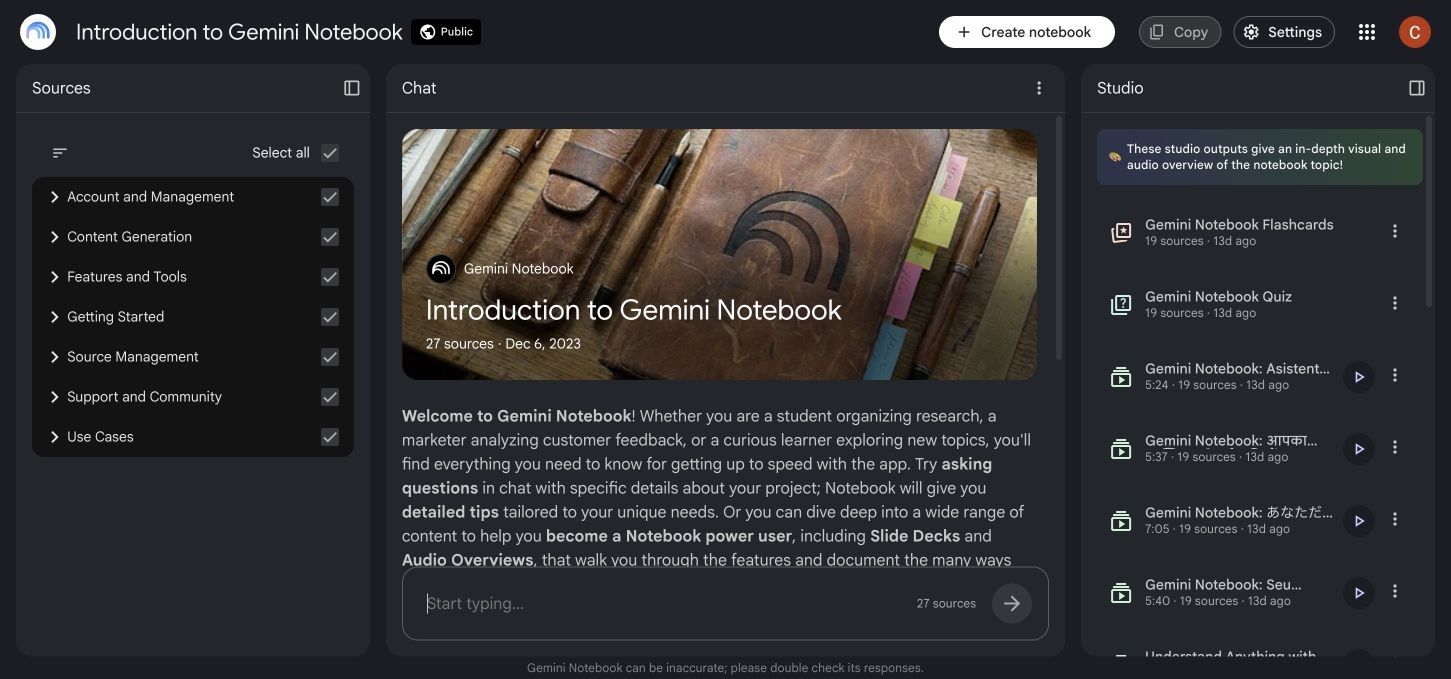
Ten projekt jest cenny, gdy liczy się sformułowanie. Student prawa może potrzebować interpretacji znalezionej w przypisanej sprawie, a nie ogólnego wyjaśnienia doktryny; student medycyny może potrzebować terminologii użytej w pakiecie kursowym, a nie szerokiej odpowiedzi złożonej z ogólnej wiedzy modelowej.
Ograniczenie jest również wadą. Jeśli materiał jest niekompletny, nieaktualny, stronniczy lub słabo zorganizowany, NotebookLM może wygenerować dobrze ugruntowaną odpowiedź, która nadal będzie niewystarczająca.
ChatGPT zaczyna od uczącego się
ChatGPT jest zbudowany do bardziej otwartej rozmowy. Możesz podać mu poziom kursu, cel nauki, termin, preferowany styl wyjaśniania, błędną próbę lub docelowy poziom trudności i poprosić o adaptację.
Tryb nauki wzmacnia ten model korepetycji. Zamiast zawsze zwracać gotową odpowiedź, może pracować nad problemem za pomocą pytań, wskazówek, wyjaśnień i dalszych ćwiczeń.
ChatGPT może również używać przesłanych plików, ale doświadczenie uczenia się nie ogranicza się do pobierania plików. Może łączyć przesłany materiał z szerszą wiedzą, używać narzędzi dostępnych w czacie lub tworzyć nowe przykłady, które nie pojawiają się w oryginalnym źródle.
Lepsze narzędzie zależy od wąskiego gardła
Jeśli Twój problem to „Mam 600 stron i nie mogę znaleźć dowodów”, NotebookLM bezpośrednio rozwiązuje to wąskie gardło. Jeśli Twój problem to „Przeczytałem rozdział, ale nadal nie rozumiem, dlaczego to równanie działa”, ChatGPT z większym prawdopodobieństwem zapewni użyteczną interakcję.
Dlatego zwycięzca w kategorii liczby funkcji jest mylący. Długa lista nie powie Ci, czy Twoja następna sesja nauki wymaga kontroli dowodów, wyjaśnień, ćwiczeń przypominania czy tworzenia.
Jak sprawiedliwie porównujemy NotebookLM i ChatGPT
Sprawiedliwe porównanie powinno dać obu narzędziom ten sam materiał i zadawać pytania, które ujawnią ich różne mocne strony. Nie powinno prosić NotebookLM o zachowywanie się jak ogólny asystent internetowy ani oceniać ChatGPT tylko na podstawie tego, czy odtwarza przesłany akapit.
Poniższa struktura wykorzystuje jeden plik PDF z wykładem, jeden artykuł badawczy i jeden transkrypt publicznego wykładu. Pięć rund ocenia przepływ pracy, zamiast traktować jedną imponującą odpowiedź jako stały punkt odniesienia.
| Runda | Wspólne zadanie | Co się liczy |
|---|---|---|
| 1. Pakiet lektur | Podsumuj i uzgodnij wszystkie trzy źródła | Zakres, synteza między źródłami, identyfikowalność |
| 2. Lekcja pojęciowa | Wyjaśnij jedno trudne pojęcie na dwóch poziomach | Jasność, adaptacja, przydatne pytania uzupełniające |
| 3. Przygotowanie do egzaminu | Stwórz quiz, fiszki i plan powtórek | Interaktywność, kontrola, wyjaśnienia, ponowne użycie |
| 4. Praktyka stosowana | Zdiagnozuj błędną odpowiedź i stwórz podobny problem | Jakość informacji zwrotnej, rozumowanie, dostosowanie trudności |
| 5. Sprawdzenie dowodów | Zweryfikuj sporne twierdzenie i pokaż wsparcie | Wybór źródła, precyzja cytowania, niepewność |
To nie jest statyczny punkt odniesienia dla modelu. Funkcje, dostępne modele, limity i uprawnienia konta zmieniają się, więc trwałym wynikiem jest rodzaj przepływu pracy, który każdy produkt ułatwia.
NotebookLM vs ChatGPT w skrócie
Poniższa tabela porównuje produkty jako systemy do nauki, a nie tylko okna czatu.
| Zdolność | NotebookLM | ChatGPT | Praktyczny zwycięzca |
|---|---|---|---|
| Odpowiedzi oparte na wybranych źródłach | Podstawowy projekt | Dostępne z przesłanymi plikami i projektami, ale możliwe są szersze odpowiedzi | NotebookLM |
| Śledzenie źródeł w tekście | Silne, cytaty powiązane ze źródłami | Różni się w zależności od przepływu pracy; cytaty z wyszukiwania w sieci różnią się od odniesień do przesłanych plików | NotebookLM |
| Czytanie z wielu źródeł | Zaprojektowane wokół notatników i aktywnych źródeł | Dostępne poprzez czaty i projekty | NotebookLM |
| Adaptacyjne korepetycje | Przydatny czat źródłowy, ale mniej skoncentrowany na korepetytorze | Tryb nauki, pytania uzupełniające, regulowane wyjaśnienia | ChatGPT |
| Fiszki i quizy | Natywne interaktywne artefakty Studio | Generowane za pomocą podpowiedzi lub skrótów do nauki, jeśli są dostępne | NotebookLM dla gotowych artefaktów; ChatGPT dla praktyki konwersacyjnej |
| Wyniki nauki audio | Natywne przeglądy audio | Głos może wspierać rozmowy studyjne, ale nie jest to ten sam przepływ pracy od źródła do podcastu | NotebookLM |
| Mapy myśli i wizualne artefakty do nauki | Natywne opcje Studio | Może generować wyjaśnienia i wizualizacje w zależności od dostępnych narzędzi | NotebookLM |
| Matematyka i rozumowanie stosowane | Może wyjaśniać materiał znaleziony w źródłach | Szersze rozumowanie, obliczenia, kodowanie i interaktywna korekta | ChatGPT |
| Pisanie i edycja | Raporty i notatki oparte na źródłach | Szersze tworzenie szkiców, przepisywanie, Canvas i iteracyjna edycja | ChatGPT |
| Badania w sieci | Dostępne jest odkrywanie źródeł, ale notatniki pozostają skoncentrowane na źródłach | Wyszukiwanie i dogłębne badania mogą być dostępne w zależności od planu | ChatGPT dla otwartych badań |
| Długoterminowa organizacja | Notatniki zorganizowane wokół tematu lub zestawu źródeł | Projekty grupują pliki, czaty i instrukcje | Remis; różne struktury |
| Personalizacja | Instrukcje na poziomie notatnika i wybrane źródła | Pamięć, kontekst rozmowy i niestandardowe instrukcje | ChatGPT |
| Ekosystem Google | Silne dopasowanie do Drive i Workspace | Pliki mogą być przesyłane, ale nie jest to notatnik natywny dla Google | NotebookLM |
| Narzędzia ogólnego przeznaczenia | Skoncentrowane środowisko badawcze i studyjne | Szerszy ekosystem narzędzi | ChatGPT |
| Wartość darmowej nauki | Hojny przepływ pracy oparty na źródłach | Silny ogólny asystent z limitami zależnymi od planu | Zależy od zadania |
NotebookLM wygrywa więcej wierszy związanych z kontrolowanym czytaniem. ChatGPT wygrywa więcej wierszy związanych z elastycznym myśleniem i tworzeniem.
Runda 1: Nauka z obszernego pakietu lektur
NotebookLM ma wyraźniejszą przewagę, gdy praca zaczyna się od dużego, ustalonego zestawu lektur. Darmowy notatnik może obecnie zawierać do 50 źródeł, a obsługiwane przesyłane pliki obejmują popularne dokumenty, prezentacje, arkusze kalkulacyjne, obrazy, audio, strony internetowe, pliki ePub i publiczne transkrypcje z YouTube.
Każde przesłane źródło może obecnie zawierać do 500 000 słów lub 200 MB. Te limity sprawiają, że NotebookLM jest praktyczny do lektur semestralnych, zbiorów badawczych, plików politycznych, transkrypcji wywiadów i dokumentacji technicznej.
Dlaczego NotebookLM wydaje się bardziej kontrolowany
Możesz aktywować konkretne źródła dla pytania, wspomnieć o źródle po nazwie i otworzyć cytat stojący za odpowiedzią. To zachęca do użytecznej pętli: zadaj pytanie, sprawdź, porównaj z oryginalnym fragmentem i doprecyzuj pytanie.
Ta pętla jest ważniejsza niż dopracowane podsumowanie. Studenci często tracą dokładność, gdy traktują wygenerowane podsumowanie jako zamiennik lektury; NotebookLM ułatwia weryfikację, ale student nadal musi otworzyć źródło.
Co ChatGPT dobrze robi z pakietami lektur
Projekty ChatGPT mogą przechowywać pliki, czaty i instrukcje projektu razem. Jest to przydatne, gdy lektura prowadzi do dodatkowej pracy, takiej jak tworzenie konspektu, budowanie prezentacji, analizowanie arkusza kalkulacyjnego lub poprawianie pracy.
Słabością nie jest to, że ChatGPT nie potrafi czytać dokumentów. Słabością jest to, że płynna odpowiedź może łączyć kontekst pliku z ogólną wiedzą, chyba że wyraźnie ograniczysz zadanie i zweryfikujesz wspierający fragment.
Decyzja Rundy 1
NotebookLM jest lepszym domyślnym narzędziem dla pytania „Co mówią te przypisane materiały?”. ChatGPT staje się bardziej atrakcyjny, gdy następne pytanie brzmi „Co mogę stworzyć lub rozwiązać dzięki temu, czego się nauczyłem?”
Runda 2: Wyjaśnianie trudnego pojęcia
Ugruntowanie w źródłach to nie to samo co nauczanie. Cytat może pokazać, skąd pochodzi wyjaśnienie, ale nie gwarantuje, że wyjaśnienie pasuje do obecnego modelu mentalnego uczącego się.
ChatGPT jest silniejszy, gdy student musi przejść przez kilka wersji tego samego pomysłu. Możesz poprosić o wyjaśnienie dla początkujących, zaawansowane wyjaśnienie, wizualną analogię, kontrprzykład, lekcję pytanie po pytaniu lub informację zwrotną na temat własnego wyjaśnienia.
Dlaczego tryb nauki zmienia porównanie
Tryb nauki ChatGPT ma na celu prowadzenie nauki poprzez interakcję. Możesz podać swój poziom, temat, cel, istniejące zrozumienie i termin, a następnie poprosić narzędzie o pauzę, udzielenie wskazówek, podniesienie trudności lub przeprowadzenie quizu przed wyjaśnieniem.
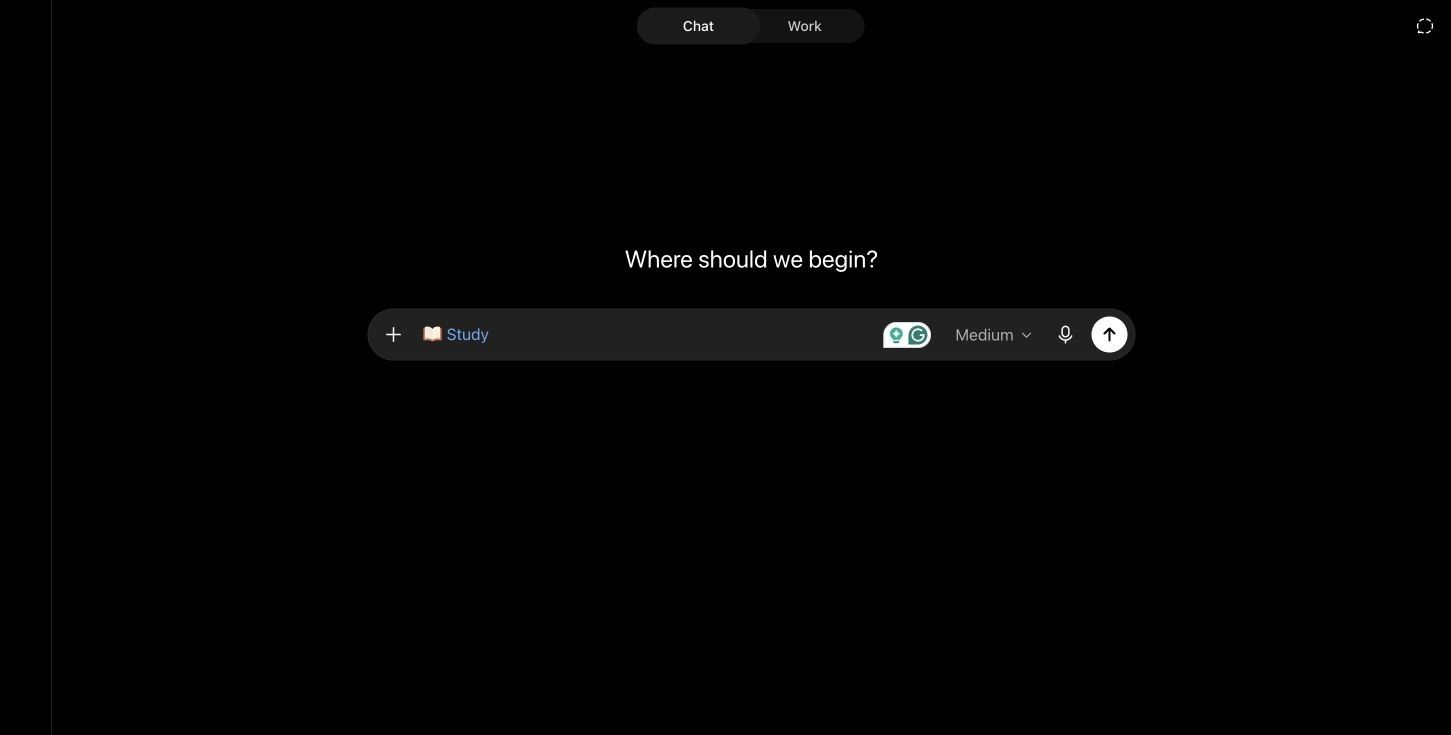
Gdy pamięć jest włączona, ChatGPT może również personalizować wskazówki, wykorzystując zapisane cele lub preferencje nauki. Dzięki temu powtarzające się sesje korepetycji mogą wydawać się bardziej ciągłe niż notatnik zorganizowany wyłącznie wokół treści źródłowych.
Gdzie NotebookLM nadal pomaga
NotebookLM jest cenny, gdy pojęcie musi być wyjaśnione przy użyciu dokładnego języka kursu. Poproszenie go o porównanie dwóch definicji w różnych tekstach lub zidentyfikowanie, gdzie autorzy się nie zgadzają, może być bardziej użyteczne niż otrzymanie szerokiego wyjaśnienia.
Najlepszy wybór zależy zatem od rodzaju zamieszania. Użyj NotebookLM, gdy nie wiesz, co twierdzą przypisane materiały; użyj ChatGPT, gdy znasz twierdzenie, ale nie potrafisz jeszcze z nim rozumować.
Decyzja Rundy 2
ChatGPT wygrywa w adaptacyjnym wyjaśnianiu. NotebookLM wygrywa w wyjaśnianiu w ramach ścisłych granic dowodowych.
Runda 3: Tworzenie quizów, fiszek i materiałów do powtórek
Oba narzędzia mogą przekształcać materiał w ćwiczenia, ale NotebookLM traktuje artefakty do nauki jako produkty z własnymi kontrolami. Jego Studio może generować fiszki i quizy ze źródeł notatnika, z opcjami trudności i ilości.
NotebookLM może wyjaśniać karty lub odpowiedzi do quizów, zapamiętywać postępy i pozwalać studentom powtarzać pominięte pojęcia. Fiszki można również pobrać jako plik CSV, co ułatwia ich ponowne wykorzystanie w innych miejscach.
Przewaga artefaktów NotebookLM
Główną zaletą nie jest to, że ChatGPT nie potrafi napisać fiszki. Chodzi o to, że NotebookLM łączy fiszki, quizy, mapy myśli, raporty, przeglądy audio i inne artefakty z tym samym notatnikiem i kolekcją źródeł.
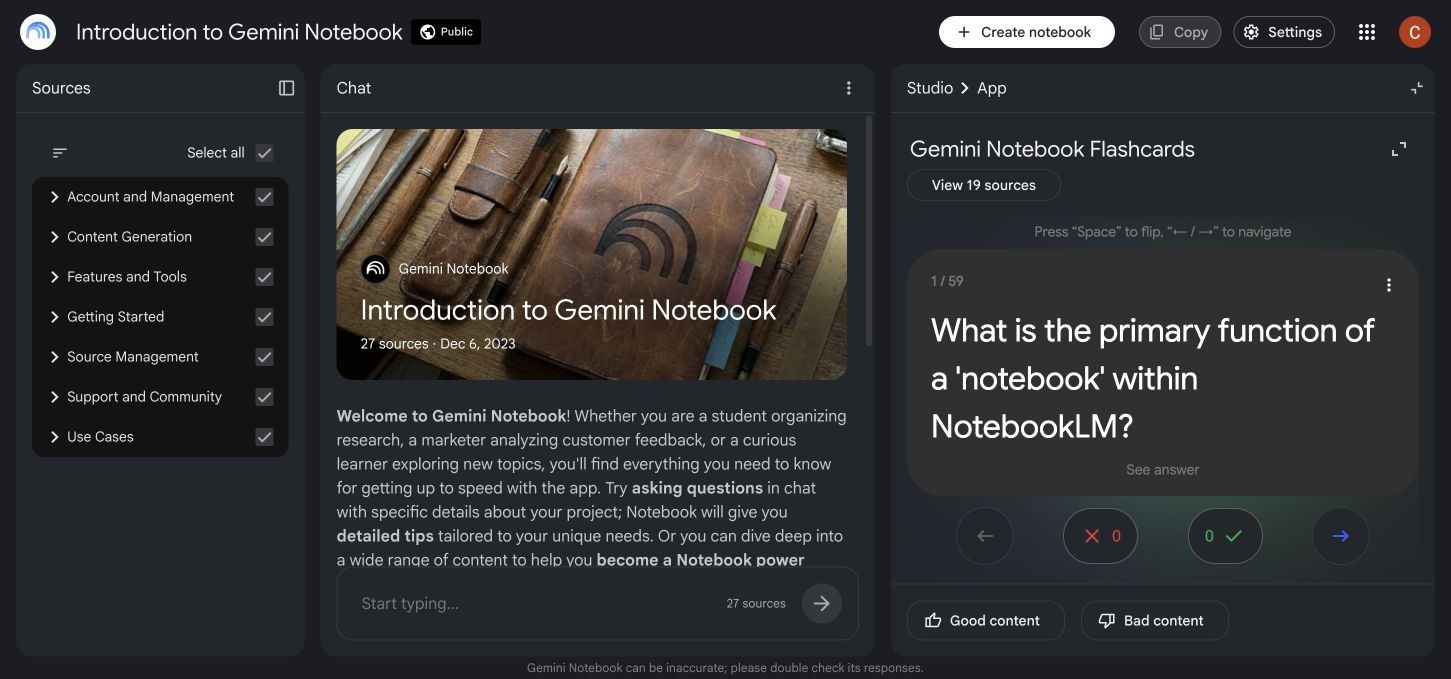
Dla studenta, który chce przesłać materiał i szybko wygenerować kilka formatów powtórkowych, to zmniejsza pracę przygotowawczą. Ułatwia również ponowne wygenerowanie pomocy naukowej po zmianie zestawu źródeł.
Przewaga ChatGPT w praktyce
ChatGPT jest bardziej elastyczny podczas sesji na żywo. Możesz poprosić go o zadawanie pytań jedno po drugim, poczekać na Twoje rozumowanie, wykryć wzorzec w Twoich błędach i odpowiednio zmienić następne pytanie.
Może również stworzyć plan powtórek uwzględniający termin, dostępny czas, poziom pewności siebie i wcześniejsze wyniki. Jakość zależy w dużej mierze od podpowiedzi i od tego, czy kontynuujesz rozmowę szczerze, zamiast prosić o wszystkie odpowiedzi naraz.
| Wynik nauki | Mocna strona NotebookLM | Mocna strona ChatGPT |
|---|---|---|
| Fiszki | Natywne, oparte na źródłach, uwzględniające postępy, eksport CSV | Wysoce konfigurowalne sformułowania i konwersacyjne pytania uzupełniające |
| Quiz | Natywne kontrole trudności i przeglądu | Adaptacyjne pytania i natychmiastowa informacja zwrotna od korepetytora |
| Przewodnik do nauki | Szybka synteza z wybranych źródeł | Spersonalizowany pod kątem czasu, celów i słabych obszarów |
| Mapa myśli | Natywny artefakt oparty na źródłach | Może wyjaśniać relacje lub tworzyć wizualizacje, gdy narzędzia na to pozwalają |
| Przegląd audio | Przegląd audio ze źródeł notatnika | Korepetycje głosowe i praktyka ustna |
| Plan powtórek | Może podsumować, co obejmują źródła | Lepsza personalizacja pod kątem harmonogramu i wyników |
Decyzja Rundy 3
NotebookLM wygrywa, gdy chcesz pakiet materiałów do nauki opartych na źródłach. ChatGPT wygrywa, gdy chcesz, aby sesja ćwiczeń stale dostosowywała się do Twoich odpowiedzi.
Runda 4: Rozwiązywanie problemów i uczenie się na błędach
Porównania mocno oparte na czytaniu często niedoceniają znaczenia praktyki stosowanej. Studenci matematyki, fizyki, inżynierii, ekonomii, statystyki, programowania i nauki języków potrzebują czegoś więcej niż tylko podsumowań.
ChatGPT ma przewagę, ponieważ może pracować nad nowym problemem, sprawdzać niepoprawną próbę, identyfikować, gdzie rozumowanie zmieniło kierunek, i generować podobny problem. Może również używać narzędzi do obliczeń, analizy danych, kodowania lub wizualizacji, gdy te funkcje są dostępne.
Najbardziej użyteczną podpowiedzią jest błędna odpowiedź
Dobry test korepetytorski to nie „Rozwiąż to”. To „Oto moja próba; zadawaj mi pytania, dopóki nie znajdę pierwszego błędnego kroku.”
Ta podpowiedź ujawnia, czy narzędzie może wspierać naukę, a nie tylko produkować odpowiedź. Tryb nauki ChatGPT jest lepiej dostosowany do tej interakcji, ponieważ jest zaprojektowany do używania pytań, wskazówek i progresywnych wyjaśnień.
Rola NotebookLM w rozwiązywaniu problemów
NotebookLM może zakotwiczyć wyjaśnienie w rozdziale podręcznika, arkuszu wzorów, rozwiązanym przykładzie lub kryteriach oceniania. Pomaga to, gdy kurs wykorzystuje określoną metodę, a student chce uniknąć alternatywnej techniki, która nie zostanie zaakceptowana.
Jednak ograniczony zestaw źródeł może również ograniczać zakres przykładów lub strategii naprawczych. Jeśli przesłany materiał słabo wyjaśnia ideę, ściślejsze ugruntowanie odpowiedzi może powtórzyć to samo zamieszanie.
Decyzja Rundy 4
ChatGPT jest lepszym korepetytorem do rozwiązywania problemów. NotebookLM jest lepszym towarzyszem do sprawdzania, czy metoda rozwiązania pasuje do przypisanych materiałów.
Runda 5: Badania, dowody i weryfikacja cytatów
Najważniejszą zaletą NotebookLM nie jest „dokładność” w abstrakcji. Jest to identyfikowalność: użytkownik może sprawdzić, który przesłany fragment wspiera odpowiedź.
To sprawia, że NotebookLM jest skuteczny w przeglądach literatury, porównaniach polityk, analizie wywiadów, archiwach spotkań i każdym zadaniu, w którym czytelnik musi przechodzić między syntezą a dowodami.
Cytaty nie czynią źródła poprawnym
Cytat odpowiada na pytanie „Skąd pochodzi to twierdzenie?”. Nie odpowiada na pytanie „Czy to źródło jest wiarygodne, aktualne, kompletne lub poprawnie zinterpretowane?”
Jeśli notatnik zawiera nieaktualne notatki z wykładów lub słaby wpis na blogu, ugruntowana odpowiedź może wiernie odtworzyć problem. Dobre badania nadal wymagają oceny źródeł, sprawdzania dat, przeglądu metodologii i zwracania uwagi na niezgodności.
ChatGPT jest lepszy w rozszerzaniu wyszukiwania
ChatGPT może używać wyszukiwania w sieci lub dogłębnych badań, gdy te narzędzia są dostępne. To sprawia, że jest przydatny, gdy zestaw źródeł nie jest jeszcze znany, a student musi odkryć aktualne artykuły, oficjalne strony, konkurencyjne wyjaśnienia lub nowe dane.
Kompromisem jest szersze obciążenie weryfikacyjne. Użytkownik powinien otworzyć cytowaną stronę, potwierdzić, że wspiera ona twierdzenie, i unikać cytowania wygenerowanej odpowiedzi tak, jakby była oryginalnym dowodem.
Decyzja Rundy 5
Użyj NotebookLM do przesłuchania kolekcji, którą już wybrałeś. Użyj ChatGPT do eksploracji poza tą kolekcją, a następnie przenieś najsilniejsze zweryfikowane źródła z powrotem do kontrolowanego obszaru roboczego.
Obsługa plików, limity, organizacja i współpraca
Limity często się zmieniają, więc poniższe dane odzwierciedlają oficjalne informacje pomocy dostępne w lipcu 2026 r. Zawsze sprawdzaj aktualny interfejs przed wybraniem płatnego planu dla dużego projektu.
| Szczegóły przepływu pracy | NotebookLM | ChatGPT |
|---|---|---|
| Główny kontener | Notatnik | Czat lub Projekt |
| Limit darmowych kontenerów | Do 100 notatników na użytkownika | Obecnie udokumentowane są nieograniczone Projekty |
| Darmowe pliki lub źródła | Do 50 źródeł na notatnik | Do 5 plików na Projekt |
| Wyższe limity płatne | Zależne od planu, do setek źródeł | Go/Plus do 25 plików na Projekt; Edu/Pro/Business/Enterprise do 40 |
| Limit na plik | Do 500 000 słów lub 200 MB na przesłane źródło | Dokumenty do 512 MB i 2 milionów tokenów, z oddzielnymi limitami dla arkuszy kalkulacyjnych i obrazów |
| Typy źródeł | Dokumenty, PDF, PPTX, CSV, ePub, obrazy, audio, adresy URL, transkrypcje YouTube, pliki Google | Popularne dokumenty, arkusze kalkulacyjne, prezentacje, obrazy i wklejony tekst |
| Synchronizacja w chmurze | Źródła z Google Drive mogą się synchronizować | Pliki projektu są przechowywane w Projekcie; dostępność aplikacji w chmurze różni się |
| Wspólny obszar roboczy | Udostępnianie notatników z kontrolami zależnymi od planu | Udostępnione Projekty z dostępem do czatu lub edycji |
| Instrukcje | Dostosowanie na poziomie notatnika | Instrukcje projektu i instrukcje czatu |
| Spójność mobilna | Niektóre funkcje NotebookLM mogą odbiegać od wersji desktopowej | Szeroki dostęp przez sieć, iOS i Android; dostępność funkcji może się różnić |
Organizacja NotebookLM jest tematyczna
Notatnik działa najlepiej, gdy jego źródła są ze sobą powiązane. Tworzenie jednego notatnika na kurs, pytanie badawcze, klienta lub projekt utrzymuje spójność cytatów i generowanych artefaktów.
Wrzucanie niepowiązanych materiałów do jednego notatnika osłabia wyszukiwanie. Notatnik może nadal odpowiadać, ale użytkownik spędza więcej czasu na wybieraniu i nazywaniu źródeł, aby zapobiec przypadkowemu mieszaniu.
Organizacja ChatGPT jest zorientowana na pracę
Projekt może zawierać wiele rozmów, plików i instrukcji dotyczących trwającego wysiłku. Taka struktura pasuje do pracy, która zmienia się w czasie, np. przechodzenia od badań do analizy, pisania, poprawek i prezentacji.
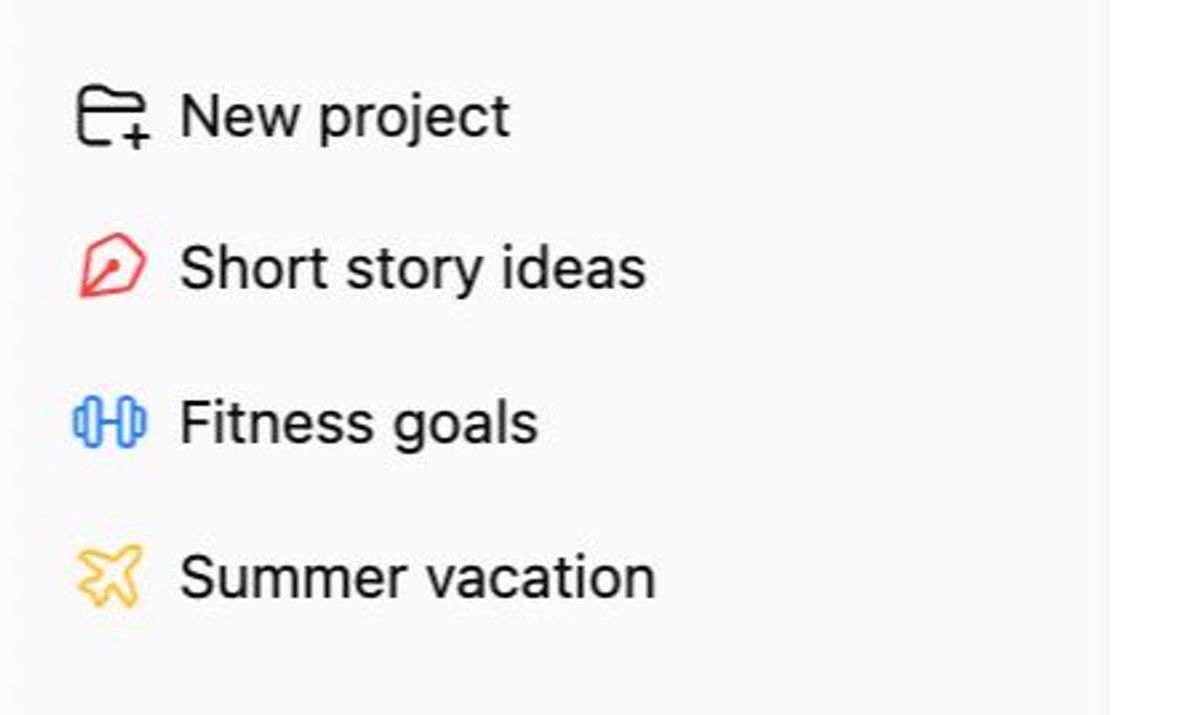
Jednym z ważnych ograniczeń jest to, że tryb nauki jest obecnie przeznaczony do regularnych lub tymczasowych rozmów czatowych, a nie do rozmów GPT lub projektowych. Zachowanie produktu może się zmienić, więc zweryfikuj dostępne narzędzia na swoim koncie przed zbudowaniem semestralnego przepływu pracy wokół tej kombinacji.
Ceny NotebookLM vs ChatGPT i wartość planu darmowego
Oba produkty oferują użyteczny darmowy dostęp, ale ich darmowa wartość pojawia się w różnych miejscach. NotebookLM Standard jest niezwykle wydajny dla studentów, których główną potrzebą jest zbieranie źródeł, zadawanie ugruntowanych pytań i generowanie artefaktów do nauki.
ChatGPT Free zapewnia szerszego ogólnego asystenta, ale wiadomości, modele, przesyłanie plików i zaawansowane narzędzia mają limity zależne od planu. W okresie egzaminacyjnym praktycznym problemem może być limit użytkowania, a nie to, czy funkcja technicznie istnieje.
| Pytanie o wartość | NotebookLM | ChatGPT |
|---|---|---|
| Czy mogę zacząć za darmo? | Tak | Tak |
| Najlepsze darmowe zastosowanie | Studiowanie określonej kolekcji źródeł | Wyjaśnienia, pytania, lekka praca z plikami, ogólna pomoc |
| Główny powód do uaktualnienia | Wyższe limity notatników, źródeł, czatów i artefaktów; udostępnianie premium lub dostosowywanie | Wyższy dostęp do modeli i narzędzi, więcej wiadomości i przesyłanych plików, szersze zaawansowane przepływy pracy |
| Płatny ekosystem | Google AI i kwalifikujące się plany Workspace lub Education | Plany Go, Plus, Pro, Business, Edu i Enterprise |
| Kto może nie potrzebować płacić | Studenci z możliwym do zarządzania zestawem lektur | Studenci z okazjonalnymi potrzebami korepetycji |
| Kto odczuwa limity jako pierwszy | Użytkownicy intensywnie korzystający z wielu kursów lub dużej liczby artefaktów | Części użytkownicy zaawansowanych modeli, przesyłania plików, badań lub analiz |
Sama cena subskrypcji nie wskazuje na lepszą wartość. Student literatury z 30 przypisanymi lekturami może zyskać więcej dzięki darmowej pojemności źródeł NotebookLM, podczas gdy student inżynierii, który potrzebuje codziennego interaktywnego rozwiązywania problemów, może uzasadnić płatny plan ChatGPT.
Ceny regionalne, podatki, licencje instytucjonalne i dostęp promocyjny różnią się. Porównaj stronę płatności i dokładne limity użytkowania pokazane na Twoim koncie, zamiast polegać na starym zrzucie ekranu.
Które narzędzie jest lepsze dla Twojego przedmiotu?
Różne przedmioty tworzą różne wymagania dotyczące dowodów i praktyki.
| Przedmiot lub styl nauki | Lepszy domyślny | Powód |
|---|---|---|
| Historia i nauki humanistyczne | NotebookLM | Silny do porównywania lektur, tematów i fragmentów źródeł pierwotnych |
| Przegląd literatury | NotebookLM | Łatwiejsza synteza między artykułami i śledzenie cytatów |
| Prawo i polityka | NotebookLM | Przydatny, gdy odpowiedzi muszą być związane z przypadkami, statutami lub przypisanymi tekstami |
| Medycyna i nauki o zdrowiu | Oba | NotebookLM dla źródeł kursowych; ChatGPT dla wyjaśnień i praktyki, z ostrożną weryfikacją |
| Matematyka | ChatGPT | Lepsze interaktywne rozwiązywanie problemów i diagnozowanie błędnych koncepcji |
| Inżynieria | ChatGPT | Silniejsze rozumowanie stosowane, obliczenia i iteracyjne przykłady |
| Kodowanie | ChatGPT | Generowanie kodu, debugowanie, wyjaśnianie i wsparcie narzędziowe |
| Nauka języków | ChatGPT | Konwersacja, korekta, odgrywanie ról i adaptacyjna praktyka |
| Nauka słuchowa | NotebookLM | Przeglądy audio przekształcają wybrany materiał w dyskusje do powtórzenia |
| Powtórki do egzaminów | Oba | NotebookLM tworzy materiały; ChatGPT prowadzi adaptacyjne ćwiczenia |
| Badania grupowe | Oba | NotebookLM organizuje dowody; Projekty ChatGPT wspierają szerszą produkcję kolaboracyjną |
Te rekomendacje to punkty wyjścia, a nie zasady. Student matematyki przeprowadzający przegląd literatury może preferować NotebookLM, podczas gdy student historii ćwiczący pytania do obrony ustnej może preferować ChatGPT.
Najlepszy przepływ pracy może wykorzystywać oba narzędzia
Studenci często marnują czas, próbując zmusić jedno narzędzie do wykonania każdego etapu. Czysty przepływ pracy oddziela pracę ze źródłami od praktyki uczenia się.
-
Kuratuj autorytatywny materiał. Zbierz przypisane lektury, oficjalne referencje, notatki z wykładów i transkrypcje, które powinny definiować temat.
-
Zbuduj bazę dowodową w NotebookLM. Zorganizuj źródła, zadawaj pytania porównawcze, sprawdzaj cytaty i identyfikuj niezgodności lub luki.
-
Twórz zweryfikowane notatki. Podsumuj pojęcia własnymi słowami i zachowaj linki lub odniesienia do stron oryginalnych fragmentów.
-
Ćwicz w ChatGPT. Użyj trybu nauki lub zwykłego czatu, aby wyjaśniać pojęcia, testować przypominanie, diagnozować błędy i generować nowe zastosowania ze zweryfikowanych notatek.
-
Wróć do oryginalnych dowodów. Przed cytowaniem, przesyłaniem lub formułowaniem istotnego twierdzenia, sprawdź źródło, zamiast polegać na odpowiedzi AI.
Ten podział pracy jest bardziej solidny niż przenoszenie niezweryfikowanego, wygenerowanego podsumowania z jednego modelu do drugiego. NotebookLM staje się „salą dowodową”; ChatGPT staje się „salą ćwiczeń”.
Gdzie Lynote pasuje do mieszanych materiałów do nauki
NotebookLM jest przekonujący dla notatników skoncentrowanych na źródłach, podczas gdy ChatGPT jest przekonujący dla korepetycji i szerszego tworzenia. Generator notatek AI Lynote odpowiada na pokrewną, ale odrębną potrzebę: przekształcanie mieszanych danych wejściowych do nauki w edytowalne, połączone ze źródłami notatki i przenoszenie tych notatek do następnej aktywności edukacyjnej.
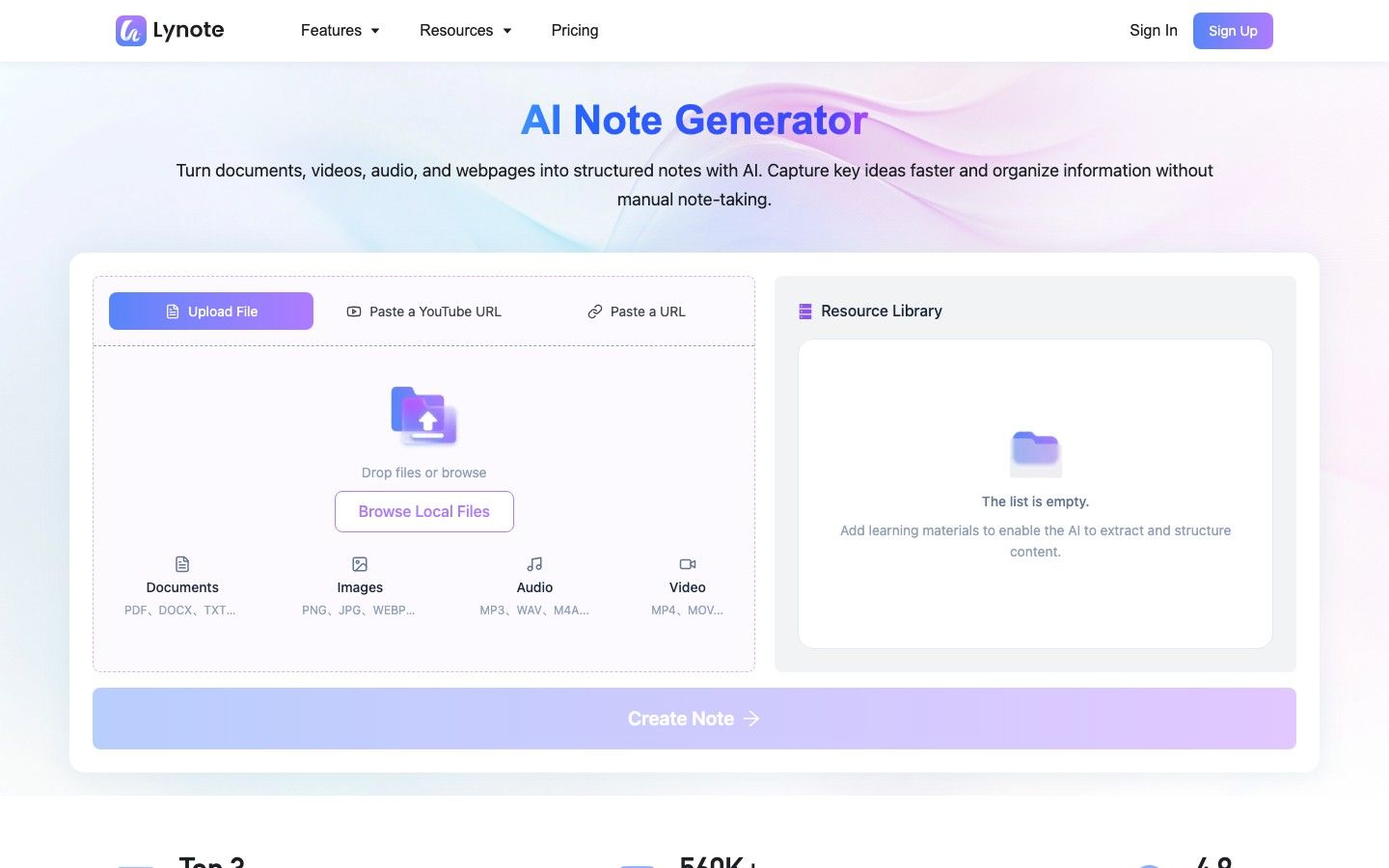
Przepływ pracy jest przydatny, gdy kurs nie składa się głównie z plików PDF. Lynote może łączyć dokumenty, obrazy, strony internetowe, audio, wideo i materiały z YouTube, a następnie generować ustrukturyzowane notatki z nagłówkami, punktami i sekcjami połączonymi ze źródłami.
Jak tworzyć notatki do nauki za pomocą Lynote
- Dodaj materiał do nauki. Prześlij odpowiedni dokument, obraz, plik audio lub wideo, lub wklej adres URL strony internetowej lub YouTube. Podczas korzystania z adresu URL, przeanalizuj go, aby zawartość mogła zostać załadowana do obszaru roboczego.
-
Utwórz notatkę. Uruchom przepływ pracy notatki, aby przekształcić źródło w ustrukturyzowane sekcje i kluczowe punkty.
-
Przejrzyj i popraw wynik. Edytuj wygenerowaną notatkę, sprawdź ważne szczegóły w porównaniu z oryginalnym materiałem i zadaj pytania uzupełniające, jeśli potrzebne są wyjaśnienia.
-
Wykorzystaj ją do aktywnej nauki. Eksportuj lub udostępnij notatkę, lub przekształć materiał w fiszki do ćwiczeń przypominania.
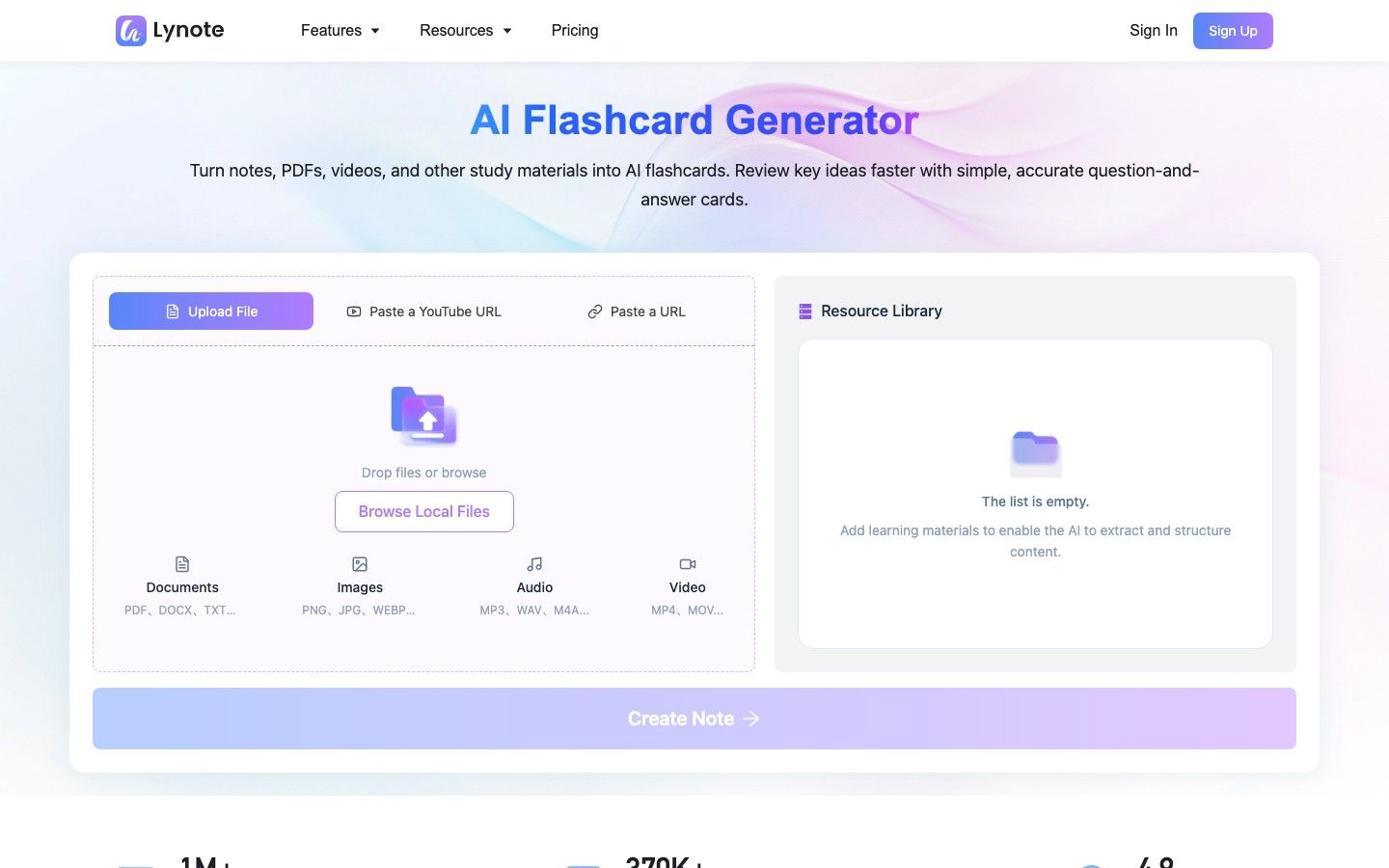
Lynote nie jest automatycznie lepszy od NotebookLM czy ChatGPT. Jego zaletą jest ciągłość przepływu pracy dla uczących się, którzy chcą, aby mieszane media stały się edytowalnymi notatkami i fiszkami, bez traktowania każdego źródła jako oddzielnego zadania ręcznego.
Ograniczenia, dokładność, prywatność i uczciwość akademicka
Żadne narzędzie AI do nauki nie powinno stać się autorytetem dla kursu. Oba produkty mogą źle zrozumieć dokument, pominąć kontekst, nadmiernie uprościć argument lub wygenerować pewną odpowiedź, która nie odpowiada oczekiwaniom instruktora.
Ugruntowanie zmniejsza jedno ryzyko, nie każde
Ugruntowanie źródeł w NotebookLM ułatwia zauważenie nieuzasadnionego dryfu, ale nie waliduje źródła ani nie gwarantuje poprawnej interpretacji. Elastyczność ChatGPT stwarza więcej możliwości dla użytecznych połączeń i więcej możliwości wprowadzenia informacji, o które zadanie nie prosiło.
Najbezpieczniejszy nawyk jest taki sam w obu narzędziach: sprawdzaj ważne twierdzenia, weryfikuj cytaty i obliczenia oraz miej dostępny oryginalny materiał.
Sprawdź zasady dotyczące danych przed przesłaniem
Pakiety kursowe, niepublikowane badania, transkrypcje wywiadów, dokumenty służbowe i dane studentów mogą być poufne lub chronione prawem autorskim. Przed przesłaniem materiału zapoznaj się z polityką swojej instytucji, typem konta, ustawieniami przechowywania i uprawnieniami do udostępniania.
Nie zakładaj, że konto osobiste i konto zarządzane przez instytucję mają identyczne kontrole danych. Usuń materiały, które nie powinny znajdować się w usłudze strony trzeciej.
Używaj AI do wzmacniania nauki, nie do jej zastępowania
Generowanie przewodnika do nauki to nie to samo, co zrozumienie tematu. Jeśli narzędzie zawsze podsumowuje, odpowiada i pisze, zanim spróbujesz wykonać pracę, może to zmniejszyć wysiłek przypominania i zmagania, które sprawiają, że nauka jest trwała.
Używaj quizów bez ujawniania odpowiedzi, wyjaśniaj pojęcia narzędziu, porównuj odpowiedź z lekturą i zapisuj to, czego nadal nie potrafisz wyjaśnić. Takie zachowania zmieniają AI z maszyny do odpowiadania w pomoc w nauce.
Zasady akademickie również się różnią. Szkoła może zezwalać na użycie AI do burzy mózgów lub nauki, jednocześnie ograniczając jej użycie w ocenianych pracach pisemnych, egzaminach domowych, zadaniach programistycznych lub analizie badawczej.
Często zadawane pytania dotyczące NotebookLM vs ChatGPT
Czy NotebookLM jest lepszy od ChatGPT dla studentów?
NotebookLM jest lepszy dla studentów uczących się z określonego zestawu lektur, zwłaszcza gdy liczą się cytaty i identyfikowalność źródeł. ChatGPT jest lepszy do interaktywnych korepetycji, rozwiązywania problemów i spersonalizowanych wyjaśnień.
Czy NotebookLM jest dokładniejszy niż ChatGPT?
NotebookLM jest często bardziej kontrolowalny, gdy poprawna odpowiedź musi pochodzić z przesłanych źródeł. Nie czyni go to uniwersalnie dokładniejszym, ponieważ słabe, nieaktualne lub niekompletne źródła nadal mogą generować słabe odpowiedzi.
Czy NotebookLM może zastąpić ChatGPT?
Nie całkowicie. NotebookLM może zastąpić wiele zadań związanych z pytaniami i odpowiedziami do dokumentów, podsumowywaniem i nauką opartą na źródłach, ale ChatGPT pozostaje bardziej elastyczny w zakresie korepetycji, pisania, obliczeń, kodowania i swobodnego tworzenia.
Które narzędzie jest lepsze do prac badawczych?
NotebookLM jest zazwyczaj lepszy do czytania i porównywania znanej kolekcji artykułów. ChatGPT jest przydatny do formułowania pytań, eksplorowania poza tą kolekcją, analizowania informacji i ulepszania procesu pisania po zweryfikowaniu twierdzeń.
Które jest lepsze do plików PDF i podręczników?
NotebookLM jest silniejszym domyślnym narzędziem dla kolekcji plików PDF lub rozdziałów podręczników, ponieważ jego przepływ pracy koncentruje się na wyborze źródeł i cytatach. ChatGPT może być lepszy, gdy potrzebujesz interaktywnego ponownego nauczania materiału lub zastosowania go do nowych problemów.
Czy ChatGPT potrafi to, co NotebookLM?
ChatGPT może przesyłać pliki, organizować je w Projektach, podsumowywać dokumenty i odpowiadać na pytania dotyczące nich. NotebookLM nadal oferuje bardziej wyspecjalizowany notatnik źródeł, z ściślejszą nawigacją po cytatach i natywnymi artefaktami do nauki, takimi jak przeglądy audio, mapy myśli, fiszki i quizy.
Czy NotebookLM jest darmowy?
Tak. NotebookLM ma darmowy poziom Standard z limitami na notatniki, źródła, czaty i generowane artefakty, plus wyższe limity poprzez kwalifikujące się płatne plany Google.
Czy powinienem używać NotebookLM i ChatGPT razem?
Tak, gdy zadanie obejmuje zarówno czytanie oparte na dowodach, jak i aktywną praktykę. Użyj NotebookLM do organizacji i weryfikacji bazy źródeł, a następnie użyj ChatGPT do wyjaśniania, quizowania, kwestionowania i pomagania w zastosowaniu zweryfikowanych pomysłów.
Ostateczny werdykt
NotebookLM wygrywa, gdy zadanie edukacyjne jest zdefiniowane przez zbiór dowodów. Jest lepszym wyborem do obszernych pakietów lektur, porównywania źródeł, śledzenia cytatów i szybkiego generowania artefaktów do nauki opartych na źródłach.
ChatGPT wygrywa, gdy postęp zależy od interakcji. Jest lepszym wyborem do adaptacyjnych wyjaśnień, pytań sokratycznych, rozwiązywania problemów, diagnozowania błędów, pisania, kodowania i szerszego tworzenia.
Dla wielu poważnych studentów najlepsza odpowiedź to nie NotebookLM czy ChatGPT. To celowe przekazanie: ustal, co mówią źródła w NotebookLM, a następnie ćwicz, co możesz zrobić z tą wiedzą w ChatGPT.

Autor: Danny
Menedżer ds. Marketingu Produktu
Danny wyjaśnia, jak funkcje Lynote pasują do rzeczywistych procesów pracy, od codziennej produktywności po przypadki użycia pisania produktowego. Zobacz wszystkie artykuły →