menu

Surfer SEO AI 콘텐츠 감지기 검토: 솔직 후기

By Lynote Team | June 20, 2026

Surfer SEO AI Content Detector review searches usually come from one practical question: can Surfer tell you whether an SEO draft looks AI-written before you publish it? After testing it with several SEO-style samples, my answer is: Surfer is useful for a fast warning signal, but I would not use it as the final editorial decision.

Surfer SEO AI Content Detector Review

The tool flagged my longer, highly template-like AI sample as 99 percent AI-generated. It did not flag several shorter SEO-style samples, including a pure AI-style intro, a mixed human-edited draft, and an over-polished generic paragraph.

That result made the review more interesting than a simple yes-or-no verdict. Surfer can catch obvious machine-like content, but the output is thin if your real problem is deciding what to revise, what to keep, and how to make a draft feel more original.

Quick Verdict: Useful for a Fast SEO Check, Not a Full Editorial Answer

Surfer SEO AI Content Detector is worth trying if you want a quick check inside an SEO context. It is free to use on the public page, simple to operate, and easy enough for writers, editors, and content managers who do not want a complicated detector dashboard.

The best use case is early triage. If a draft comes back with a high AI score, you know to slow down, inspect the writing, and look for generic sections, missing firsthand detail, repetitive transitions, or claims that need stronger support.

The weakness is that Surfer gives you a score, not a full revision plan. It tells you whether the text appears AI-generated or human-written, but it does not give enough sentence-level editorial guidance for a nuanced rewrite.

QuestionMy take
Is Surfer SEO AI Content Detector easy to use?Yes. Pasting text is fast, and the result appears quickly.
Did it catch obvious AI-style text in my test?Yes, when the sample was longer and highly template-like.
Did it flag every AI-like SEO sample?No. Several shorter generic samples were scored as human-written.
Is it enough for final publication quality control?Not by itself. It needs human review and a revision workflow.
Best fitQuick pre-publish AI-risk screening for English SEO drafts.

My practical verdict: use Surfer as a quick smoke test, not as a verdict on authorship or content quality.

What Surfer SEO AI Content Detector Is

Surfer is better known as an SEO content platform than as a standalone AI detector. Its broader product is built around content planning, optimization, topical coverage, and search visibility workflows.

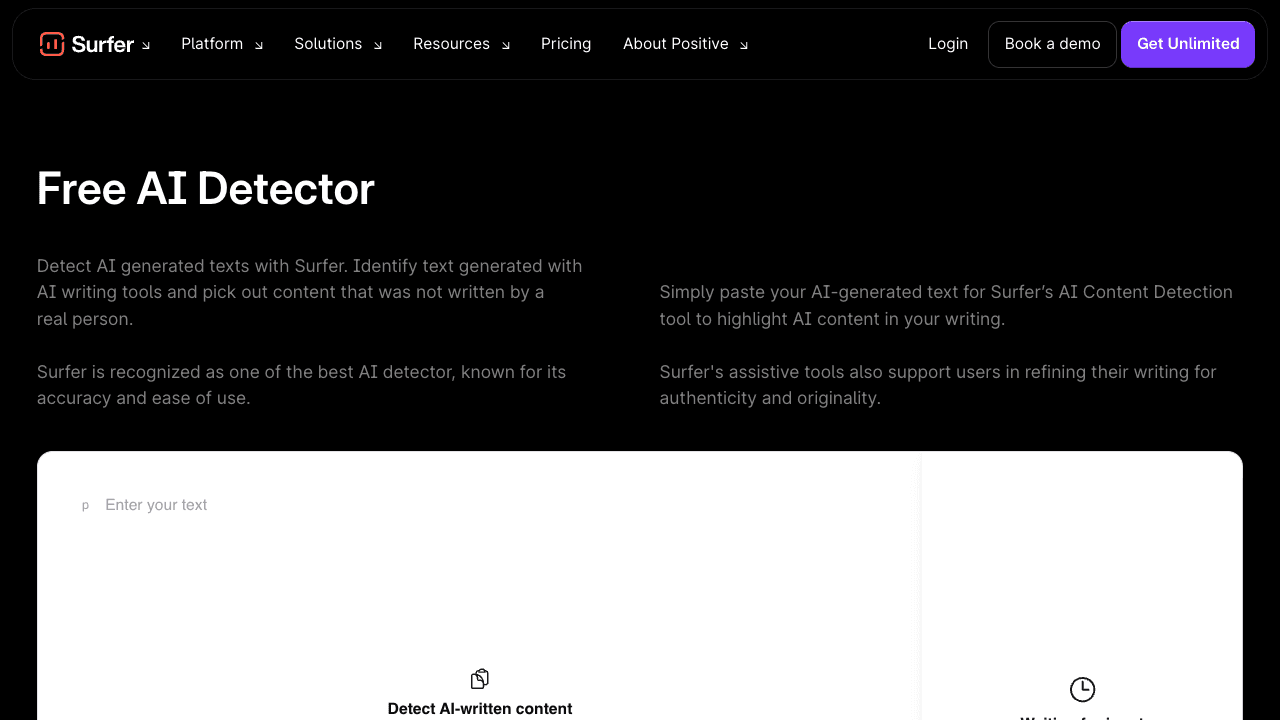
The AI Content Detector is a simpler public tool on Surfer's site. You paste English text into the box, and the interface returns an AI-generated percentage, a human-written percentage, a short verdict, and word count.

Surfer SEO AI Content Detector empty interface with paste text area and result panel

That positioning matters. Surfer's detector feels less like a forensic authorship tool and more like a quick content quality checkpoint for people who already care about SEO drafts.

In the interface I tested, Surfer also showed a Humanize option after an AI-generated result. I would treat that as a rewriting prompt, not as proof that the content will become original, accurate, or publication-ready.

How I Tested Surfer SEO AI Content Detector

I tested Surfer with five English samples designed to resemble the kinds of text SEO teams actually review. This was not a lab benchmark, and it should not be read as a universal accuracy study.

Instead, I wanted to know whether Surfer helped with practical editorial decisions. Could it distinguish a rough first-person editorial paragraph from generic SEO copy?

I also wanted to see whether it would catch a longer, obvious AI-style business paragraph. After the score, I looked at whether the output gave me enough guidance to revise.

Test sampleWhy I used itSurfer result
Pure AI-style SEO introductionCommon opening style for AI-assisted blog drafts0 percent AI-generated, 100 percent human-written
Rough first-person editorial controlA more natural paragraph with a clear working-editor point of view0 percent AI-generated, 100 percent human-written
Mixed AI base with human editorial detailA realistic draft that starts from standard SEO framing and adds practical judgment0 percent AI-generated, 100 percent human-written
Over-polished generic SEO paragraphSmooth, predictable SEO language without many concrete details0 percent AI-generated, 100 percent human-written
Long template-like AI business paragraphRepetitive, corporate, broad AI-style prose99 percent AI-generated, 1 percent human-written

The sample set intentionally mixed obvious and ambiguous cases. Most real SEO work is not purely human or purely AI; it is a blend of research notes, AI assistance, human edits, brand constraints, and deadline pressure.

My Hands-On Results

The biggest surprise was that Surfer did not flag my shorter SEO-style samples. The pure AI-style introduction was polished, generic, and structured exactly like many AI-written blog intros, yet Surfer scored it as human-written.

The same happened with the over-polished generic SEO paragraph. It used familiar phrasing like "competitive digital landscape," "high-quality content," and "target audience," but the detector still returned 0 percent AI-generated.

Surfer SEO AI Content Detector showing 0 percent AI-generated for a short SEO introduction

The mixed sample also passed as human-written. That sample started with standard SEO framing, then added more practical editorial detail about ownership, subject-matter review, and launch-driven priorities.

The long template-like sample was different. It was more repetitive, more corporate, and more uniform in sentence rhythm, and Surfer returned 99 percent AI-generated with the visible verdict that the text appeared AI-generated.

Surfer SEO AI Content Detector showing 99 percent AI-generated for a longer template-like paragraph

That pattern gave me a clearer view of the tool. Surfer seemed much more confident when the content had enough length and a strong machine-like pattern, but it was less useful for shorter SEO passages that still felt generic.

Accuracy: Where It Felt Reliable and Where I Would Be Careful

Surfer felt reliable in the obvious case. The longer sample had broad business language, predictable transitions, and low information density, so a high AI score made sense.

The weaker area was ambiguous SEO prose. Short, polished, generic paragraphs can be the exact place where editors need help, but those samples came back as human-written in my test.

That does not mean Surfer is inaccurate across the board. It means a single detector score depends heavily on sample length, writing style, and the kind of AI pattern the model is sensitive to.

This is why I would avoid using any AI detector as proof of authorship. A low AI score does not automatically mean the draft is original, useful, or deeply researched, and a high AI score does not automatically prove misconduct.

Surfer AI Detector FAQ explaining limitations and false positives in AI content detection

For SEO writers, the more useful question is not "Did the detector approve this?" The better question is "Does this draft contain enough firsthand value, examples, judgment, and specificity to deserve ranking and reader trust?"

Workflow Review: Does It Actually Help SEO Writers?

Surfer helps most at the beginning of an editorial review. If you receive a batch of drafts from freelancers, AI-assisted workflows, or internal writers, the detector can quickly identify text that deserves closer inspection.

It is less helpful as the only review step. After the score, an editor still needs to inspect the argument, verify claims, strengthen examples, and remove sections that sound like placeholder advice.

Surfer AI Detector page explaining text analysis, machine learning algorithms, and probability scoring

In my own workflow, I would use Surfer like this:

  • Paste the draft or a suspicious section into the detector.
  • Note whether the result is clearly high, clearly low, or ambiguous.
  • Read the highest-risk sections manually.
  • Add specific examples, original observations, product details, or expert commentary.
  • Recheck only after the draft has genuinely improved.

The key is not to rewrite for the detector. The key is to revise for the reader, then use detection as one signal that the prose no longer feels flat or mass-produced.

What I Liked

I liked how little setup Surfer required. There was no complicated onboarding step, no long configuration screen, and no need to build a project before checking text.

The result is also easy to understand. A busy content manager can immediately see the AI-generated percentage, the human-written percentage, the word count, and a short verdict.

The detector fits naturally into SEO operations. If a team already uses Surfer for content optimization, this kind of quick AI-risk check can sit beside keyword, outline, and content quality work.

I also liked that the page itself acknowledges limits around false positives and English-only detection. That matters because AI detector results are often misused when teams treat them as more certain than they are.

What I Did Not Like

The main issue is actionability. A number alone does not tell an editor which sentence is weak, which claim lacks evidence, or which paragraph needs a more original point of view.

Surfer also did not flag several short samples that looked AI-like to me as an editor. That makes me cautious about using it to clear content quickly, especially if the draft is short or only lightly generic.

The English-only scope is another practical limit. Many SEO teams publish in multiple languages, and an English-focused detector does not solve review workflows for multilingual content.

Surfer AI Detector page showing English-only support and unlimited detection upgrade card

I would also separate AI detection from SEO quality. A draft can be scored as human-written and still be thin, unhelpful, poorly sourced, or too similar to competing pages.

Pros and Cons

ProsCons
Very fast to test textScore alone is not very diagnostic
Simple interface for writers and editorsShort generic SEO samples may pass as human-written
Useful for quick pre-publish triageEnglish-only detection limits international workflows
Fits the broader SEO content review mindsetDoes not replace originality, fact-checking, or E-E-A-T review
Catches strongly template-like AI text in my testNot enough for high-stakes authorship disputes

The pros are strongest when you want speed. The cons matter most when you need an actual editorial plan.

Surfer SEO AI Content Detector vs Other AI Detectors

Surfer is not the only AI detector an SEO team might use. The right choice depends on whether you want speed, sentence-level evidence, plagiarism features, classroom-style review, or a more complete revision workflow.

ToolBest forResult detailSEO workflow fitMain limitation
Surfer SEO AI Content DetectorFast English AI-risk checks for SEO draftsAI-generated and human-written percentagesStrong if Surfer is already in your SEO stackScore is not enough for detailed revision
GPTZeroEducation-style AI detection and document reviewDocument and sentence-level signals depending on planUseful when you need a second opinionCan feel less SEO-specific
CopyleaksAI detection plus plagiarism-oriented reviewDetection, plagiarism, and platform featuresUseful for agencies and compliance-heavy teamsMore complex than a quick paste check
Originality AIPublisher and agency AI detection workflowsAI score plus team and site-level featuresStrong for content operationsCan be more than a casual writer needs
Lynote SEO AI Content DetectorSEO draft review with actionable percentages and highlightsAI, mixed, and human-written percentages plus sentence highlightsUseful when detection needs to lead into revisionShould still be treated as a signal, not proof

For a quick check, Surfer is convenient. For a more diagnostic editing flow, I prefer a tool that makes it easier to see which parts of the draft need attention.

Use Lynote SEO AI Content Detector When You Need a More Actionable SEO Review

Surfer is useful when you want a fast answer. Lynote SEO AI Content Detector is the better fit when the next step is revising an SEO draft, because the workflow is built around reviewing AI-generated, mixed, and human-written signals together.

That difference matters for SEO work. Most weak AI-assisted drafts do not fail because they are "AI" in some abstract sense; they fail because they are generic, under-evidenced, repetitive, or missing the lived details that make content worth reading.

Here is the workflow I would use after a draft gets a concerning score in Surfer:

Step 1. Paste or Upload the SEO Draft

Open Lynote SEO AI Content Detector and paste the section you want to review. For longer work, use the upload path for supported document formats such as PDF, DOCX, or TXT.

Paste text or upload a document to Lynote AI Detector

Start with the sections that matter most: the introduction, product evaluation, comparison table explanation, and final recommendation. Those areas usually reveal whether the draft has real editorial judgment or only generic surface-level language.

Step 2. Run the Detector

Click the Detect AI button after the text or document is ready. Lynote reviews the writing patterns and returns a breakdown of AI-generated, mixed, and human-written content.

Click the Detect AI button in Lynote AI Detector

This three-way split is more useful than a single pass-or-fail mindset. Mixed content is common in SEO work, especially when a writer uses AI for drafting but adds research, product details, and firsthand notes during editing.

Step 3. Review the Percentages and Highlighted Sentences

Read the result as a map of where to inspect the draft. Sentence-level highlights help you focus on the parts that may need more specific examples, clearer claims, or less formulaic phrasing.

Check Lynote AI Detector results with Copy, Download, and Humanize AI options

Do not revise only to lower a score. Revise to make the page more helpful: add comparison criteria, explain tradeoffs, include what you actually observed, and remove paragraphs that could appear in any article on the same topic.

Step 4. Recheck After Real Editorial Changes

After revising, run the text again and compare the new result with the old one. A better score can be useful, but the real goal is stronger content that a reader, editor, or client can trust.

This is where AI detection becomes productive. It moves from "Is this text suspicious?" to "Which parts of this draft still need human judgment?"

Check AI text with Lynote AI Detector

Who Should Use Surfer's Detector?

Surfer's detector is a good fit for SEO writers who want a quick check before sending a draft to an editor. It is also useful for content managers who need a simple triage step before reviewing several drafts.

Agencies may find it useful as a first screen. If a draft returns a high score, the editor can inspect it before client delivery and ask for stronger examples, quotes, screenshots, product testing, or original analysis.

It is less suitable for high-stakes disputes. If someone's grade, payment, job, or professional reputation depends on the result, a single AI detector should not be treated as enough evidence.

It is also not the right tool for measuring full SEO quality. You still need search intent alignment, topical depth, accurate claims, internal linking, formatting, and a reason for the page to exist beyond summarizing what everyone else says.

Best Use Cases by User Type

User typeUse Surfer forAdd a human review for
Freelance SEO writerQuick check before deliveryExamples, claim support, brand voice, and original angle
Content managerTriage across multiple draftsFinal editorial quality and publishing readiness
Agency editorSpotting obvious AI-like copy before client reviewClient-specific insight, proof points, screenshots, and expertise
BloggerChecking whether a draft sounds overly genericPersonal experience, product notes, and stronger opinions
Multilingual SEO teamEnglish draft screeningNon-English review, localization quality, and market-specific examples

The pattern is simple: Surfer can help you decide where to look, but it cannot do the looking for you.

My Revision Checklist After a High Surfer AI Score

If Surfer gives a draft a high AI score, I would not immediately rewrite every sentence. I would first ask why the text looks machine-like.

Here is the checklist I would use:

  • Replace broad claims with specific observations.
  • Add examples that come from real product use, screenshots, customer scenarios, or editorial experience.
  • Break repetitive paragraph structures.
  • Remove filler transitions that do not add meaning.
  • Verify every factual claim before polishing the prose.
  • Add a clear point of view in comparison sections.
  • Make recommendations conditional: who should use the tool, who should skip it, and why.

The fastest way to improve an AI-looking SEO draft is not to make it sound casual. It is to make it more specific, more useful, and more accountable.

Where Surfer Fits in a Real SEO Review Stack

I would put Surfer near the beginning of the review stack, not at the end. It is a filter, not the final editor.

A practical SEO review stack might look like this:

  • Search intent check: does the draft answer the actual query?
  • Originality check: does it add anything competitors do not?
  • AI-risk check: does the prose look generic or machine-like?
  • Fact check: are claims, pricing, product details, and examples current?
  • Editorial polish: is the page clear, useful, and readable?
  • Conversion review: does the recommendation feel natural and honest?

Surfer can help with step three. It does not solve the other five steps.

That is not a criticism of Surfer; it is just the reality of AI detection. The score can point to a risk, but the quality of the final page depends on editorial work.

FAQs About Surfer SEO AI Content Detector

Is Surfer SEO AI Content Detector accurate?

Surfer can catch obvious AI-like writing, especially when the text is long enough and strongly template-like. In my test, it flagged a longer generic AI-style sample as 99 percent AI-generated.

However, it did not flag several shorter SEO-style samples that still felt generic. I would treat the result as a useful signal, not a final accuracy judgment.

Is Surfer's AI content detector free?

Surfer's public AI detector page is free to use for quick checks. The page also promotes expanded access through Surfer's broader platform and related AI tools.

Because pricing and plan packaging can change, I would verify the current plan details directly before making a buying decision.

Does Surfer SEO AI Content Detector work for non-English text?

Surfer states on the detector page that the AI Detector supports only English as of today. That makes it less suitable for teams reviewing multilingual SEO drafts.

If you publish in several markets, use a language-appropriate review process instead of assuming an English-trained detector can judge every draft.

Can Surfer detect mixed AI and human-edited content?

It may detect some mixed or edited AI content, but my mixed sample was scored as human-written. That makes me cautious about treating a low score as proof that a draft was not AI-assisted.

Mixed workflows are common in SEO. The better question is whether the final draft has enough original detail, accurate claims, and useful analysis.

Should SEO writers rely on AI detector scores?

No. SEO writers should use detector scores as one review signal among several.

A strong SEO draft needs search intent fit, factual accuracy, examples, topical depth, clear recommendations, and a human editorial point of view. A detector score cannot replace those checks.

What should I do if my SEO draft is flagged as AI?

Do not automatically rewrite the whole piece. Start by identifying generic paragraphs, repetitive sentence rhythm, unsupported claims, and sections that lack firsthand insight.

Then revise for substance. Add examples, product details, real observations, comparison criteria, and a clearer recommendation logic before checking the text again.

Final Verdict: My Take After Testing It

Surfer SEO AI Content Detector is a useful quick check for English SEO drafts, especially if you already think in terms of content operations and pre-publish review. It is fast, simple, and good enough to catch strongly template-like AI prose in my hands-on test.

But I would not use it as the final answer. The same test also showed that short, generic SEO-style samples can receive a human-written score, which means editors still need to inspect the writing themselves.

My recommendation is straightforward: use Surfer to flag risk, then use a more actionable review process to improve the draft. The content that wins is not merely the content that passes a detector; it is the content that gives readers sharper judgment, clearer evidence, and a reason to trust the page.