

AI PDF翻訳ツール – PDF文書をオンラインで翻訳


文書をアップロード
PDF、DOC、DOCX、PPT、PPTX
10MB未満



なぜ当社のPDF文書翻訳サービスを選ぶべきなのか?

レイアウトを崩さずにPDFを翻訳する
表、グラフ、複数列レイアウトなど、元の書式をそのまま保持します。翻訳されたPDFは構造が維持され、読みやすい状態になるため、後から書式を修正する必要はありません。

登録不要、待ち時間なし
PDFの翻訳をすぐに始めましょう。アカウント登録もメールアドレスも設定も不要です。ファイルをアップロードするだけで、数秒で結果が表示されます。迅速な文書翻訳が必要な場合に最適です。

複雑な文書向けに設計されています
スキャンされたPDFファイル、学術論文、契約書、報告書などに対応します。AIはテキストだけでなく文書構造も理解するため、より正確で文脈に即した翻訳を実現します。

コピー&ペーストなしでPDF全体を翻訳する
PDFファイル全体を直接アップロードして翻訳できます。手動でテキストを抽出したり、ツールを切り替えたりする必要がないため、長い文書を扱う際に時間を節約できます。

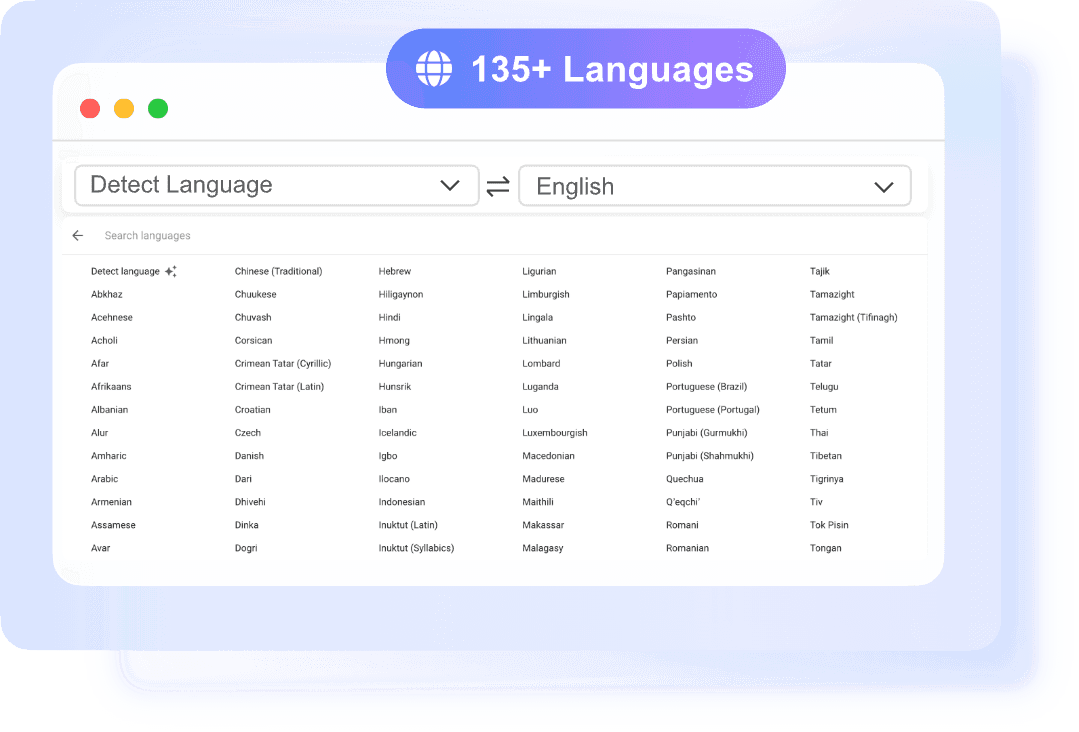
135以上の言語に対応
主要なグローバル言語間でPDFを翻訳できます。英語、スペイン語、中国語、ドイツ語など、どの言語のコンテンツでも、このツールを使えば言語を問わずアクセスできます。

正確な文脈に基づいた翻訳
単語ごとの翻訳ではなく、AIは文と文脈を解釈することで、より自然で理解しやすい翻訳結果を生み出す。

AI OCRでスキャンしたPDFを翻訳する
AI OCRを使用して、スキャンしたPDFファイルや画像ファイルを処理します。このツールは選択できないテキストを検出し、読みやすく翻訳可能なコンテンツに変換するため、スキャンした文書をオンラインで簡単に扱うことができます。

ブラウザで直接動作します
ダウンロードやインストールは不要です。どのデバイスからでもオンラインPDF翻訳ツールを使って、ファイルを瞬時に翻訳できます。
AI搭載の簡単PDF翻訳ツールで、より速く、より鮮明な翻訳結果を実現
PDFを検索・編集可能なWordに変換する
長くて複雑なPDFファイルを数秒で翻訳
- •大容量PDF 長文文書や複数ページのPDFにも適しています。
- •複雑なレイアウト 複雑なレイアウトと構造化されたコンテンツを処理します
- •より良い理解 文書のレビューと理解を迅速化します
よくある質問

Students
Translate academic papers, textbooks, and study materials from different languages. Quickly understand key concepts, search important terms, and use the translated content for notes, assignments, and exam preparation without manual translation.

Teachers and Educators
Access and translate teaching resources, research materials, and international content for classroom use. Adapt translated PDFs into lessons, handouts, or presentations without spending extra time rewriting materials.

Content Creators
Translate ebooks, guides, and PDF resources to reach a wider audience. Easily repurpose translated content into blogs, videos, or social posts without starting from scratch or manually extracting text.

Writers and Editors
Work with multilingual documents more efficiently. Translate source materials, references, or drafts and edit them directly, making it easier to refine ideas and produce content across languages.

Researchers and Academic Users
Review international studies, reports, and technical documents without language barriers. Understand findings faster and search through translated content to compare data and build stronger research insights.

Enterprise Professionals
Translate contracts, manuals, forms, and everyday documents when working or living across languages. Get a clear understanding of important information without relying on slow manual translation methods.
What People Say About Us

Graduate Student

"I used it to translate a journal article for class, and it was much easier than copying sections into a regular translator. The result was clear enough for me to read and take notes right away."

Research Assistant
"I often need to review papers in different languages. This tool saves a lot of time because I can upload the full PDF and get a readable translation without breaking the document into pieces."

Operations Manager
"We receive vendor files in multiple languages, and this has made document review much faster. It is simple to use and feels built for real work, not just quick text translation."

International Student
"I needed to understand study materials in another language, and this helped a lot. The translated content was easy to follow, and I could search through it instead of scrolling through the original PDF again and again."

Freelance Consultant
"I translated a client PDF in minutes and could immediately work with the content. That saved me from rewriting sections manually, which is what I usually end up doing with other tools."

Expat Professional
"I used it for housing and visa documents, and it made everything much less stressful. I just needed the content in plain English fast, and this did exactly that."
Frequently Asked Questions
Yes. You can start with Lynote online PDF translator without creating an account, which is helpful when you need quick access to a document translation.
You can use it for research papers, reports, manuals, study files, contracts, forms, and many other document types commonly shared as PDFs.
Yes. Our tool is free to use.
Our AI translates with context in mind, which helps produce clearer and more natural results than basic word-for-word translation tools.
Yes. The tool is suitable for multi-page PDFs, making it useful for long reports, academic files, and detailed business documents.
No. You can upload the PDF directly and translate the file online without manually extracting the text first.
Yes. Students can use it to translate papers, reading materials, and foreign-language course content more efficiently for study and review.
It supports 135+ languages, covering major global languages for study, work, and everyday document translation.
Upload your file to an AI PDF translator that preserves structure. This tool keeps content readable and organized while translating the document.