Can Turnitin detect Grammarly? Turnitin is not usually detecting the fact that you opened Grammarly, but it may flag writing that looks AI-generated after Grammarly's generative AI features rewrite, expand, or create text. Basic grammar correction and AI rewriting are not the same thing.
That distinction is the whole issue. A typo fix rarely changes authorship, while a paragraph-level AI rewrite can change sentence structure, tone, examples, and argument flow.
Quick Answer: Can Turnitin Detect Grammarly?
Turnitin may flag Grammarly-assisted text if the final result looks like AI writing. That is more likely when Grammarly AI generates new sentences, rewrites large sections, changes tone heavily, or supplies examples and claims.
Turnitin usually cannot prove from the text alone that Grammarly was the exact tool used. An instructor may still ask about the writing process if the draft does not match the student's usual work or the assignment expectations.
The Key Difference: Grammar Checker vs Generative AI
Grammarly can be used in very different ways. A grammar checker corrects mechanics such as typos, punctuation, and local sentence clarity. Generative AI can draft, rewrite, shorten, expand, or change the tone of a passage.
Turnitin risk rises when a tool changes authorship-like elements. That includes argument structure, examples, claims, paragraph order, citation framing, and the voice of the draft.
If Grammarly only fixes "teh" to "the," that is not the same as asking AI to rewrite an entire introduction. Students and teachers should not collapse both actions into one category.
That boundary is the heart of the issue. A grammar checker usually supports expression that already exists. A generative rewrite can create a new expression that may no longer represent the student's original drafting choices.
What Grammarly Says About AI Detection
Grammarly's AI Detector guidance is useful because it cautions against overreading detector scores. An AI percentage is a signal, not an objective truth about how every sentence was written.
Grammarly also explains that certain rewriting or agent-based outputs may be more likely to receive a higher AI-generated score. That means a draft can become more detection-sensitive when the tool does more than proofreading.
This is why the question should not be "Is Grammarly safe?" The better question is "What exactly did Grammarly change?"
What Turnitin Can and Cannot Tell
Turnitin may show that text appears likely to contain AI writing. It may also help instructors locate passages that deserve a closer look.
It does not automatically tell the full story of Grammarly use. A report generally cannot distinguish a basic comma correction from a paragraph generated by an AI assistant unless there is other evidence.
Instructors may review the student's drafts, writing history, research notes, and assignment policy. Those materials can be more important than the detector score by itself.
Grammarly Use Cases Ranked by Turnitin Risk
The risk depends on how much the tool changes the writing and whether the assignment allows that kind of help.
| Grammarly use | What changes | Risk level | Why it matters |
|---|---|---|---|
| Spelling and typo fixes | Small mechanics | Lower | The writer's meaning stays intact |
| Punctuation and local grammar | Sentence correctness | Lower to moderate | Usually acceptable when allowed |
| Clarity rewrite for one sentence | Wording and rhythm | Moderate | Voice can become less personal |
| Tone smoothing across a paragraph | Voice and style | Moderate to higher | The draft may become overly polished |
| AI-generated examples or claims | Content substance | Higher | The student may not own the reasoning |
| Full paragraph rewrite | Structure and authorship | Higher | The final text may look generated |
The table is not a policy. A school can be stricter or more flexible, so the assignment rules still matter most.
How to Use Grammarly Responsibly for School Writing
Start by checking what the class allows. Some instructors allow grammar and spell-check support but restrict generative AI drafting or rewriting.
Accept local fixes only when they preserve your meaning. Reject suggestions that add claims, examples, citations, or analysis you did not create.
Keep your drafts and notes. If someone asks about your process, it is easier to explain a few proofreading fixes than to reconstruct a paragraph that an AI agent rewrote.
If a Grammarly-Edited Draft Gets Flagged
Do not panic, and do not immediately run the text through more rewriting tools. More rewriting can make the draft smoother without making it more authentic or better supported.
Review the passages that look generic. Add source-specific evidence, explain your own reasoning, and remove claims you cannot defend.
If the assignment is under review, gather your draft history and notes. Be honest about what kind of assistance you used and ask which Grammarly features are allowed under the policy.
Check Grammarly-Edited Text With Lynote AI Detector
You can use Lynote AI Detector to check whether a Grammarly-edited passage looks AI-like. Use it as a second review signal, not a guarantee that Turnitin will accept the draft.
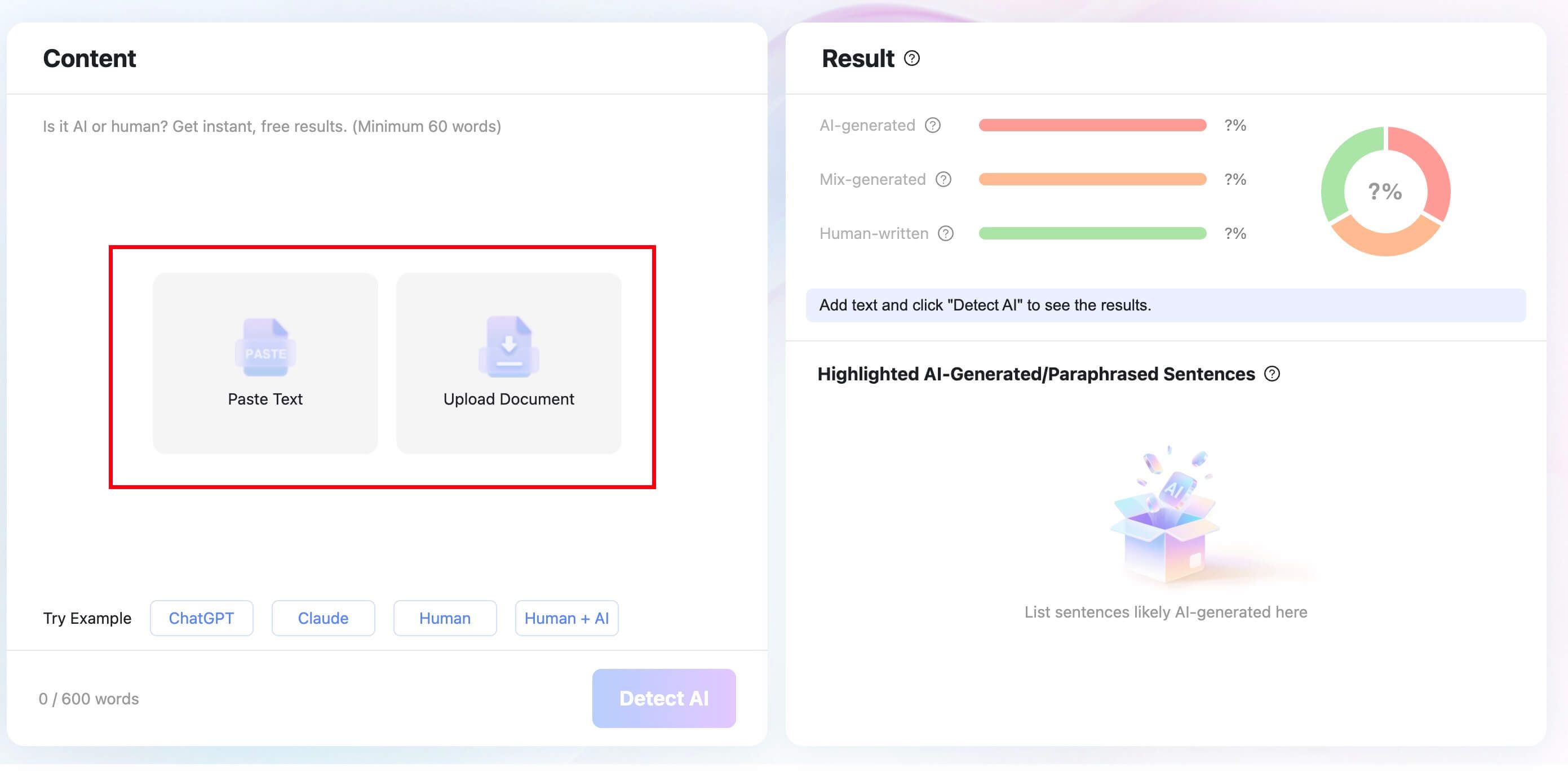
Step 1. Paste Text or Upload a Document
Paste your Grammarly-edited passage into Lynote AI Detector. For longer assignments, upload a supported Word, PDF, or TXT document.
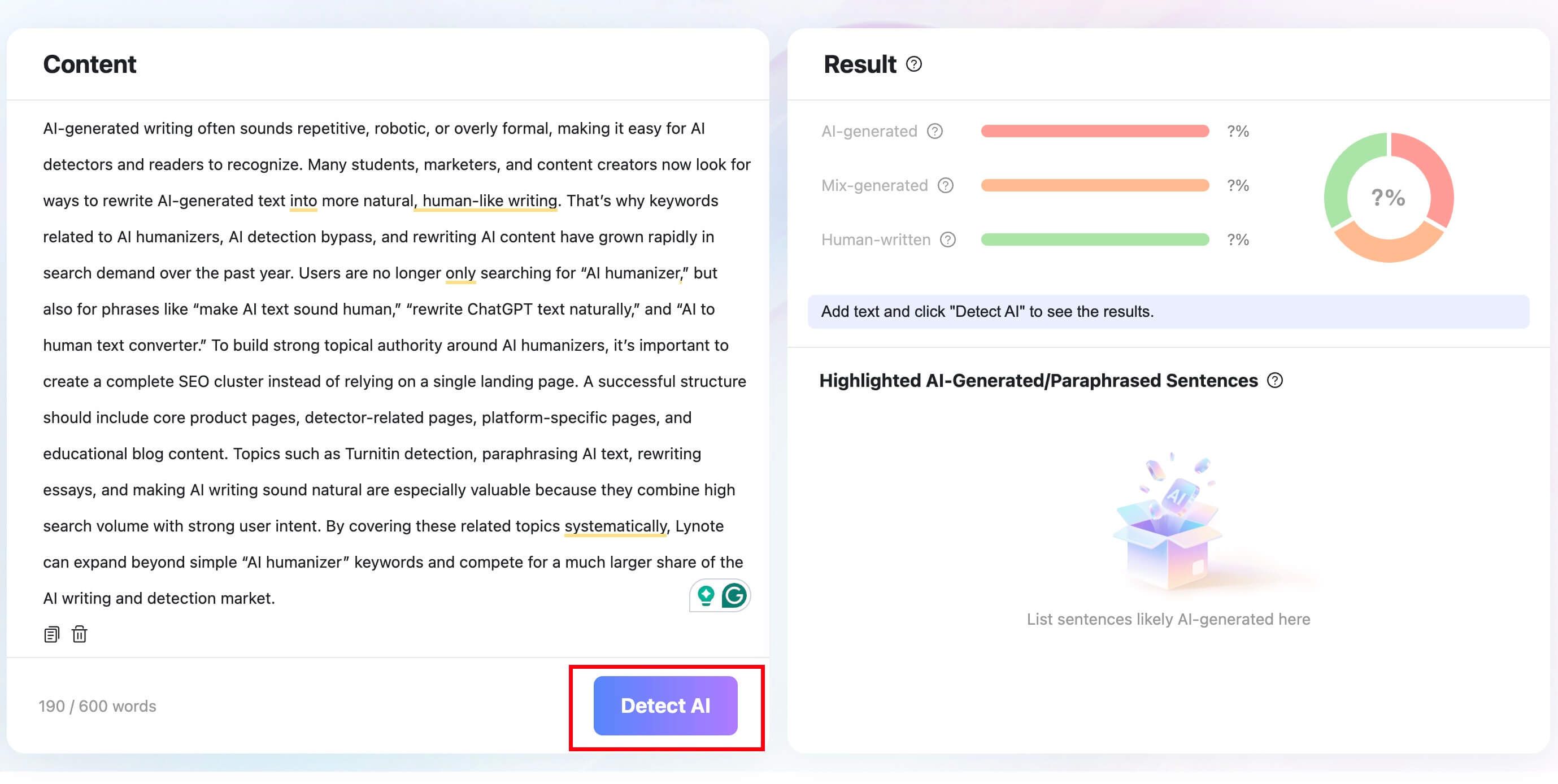
Step 2. Click Detect AI
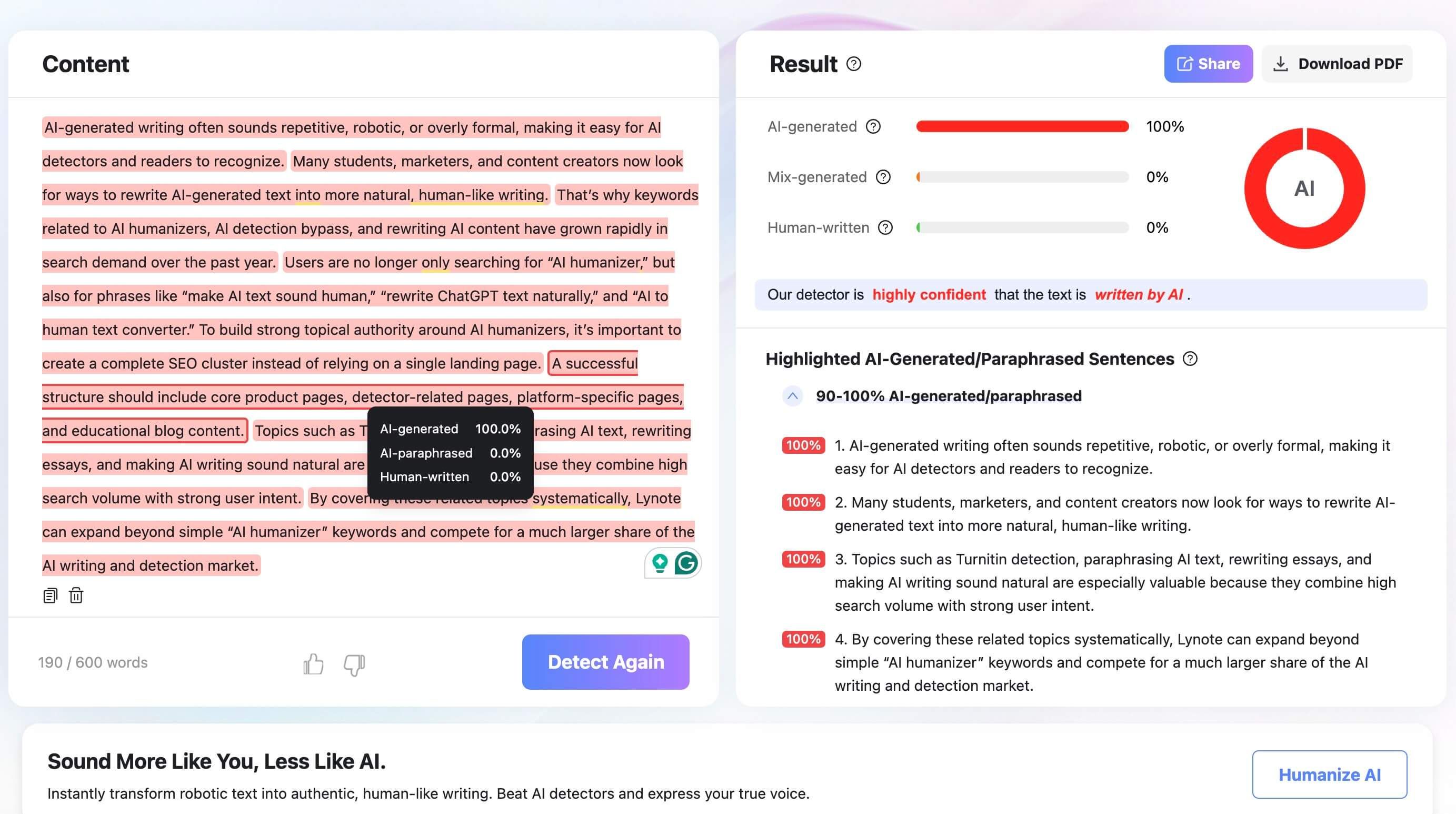
Click "Detect AI" to run the scan. Lynote shows a breakdown of AI-generated, mixed, and human-written signals.
Step 3. Review the Highlighted Sentences
Look at the highlighted sentences and decide whether they need more specific evidence, clearer citations, or a more natural voice. Revise the substance first, then polish the wording.

Grammarly Risk Is Really About How Much Authorship Changes
The most useful way to think about Grammarly is not "allowed or banned." It is authorship distance: how far did the final text move away from what the writer actually drafted?
At one end, Grammarly may correct misspellings, punctuation, and small grammar issues. Those edits usually preserve the writer's claim, evidence, order, and voice. They are closer to proofreading.
At the other end, Grammarly AI may generate a paragraph, rewrite an argument, add examples, or change tone across the whole draft. Those edits can affect authorship because the tool is no longer only cleaning the sentence. It is shaping the content.
The middle is where most confusion happens. A clarity suggestion for one sentence may be fine in one class and restricted in another. A tone rewrite may be acceptable for a workplace email but inappropriate for an assignment that evaluates a student's own writing style.
The Gray Area: Tone Rewrites, Clarity Suggestions, and AI Agents
Grammarly's everyday interface can make different levels of help feel similar. A typo fix, a clarity suggestion, and a generative rewrite may all appear as writing assistance, but they do not carry the same academic meaning.
Tone rewriting is especially tricky. It can make a sentence sound more confident, formal, friendly, or concise. That may be useful for communication, but in school writing it can also hide whether the student understands the claim.
Clarity suggestions are also context-dependent. If Grammarly tightens a wordy sentence while preserving the original idea, the authorship distance is small. If it recasts the sentence into a new claim, adds logic, or supplies an example, the distance becomes much larger.
AI agents create the highest ambiguity because they can plan, draft, and revise larger sections. Once the tool is making content decisions, the final draft may be judged more like AI-assisted writing than ordinary proofreading.
How Instructors May View Grammarly Differently From Grammarly AI
Many teachers understand that students use spell-checkers and grammar tools. The concern usually begins when the tool appears to replace the student's own drafting, not when it fixes a small mechanical error.
An instructor may ask different questions depending on the type of edit:
| Grammarly-related change | Likely instructor question | What helps clarify it |
|---|---|---|
| Typo or spelling correction | Did the meaning change? | Original draft and final draft look similar |
| Local grammar fix | Was this ordinary proofreading? | The student's structure and ideas remain intact |
| Sentence clarity rewrite | Did the tool change the claim? | The writer can explain the original meaning |
| Whole-paragraph tone rewrite | Does this still sound like the student? | Draft history shows the student's process |
| AI-generated examples or claims | Where did the substance come from? | Verified evidence and clear citation trail |
This is why the same word "Grammarly" can lead to different reactions. A teacher may not care about a comma suggestion but may care deeply about an AI-generated paragraph submitted as original writing.
What To Keep Before You Submit Grammarly-Edited Work
If you use Grammarly for school, keep a simple record of what changed. You do not need a complicated archive, but you should be able to show that the ideas started with you.
Save your rough draft before accepting major suggestions. If you accept a clarity rewrite, compare it with the original sentence and make sure the claim has not shifted. If a suggestion adds an example, statistic, citation, or new argument, verify it before keeping it.
For assignments with strict AI rules, avoid whole-paragraph rewrites unless the instructor allows them. It is easier to defend local proofreading than a final draft where every paragraph has been transformed by an AI assistant.
A Practical Grammarly Audit Before Submission
Before submitting, scan the draft sentence by sentence and label each Grammarly change in your mind: mechanics, clarity, tone, or substance. Mechanics are usually the easiest to justify. Substance changes deserve the most caution.
Then read the paper aloud or compare it with an earlier paragraph you wrote without help. If the voice suddenly becomes too polished, too generic, or too detached from your normal style, revise manually.
Finally, check whether every claim can be explained without looking at the tool. If you cannot defend a sentence, remove it or rebuild it from your own notes. Turnitin risk is not only about detection; it is also about whether the writing process is clear and honest.
When Grammarly Is Helpful Without Becoming the Author
Grammarly is most useful when it helps you notice problems you can fix yourself. Treat suggestions as questions: Is this sentence too long? Is this word unclear? Did I use the wrong punctuation? That keeps you in control.
For academic writing, the safest pattern is draft first, proofread second, and verify every meaningful change. If the tool starts deciding what your argument should say, pause and return to your notes.
FAQs About Turnitin and Grammarly
Can Turnitin detect Grammarly Premium?
Turnitin usually cannot prove that Grammarly Premium was the exact tool used. However, if premium features heavily rewrite or generate text, the final draft may still look AI-like.
Can Turnitin detect GrammarlyGO or Grammarly AI?
Turnitin may flag the result if Grammarly AI generates or rewrites substantial text. The report is about writing patterns, not a complete log of which AI assistant was used.
Is Grammarly considered AI by schools?
It depends on the school and assignment. Some policies allow spell-checking and grammar support but restrict generative AI drafting, rewriting, or idea generation.
Does Grammarly's AI Detector match Turnitin?
Not necessarily. Different detectors use different models, thresholds, and interfaces, so scores can vary. Treat each result as a review signal rather than a final verdict.
Can teachers detect Grammarly without Turnitin?
Teachers may notice a sudden change in tone, unusually polished wording, missing drafts, or weak source engagement. That does not prove Grammarly use, but it can lead to a process review.
What should I do if Grammarly-edited text is flagged?
Review the highlighted passages, compare them with your original draft, and revise for source-specific reasoning. Keep your notes and follow the assignment's disclosure rules.
Final Verdict
Turnitin is unlikely to care about ordinary typo fixes in the same way it cares about AI-generated writing. But Grammarly AI rewrites can raise risk if they change the substance, structure, and voice of the draft.
The safest approach is to use Grammarly within the rules, keep your own reasoning visible, and treat any detector score as a prompt for review rather than a final judgment.

Written by Janet L. Harris
AI Writing Specialist
Janet reviews AI detectors and humanization tools, with a focus on accuracy, limitations, and responsible use. View all articles →