The landscape of artificial intelligence writing tools has exploded in recent years, leaving writers, students, and professionals overwhelmed with choices. Among the most recognizable names in this space is QuillBot. Originally launched as a simple paraphrasing utility, it has since evolved into a comprehensive suite of writing, editing, and research tools.

But as the platform has grown, so have the questions surrounding its true value. Is the premium version worth the recurring subscription cost? Does it actually improve your writing, or does it merely shuffle words around to the detriment of your unique voice?
In this comprehensive QuillBot review, we will dissect every aspect of the platform. We will look beyond the marketing claims to examine how the tool functions in real-world scenarios. We will explore its core paraphrasing engine, its grammar checker, its summarization capabilities, and its newer additions like the AI detector and the integrated Flow workspace.
We will also analyze the pricing structure to determine if upgrading from the free tier makes financial sense for different types of users.
This review is designed for a broad audience: students navigating complex academic requirements, bloggers and SEO writers looking to scale their content production, non-native English speakers striving for greater fluency, and professional editors seeking efficient workflow enhancements. By the end of this deep dive, you will have a clear understanding of where QuillBot excels, where it falls short, and whether it is the right tool to integrate into your daily writing process.
Quick Verdict: QuillBot Is Useful, but Not a Full Writing Brain
To answer the search intent immediately: QuillBot is an exceptionally useful utility for specific, targeted writing tasks, but it is not a replacement for human thought, original argumentation, or deep editorial judgment. It is a tool designed to polish, rephrase, and clarify, rather than to generate original ideas from scratch.
QuillBot’s greatest strength lies in its speed and accessibility. For non-native English speakers, the Fluency mode is a game-changer, quickly smoothing out awkward phrasing and ensuring grammatical correctness. For students and researchers, the ability to rapidly summarize long texts or generate citations saves countless hours.
The interface is clean, intuitive, and integrates seamlessly into the places where people actually write, such as Google Docs, Microsoft Word, and standard web browsers.
However, QuillBot is not without its significant limitations. When leaned on too heavily, the paraphraser can flatten an author's unique voice, resulting in text that is grammatically flawless but stylistically sterile. Aggressive use of the synonym slider can lead to meaning drift, where the core message of a sentence is subtly (or sometimes drastically) altered.
In academic and professional settings, over-reliance on paraphrasing tools borders on patchwriting: a form of plagiarism where original thought is absent, even if the exact words have been changed.
| User Type | Quick Verdict | Best Features to Use |
|---|---|---|
| Students & Researchers | Highly useful for managing research and improving clarity, but risky if used to mask a lack of original synthesis. | Summarizer, Citation Generator, Grammar Checker, Flow workspace. |
| ESL / Non-Native Writers | A useful daily companion for building confidence and improving professional communication. | Fluency Paraphrase Mode, Grammar Checker, Translator. |
| Bloggers & SEO Writers | Good for quickly updating old content or generating variations of social media posts, but poor for creating deep, authoritative content. | Standard/Creative Paraphrase Modes, SEO integrations. |
| Authors & Creative Writers | Limited utility. Can help unblock a stubborn sentence, but risks stripping away the creative voice. | Word freeze feature, Custom Paraphrase Mode. |
| Professional Editors | Useful as a secondary grammar check, but the paraphrasing suggestions often lack the nuance required for high-level editing. | Grammar Checker, Plagiarism Checker. |
Ultimately, QuillBot is best viewed as a sophisticated digital thesaurus and grammar assistant combined. It is a tool to help you express your ideas more clearly, not a machine to do the thinking for you.
If you approach it with this mindset, the Premium version offers substantial value. If you expect it to turn weak ideas into compelling prose, you will be disappointed.
What Is QuillBot?
To fully evaluate QuillBot, it is necessary to understand that it is no longer just a single tool. It is an ecosystem of writing utilities housed under one digital roof. While the paraphraser remains its flagship product, the company has aggressively expanded its offerings to cover almost every phase of the writing process, from initial research to final proofreading.
Here is a detailed breakdown of the core components that make up the QuillBot platform:
1. The Paraphrasing Tool
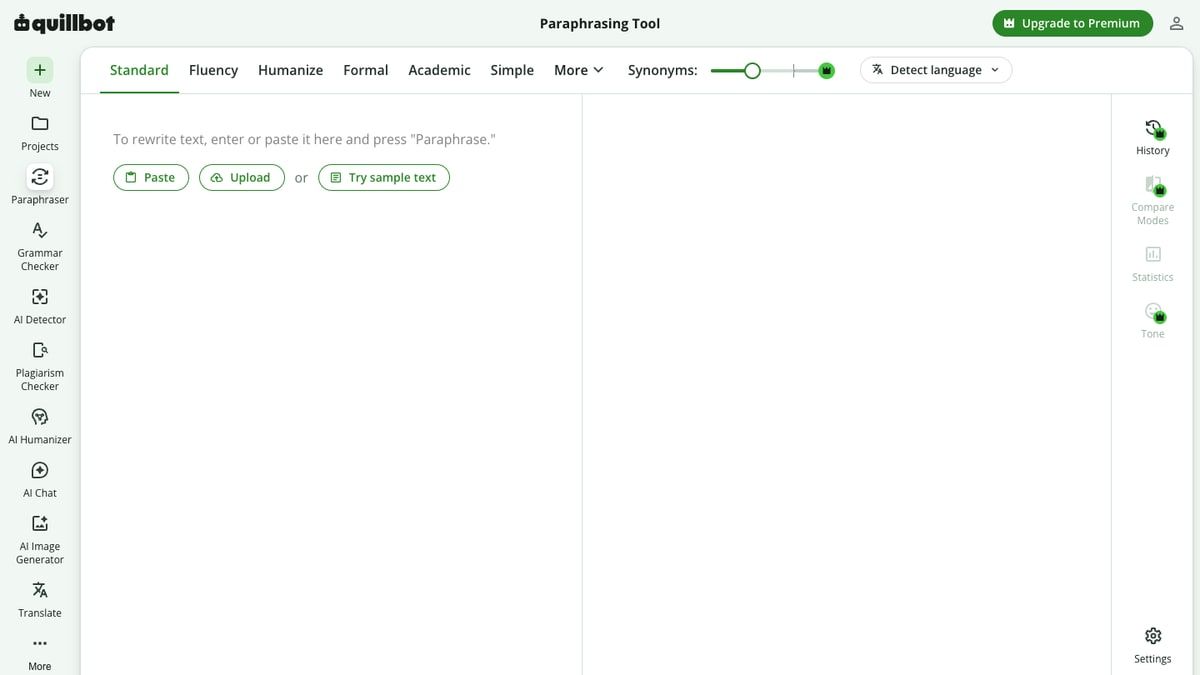
The QuillBot Paraphrasing Tool is the foundation of the platform. It allows users to input text—ranging from a single sentence to entire paragraphs or articles—and have the AI rewrite it. The tool offers multiple "modes" that dictate the style and tone of the rewrite, such as Standard, Fluency, Formal, Academic, Simple, and Creative. Users can also control the degree of change using a Synonym Slider, which determines how aggressively the AI replaces original words with synonyms.
2. The Grammar Checker
Positioned as a direct competitor to tools like Grammarly, the QuillBot Grammar Checker scans text for errors in spelling, punctuation, and syntax. It claims to use AI-powered algorithms to understand the context of a sentence, allowing it to offer more accurate suggestions than standard word processor spellcheckers. It also provides support for multiple English dialects, including U.S., U.K., Canadian, and Australian English, as well as several other languages.
3. The Summarizer
The Summarizer is designed to distill long-form content into its most essential points. Users can paste an article, a research paper, or a lengthy email into the tool, and QuillBot will generate either a bulleted list of key sentences or a condensed paragraph summarizing the main ideas. This tool is particularly popular among students and researchers who need to digest large volumes of information quickly.
4. The Citation Generator
Academic writing requires meticulous attention to citation formats, a process that is notoriously tedious. QuillBot’s Citation Generator automates this task. Users can input a URL, a book title, or a journal article DOI, and the tool will generate a properly formatted citation in various styles, including APA, MLA, and Chicago.
5. The Plagiarism Checker (Premium Only)
Available exclusively to Premium subscribers, the Plagiarism Checker scans documents against billions of web pages and academic papers to identify unoriginal text. This is a critical tool for students ensuring their work meets academic integrity standards, and for editors verifying the originality of freelance submissions.
6. The AI Content Detector
As AI writing tools like ChatGPT have proliferated, the demand for tools to detect AI-generated text has surged. The QuillBot AI Detector is designed to analyze text and provide a probability score indicating whether it was likely written by a human or generated by an AI model like GPT-4, Claude, or Gemini.
7. QuillBot Flow
QuillBot Flow is an integrated writing workspace that attempts to bring all of QuillBot’s tools into a single, distraction-free environment. It functions similarly to Google Docs but with the paraphraser, grammar checker, summarizer, and research tools built directly into the interface. This allows users to research, draft, and edit without constantly switching between different tabs or applications.
8. The Translator
Recognizing its large global user base, QuillBot includes a translation tool capable of translating text between dozens of different languages. While not as robust as dedicated translation services like DeepL, it is a convenient addition for users who frequently work with multilingual sources.
9. Browser Extensions and Integrations
QuillBot’s utility is significantly enhanced by its integrations. The company offers extensions for Google Chrome and Microsoft Edge, as well as add-ins for Microsoft Word and macOS. This means users can access QuillBot’s paraphrasing and grammar-checking capabilities directly within their email clients, social media platforms, and preferred word processors.
How I Evaluated QuillBot for This Review
In the interest of transparency, it is important to outline the methodology used for this review. The internet is saturated with software reviews that fabricate extensive hands-on testing or simply regurgitate marketing copy.
To provide a genuinely useful and credible U.S. English SEO review, this evaluation relies on a combination of official documentation, aggregate real-world user feedback, and established editorial criteria.
First, I analyzed the official specifications, feature limitations, and pricing structures as detailed on the QuillBot upgrade/pricing page and other official product pages. This ensures that all claims regarding what the free versus premium versions can do are entirely accurate and up to date.
Second, rather than relying on a single anecdotal test, I synthesized thousands of data points from verified user reviews across major software review platforms. This includes analyzing trends, common praises, and recurring complaints on Trustpilot, G2, and Capterra. By looking at aggregate data, we can identify systemic strengths and weaknesses that a single user might miss.
Third, I incorporated insights from deep-dive competitor reviews and professional writers who have documented their long-term experiences with the tool. For example, I reviewed the analysis provided by professional blogger Zulie Writes in her QuillBot review, as well as the experiences of fiction and nonfiction authors shared on platforms like Medium.
Finally, I applied practical editorial judgment based on years of experience in the SEO, content creation, and academic writing industries. I evaluated QuillBot not just as a piece of software, but as a workflow component. Does it actually save time?
Does it introduce unacceptable risks regarding academic integrity or brand voice? By combining official data, aggregate user experiences, and professional editorial standards, this review aims to provide a balanced assessment of QuillBot’s true value.
Paraphraser Review: Where QuillBot Still Feels Strong
The paraphraser is the beating heart of QuillBot, and it remains the primary reason most users seek out the platform. Despite the rise of comprehensive generative AI models like ChatGPT, QuillBot’s dedicated paraphrasing interface continues to offer a highly specialized, frictionless experience that general-purpose chatbots struggle to match.
The Power of Modes
The effectiveness of the paraphraser is largely driven by its various "modes," which dictate the stylistic direction of the rewrite.
In the Free version, users are limited to two modes:
- Standard: This is the default setting. It attempts to balance altering the vocabulary and sentence structure while maintaining the original meaning as closely as possible. It is reliable but often produces slightly mechanical-sounding text.
- Fluency: This mode is arguably QuillBot’s most valuable free feature. It focuses on ensuring the text is grammatically correct and reads naturally in English. It makes fewer aggressive vocabulary changes than Standard mode, focusing instead on fixing awkward phrasing. For ESL students and non-native professionals, Fluency mode acts as an exceptional real-time editor.
Upgrading to Premium unlocks a suite of specialized modes:
- Formal: Designed for business communications, academic papers, and professional reports. It elevates the vocabulary and removes colloquialisms.
- Academic: Similar to Formal but specifically tuned for scholarly writing, utilizing terminology and sentence structures common in peer-reviewed literature.
- Simple: The opposite of Formal. It strips away complex vocabulary and convoluted sentence structures, making the text more accessible. This is highly useful for bloggers trying to lower the reading level of their content for a broader audience.
- Creative: This mode takes the most liberties with the original text. It attempts to express the idea in entirely new ways, often introducing different idiomatic expressions. It is useful for brainstorming but requires careful review, as it is the most likely to alter the intended meaning.
- Expand and Shorten: These modes do exactly what their names suggest. Expand adds descriptive words and clauses to increase word count, while Shorten aggressively cuts fluff to deliver concise statements.
- Custom: Premium users can type in customized instructions (e.g., "Make it sound like a pirate" or "Write it in the style of Hemingway") to guide the paraphrasing engine.
The Synonym Slider
Another standout feature of the paraphraser is the Synonym Slider. This tool allows users to control the degree of vocabulary replacement. Sliding it to the left results in fewer changes, prioritizing accuracy and preserving the original voice. Sliding it to the right forces the AI to replace as many words as possible with synonyms.
While a high synonym setting can be useful for dramatically altering a text, it frequently results in awkward, unnatural phrasing—often referred to as "Franken-text." The AI might choose a synonym that is technically correct in a dictionary sense but contextually inappropriate for the specific sentence. Therefore, the Synonym Slider is best used with moderation.
The Freeze Words Feature
A critical feature for technical writers, marketers, and academics is the ability to "freeze" specific words. When dealing with industry-specific jargon, brand names, or precise scientific terminology, you do not want the paraphraser replacing those terms with generic synonyms. The Freeze Words feature (available in Premium) allows users to specify terms that the AI must leave untouched during the rewriting process. This significantly reduces the editing time required after a paraphrase.
Speed and Interface
Where QuillBot truly outshines general-purpose AI models is in its user interface. The side-by-side, dual-pane layout allows users to paste their draft on the left and instantly see the paraphrased result on the right. When you click on any word in the paraphrased text, a drop-down menu of alternative synonyms appears, allowing for rapid, granular customization. This click-to-edit functionality is incredibly fast and intuitive, making the process of refining a paragraph feel seamless.
Free vs. Premium Paraphrasing Limits
| Feature | Free Plan | Premium Plan |
|---|---|---|
| Word Limit per Paraphrase | 125 words | Unlimited |
| Paraphrasing Modes | Standard, Fluency | All 9 modes (including Custom) |
| Synonym Options | 3 settings | 4 settings (highest level unlocked) |
| Freeze Words | 1 word | Unlimited words |
| Processing Speed | Standard | Faster processing |
For users who only need to tweak an occasional email or clarify a single confusing sentence, the Free plan’s 125-word limit is sufficient. However, for anyone working on full-length articles, essays, or reports, the 125-word cap quickly becomes a frustrating bottleneck, making the Premium upgrade almost mandatory for serious workflows.
Where the Paraphraser Can Hurt Your Writing
While QuillBot’s paraphrasing capabilities are impressive, it is crucial to address the significant drawbacks and risks associated with relying on this technology. QuillBot is a tool that modifies surface-level language; it does not comprehend underlying logic, emotion, or nuanced argumentation. Consequently, improper use can actively degrade the quality of your writing.
The Flattening of Authorial Voice
Every writer has a unique voice—a specific rhythm, vocabulary preference, and stylistic flair that makes their writing distinct. QuillBot, by its very nature, tends to homogenize text. It smooths out the rough edges, but in doing so, it often sands away the personality.
When you run a passionate, idiosyncratic paragraph through the Standard or Formal modes, the output is usually grammatically polished but stylistically sterile. It sounds like it was written by a committee or, appropriately, a machine.
As noted in professional blogger Zulie Writes' review, tools like this can strip voice from writing, leaving behind a polished but lifeless shell. For creative writers, opinion columnists, and brand storytellers, this loss of voice is a severe detriment.
Meaning Drift and Contextual Errors
QuillBot operates on statistical probabilities, predicting which words and phrases are most likely to follow one another. It does not actually understand the text. Because of this, the paraphraser frequently introduces "meaning drift."
This occurs when the AI replaces a word with a synonym that alters the subtle nuance of the sentence. For example, replacing the word "asserts" with "complains" changes the entire tone and implication of a statement, even if the two words are loosely related in a thesaurus.
The Creative mode and high settings on the Synonym Slider are particularly prone to this issue. Users who blindly copy and paste QuillBot’s output without meticulously reviewing it run a high risk of publishing inaccurate or nonsensical statements.
The Trap of Patchwriting and Academic Integrity
Perhaps the most significant danger of QuillBot lies in the academic sphere. Many students use paraphrasing tools to rewrite source material, believing that changing the words is sufficient to avoid plagiarism. This is a dangerous misconception.
Taking someone else’s original idea, argument, or research and simply running it through QuillBot to change the vocabulary is known as "patchwriting." While it might bypass basic plagiarism scanners that look for exact string matches, it is still a severe violation of academic integrity. True paraphrasing requires a student to read a source, internalize the concept, and then synthesize that concept in their own words, integrating it into their own original argument. QuillBot circumvents this cognitive process.
In a Reddit r/productreview thread discussing the tool, a graduate student persona noted that while QuillBot helped rephrase complex academic sources, it raised significant concerns about accidental plagiarism and AI detection. If a student uses QuillBot to mask the fact that they haven't developed their own ideas, the tool is actively hindering their education and putting their academic standing at risk.
The "Over-Polished" Generic Style
Even when used legitimately to edit one's own original drafts, over-reliance on QuillBot can result in an "over-polished" generic style. The text becomes so structurally predictable and vocabulary-optimized that it triggers a sense of artificiality in the reader. In the current digital landscape, where readers are increasingly sensitive to AI-generated content, writing that feels too polished can paradoxically damage trust and engagement. Readers often prefer small human quirks that signal authenticity over the sterile finish of machine-optimized prose.
Grammar, Summarizer, Citations, and Flow: The Rest of the Suite
While the paraphraser is the main attraction, QuillBot’s value proposition relies heavily on its broader suite of tools. For many users, these secondary features actually provide more consistent, risk-free value than the rewriting engine.
The Grammar Checker: A Solid, Unobtrusive Assistant
The QuillBot Grammar Checker is a robust and highly functional tool. It operates similarly to Grammarly, underlining errors in red (spelling/punctuation) and blue (grammar/syntax). When you click on an underlined word, it provides a clear explanation of the error and a one-click fix.
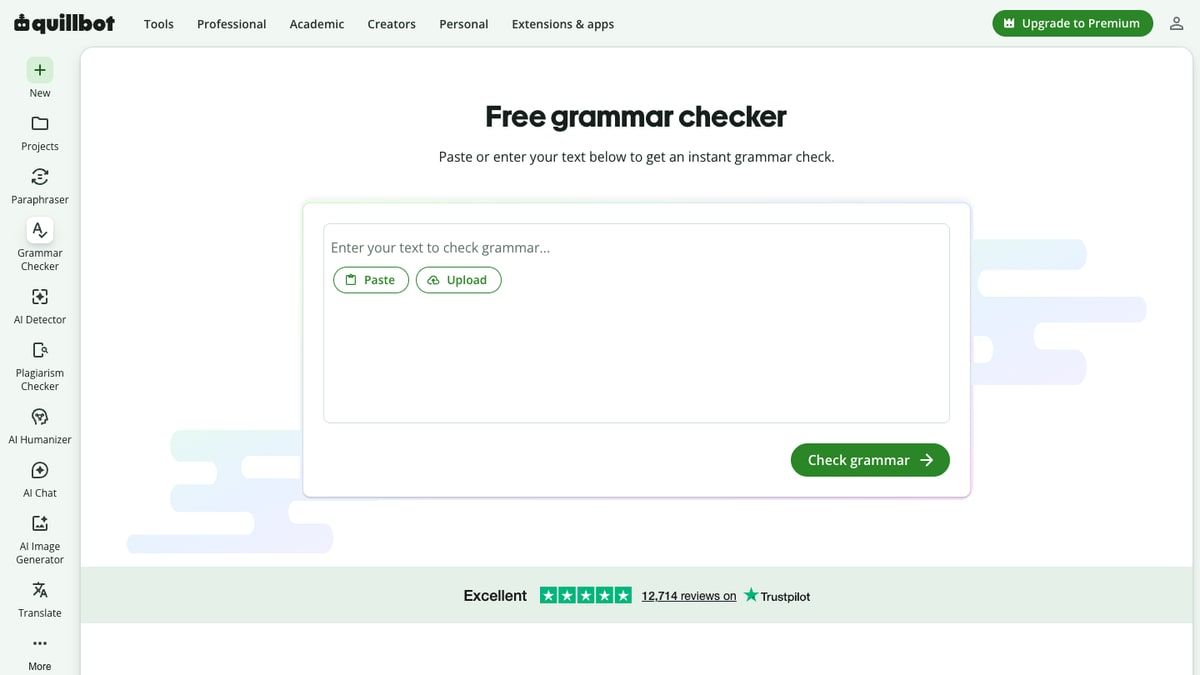
What makes QuillBot’s grammar checker appealing is its unobtrusiveness. It feels slightly less aggressive than some competitors, focusing on objective errors rather than constantly nagging the user about stylistic choices.
Furthermore, the grammar checker is completely free to use without word limits, making it one of the most generous free offerings in the AI writing space. The ability to select different English dialects (U.S., U.K., Australian, etc.) ensures that localization rules are respected.
The Summarizer: An Underrated Research Tool
For many professionals and academics, the Summarizer is QuillBot’s hidden gem. When faced with a 40-page PDF report or a dense academic journal article, the ability to instantly extract the core arguments is invaluable.
The Summarizer offers two modes:
- Key Sentences: This is an extractive summary. The AI identifies the most important sentences in the original text and pulls them out into a bulleted list. This is useful for scanning documents to see if they are relevant to your research.
- Paragraph: This is an abstractive summary. The AI reads the text and generates a new, condensed paragraph that encapsulates the main themes. Users can adjust a slider to determine the length of the summary (short, medium, or long).
Interestingly, in some critical reviews, such as the one by Zulie Writes, the summarizer was highlighted as being more practically useful to the reviewer's workflow than the paraphraser itself. It aids in comprehension and research efficiency without the stylistic risks associated with rewriting.
The Citation Generator: Tedium Eliminated
Anyone who has written an academic paper knows the frustration of formatting citations. QuillBot’s Citation Generator is a simple, effective solution. You can search for a source directly within the tool (by title, URL, or ISBN), and it will automatically pull the metadata and format it according to your chosen style guide (APA, MLA, Chicago, etc.).
It allows for manual editing if the metadata is incomplete, and it can generate both in-text citations and full bibliography entries. While there are many free citation generators available online, having this feature integrated directly into the writing workspace is a significant convenience.
The Plagiarism Checker: Essential for Premium Users
Available only on the Premium plan, the Plagiarism Checker is a critical feature for editors, educators, and diligent writers. It scans your document against a massive database of web pages and academic papers to highlight any text that matches existing sources.
QuillBot limits Premium users to 100 pages of plagiarism checking per month (where one page is defined as 250 words). While this limit might be restrictive for high-volume editors or ghostwriters (a concern noted in a Medium review by Hazel Paradise regarding plagiarism limits for book writing), it is generally sufficient for the average student or blogger. It provides essential peace of mind before submitting a final draft.
QuillBot Flow: The Integrated Workspace
QuillBot Flow represents the company's ambition to be a standalone word processor rather than just a browser extension. Flow provides a blank canvas where you can write, while keeping the paraphraser, summarizer, and research tools docked in a side panel.
One of Flow's best features is its integrated research capability. You can search the web for academic papers or articles directly within the interface, read the summaries generated by QuillBot, and insert citations with a single click. For students writing research papers, Flow offers a highly streamlined, distraction-free environment that significantly reduces the friction of the writing process.
Feature Scorecard
| Feature | Quality Rating | Best Use Case |
|---|---|---|
| Paraphraser | 4/5 | Quick fluency fixes and sentence-level clarity improvements. |
| Grammar Checker | 4.5/5 | Daily proofreading and catching typos across all platforms. |
| Summarizer | 4.5/5 | Rapidly digesting long research papers or dense articles. |
| Citation Generator | 5/5 | Automating APA/MLA/Chicago formatting without leaving the document. |
| Plagiarism Checker | 4/5 | Final pre-submission checks for academic or freelance work. |
| QuillBot Flow | 4/5 | Drafting research-heavy academic papers in a unified workspace. |
QuillBot AI Detector: Helpful, but Not a Final Verdict
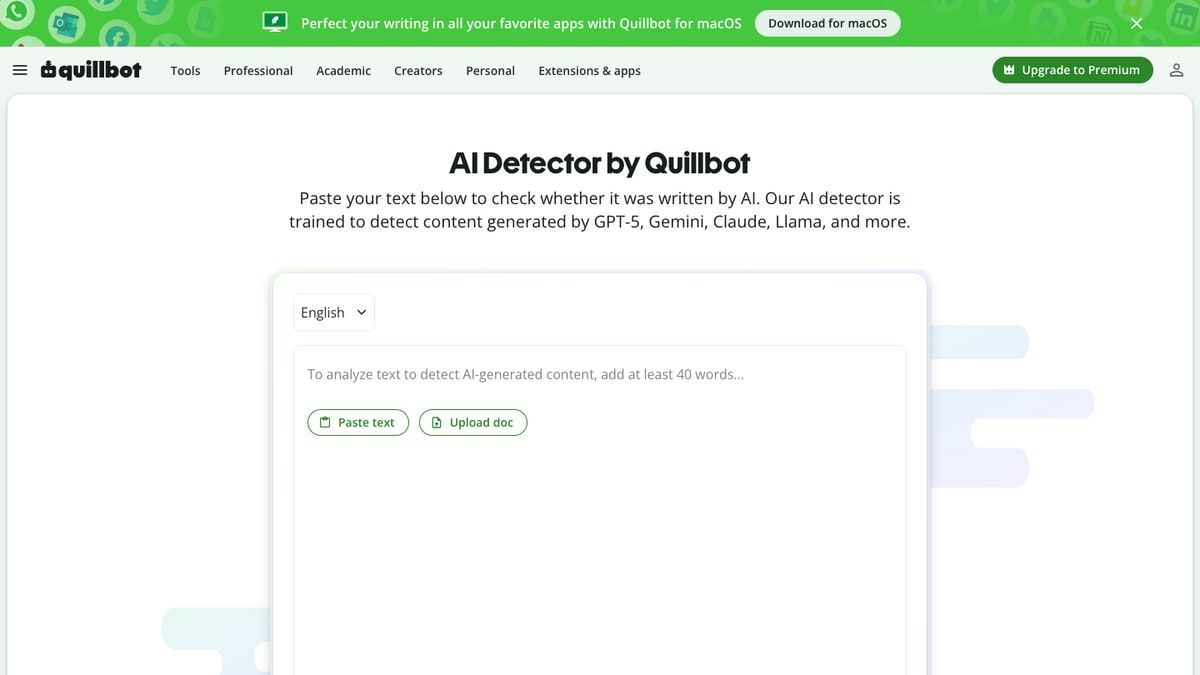
With the explosion of generative AI, institutions and publishers are increasingly relying on AI detection tools. QuillBot has integrated its own AI Content Detector, which is available for free with unlimited access for Premium users.
The detector analyzes text to identify the predictable linguistic patterns, lack of perplexity, and uniform burstiness typical of large language models like ChatGPT, GPT-4, Gemini, and Claude. It then provides a percentage score indicating the likelihood that the text is AI-generated.
The Limitations of AI Detection
It is vital to understand the inherent limitations of all AI detectors, including QuillBot’s. AI detection is not an exact science; it is a statistical probability assessment. Therefore, it is prone to false positives (flagging human writing as AI) and false negatives (failing to identify sophisticated AI writing).
QuillBot’s detector is a helpful signal, but it should never be used as a final verdict by itself. If a teacher uses this tool to accuse a student of cheating based solely on a percentage score, they are misusing the technology. Human writing that is highly structured, formal, or formulaic—such as technical manuals, legal documents, or writing by non-native English speakers who adhere strictly to grammar rules—can trigger false positives.
Furthermore, text that has been heavily modified by QuillBot’s own paraphraser can sometimes be flagged by AI detectors, creating a frustrating paradox for users trying to improve their drafts. The detector is best used as a self-check mechanism. If your original draft flags as highly AI-generated, it may be a sign that your writing is too generic or lacks varied sentence structure, prompting you to inject more personal voice and stylistic variety.
QuillBot Pricing: Free vs Premium
Understanding the pricing structure is crucial for determining if QuillBot is the right investment. QuillBot operates on a freemium model, offering a genuinely useful free tier alongside a feature-rich premium subscription.
The Free Plan: Generous but Bottlenecked
The Free plan requires no credit card and provides immediate access to the core tools. Users get:
- 125 words per paraphrase.
- Standard and Fluency paraphrasing modes.
- 3 synonym slider options.
- 1 Freeze Word.
- 1,200 words per summarization.
- Full access to the Grammar Checker and Citation Generator.
For casual users, the Free plan is generous. The grammar checker alone can justify installing the browser extension. However, the 125-word paraphrasing limit is a severe bottleneck for anyone working on longer documents, forcing users to copy and paste text paragraph by paragraph, which hurts workflow efficiency.
QuillBot Premium Pricing
According to the QuillBot upgrade/pricing page, the Premium tier unlocks unlimited paraphrasing, all 9 modes, the highest synonym settings, unlimited Freeze Words, 6,000 words per summarization, the Plagiarism Checker (100 pages/month), and faster processing speeds.
The pricing is structured to heavily incentivize long-term commitments:
- Monthly Plan: $19.95 per month. (Billed monthly).
- Semi-Annual Plan: $13.33 per month. (Billed as $79.95 every 6 months).
- Annual Plan: $8.33 per month. (Billed as $99.95 every 12 months).
Note: Pricing and billing structures are subject to change; always verify on the official website.
At $19.95 for a single month, QuillBot is relatively expensive, especially for students. However, at $8.33 per month on the annual plan, it becomes one of the most affordable comprehensive writing suites on the market, significantly undercutting the annual pricing of competitors like Grammarly Premium.
The Student Discount
Recognizing that students make up a massive portion of their user base, QuillBot offers a dedicated student discount. By visiting the QuillBot student discount page and verifying their educational status, students can access the annual plan for approximately $6.25 per month. At this price point, the value proposition for a university student managing heavy research and writing loads is exceptionally strong.
Is Premium Worth It?
If you write daily—whether as a student, a freelance writer, or a professional communicating in a second language—the Annual Premium plan is highly recommended. The removal of the 125-word limit and the addition of the Plagiarism Checker save enough time and provide enough security to justify the $99.95 yearly cost. However, the month-to-month plan at $19.95 should be avoided unless you only need the tool for a short, specific project.
What Real Users Say About QuillBot
To provide a well-rounded review, it is essential to look beyond the features and examine how real users interact with the software. Aggregate reviews across major platforms reveal clear patterns of satisfaction and frustration.
The Positive Consensus
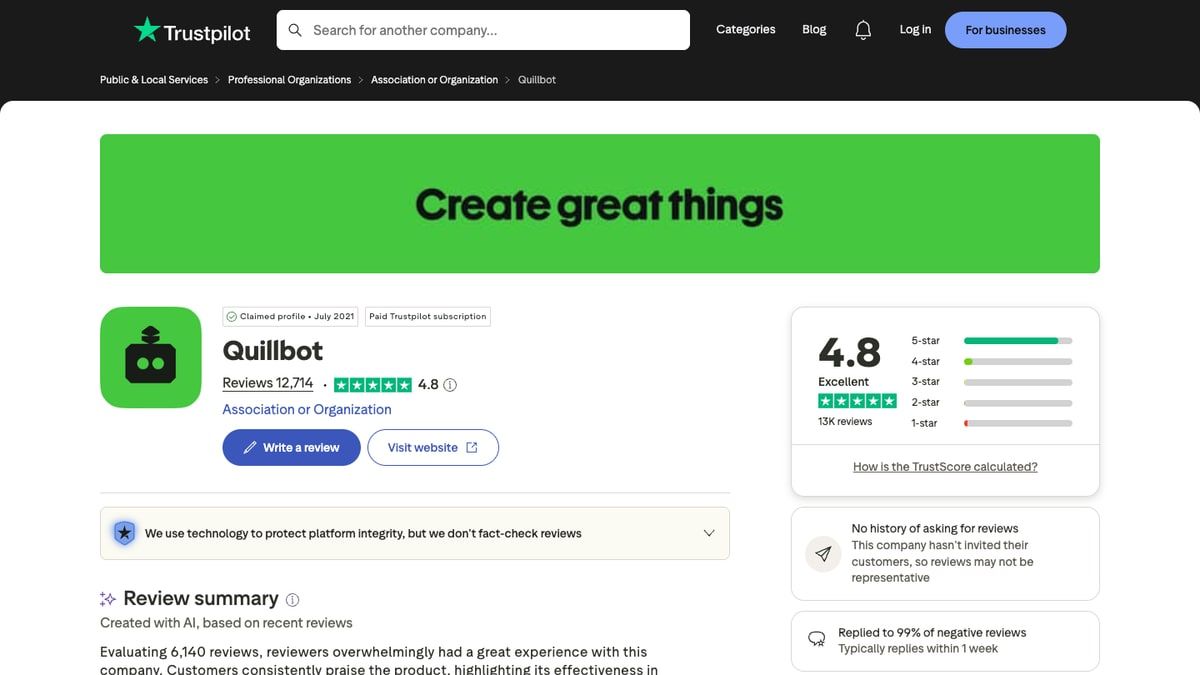
On Trustpilot, QuillBot boasts an impressive 4.8 TrustScore based on over 13,000 reviews. The overwhelming majority of recent reviews praise the platform for its ease of use and interface. One representative review succinctly described the experience as “really easy, intuitive.”
Users frequently highlight the Fluency mode as a lifesaver for non-native English speakers, noting that it helps them communicate more professionally in business emails and academic submissions. The integration with Chrome and Word is also frequently praised, as it allows users to access the tools without disrupting their established workflows.
On G2, the review summaries indicate that users highly value the speed of the paraphrasing engine and its ability to improve sentence clarity while generally maintaining the original meaning.
The Common Complaints
However, the reviews are not universally glowing. A recurring complaint across G2 and Capterra is the restrictiveness of the free version. Many users feel that the 125-word limit is too aggressive, making it difficult to properly evaluate the tool's capabilities before committing to a premium subscription.
Furthermore, when looking at specific G2 QuillBot Paraphraser reviews, a notable subset of users point out that the AI can sometimes alter the intended meaning of a sentence, requiring careful proofreading. This aligns with our earlier analysis of "meaning drift."
Perspectives from Professional and Academic Users
Discussions on specialized forums provide deeper insights into specific use cases. In a Reddit r/juststart thread focused on blogging and SEO, one user noted that they actually use QuillBot more as a grammar corrector than a content spinner, valuing the plagiarism detector over the aggressive rewriting modes. This highlights that professional writers often prefer QuillBot's conservative editing features over its generative ones.
Conversely, a review by author Hazel Paradise on Medium detailed her experience using QuillBot Premium for writing fiction and nonfiction books. She praised the Fluency and Creative modes for improving draft flow but noted a specific issue where the grammar checker struggled with formatting quoted dialogue. She also pointed out that the 100-page plagiarism limit could be restrictive for authors or ghostwriters managing full-length manuscripts.
Overall, the user consensus is clear: QuillBot is highly regarded as an editing and clarity-enhancement tool, but users must remain vigilant against meaning alteration and restrictive free-tier limits.
Use Lynote AI Humanizer When You Need Rewrite Feedback, Not Just Paraphrase Modes
While QuillBot offers useful standard paraphrasing modes, its outputs can sometimes still feel slightly mechanical or trigger AI detectors, especially if you are starting with AI-generated drafts. If your primary goal is to take stiff, robotic text and rewrite it with more natural flow, varied sentence structure, and nuanced phrasing, you may need a specialized workflow.
This is where integrating a tool like Lynote AI Humanizer becomes highly effective. Unlike standard paraphrasers that merely swap synonyms based on a slider, Lynote is specifically engineered to analyze the predictable patterns of AI text and restructure them to reflect human writing cadences. It provides authenticity feedback rather than just generic style modes.
It is important to note that no tool should promise to "bypass" detectors for the purpose of academic deception. However, for bloggers, marketers, and professionals who want their AI-assisted drafts to read naturally and resonate with human audiences, Lynote offers a targeted solution. You can also use the Lynote AI Detector as a preliminary check to gauge how your initial draft scores before revision.
Here is the exact four-step workflow for using Lynote to achieve natural, human-sounding rewrites:
Step 1: Paste or Upload Your Draft
Begin by bringing your text into the Lynote interface. You can paste text directly from your clipboard, whether it is a rough draft you wrote yourself that feels too stiff, or a foundational draft generated by an AI assistant. Ensure the text is formatted clearly so the system can accurately analyze the context and structure of your arguments.

Step 2: Choose Your Humanization Mode
Lynote offers specific processing modes tailored to different writing needs. Select the mode that best fits your content's intended audience and purpose. These modes govern how the system will adjust sentence length variety (burstiness) and vocabulary unpredictability (perplexity) to mirror natural human thought patterns, rather than just applying a superficial "Formal" or "Creative" filter.

Step 3: Humanize the Content
Once your text is pasted and your mode is selected, initiate the humanization process. The engine will analyze the text, identifying the robotic structures, repetitive transitions, and uniform sentence lengths that make writing feel artificial. It will then restructure the paragraphs, injecting the natural variability and conversational flow characteristic of authentic human authors.
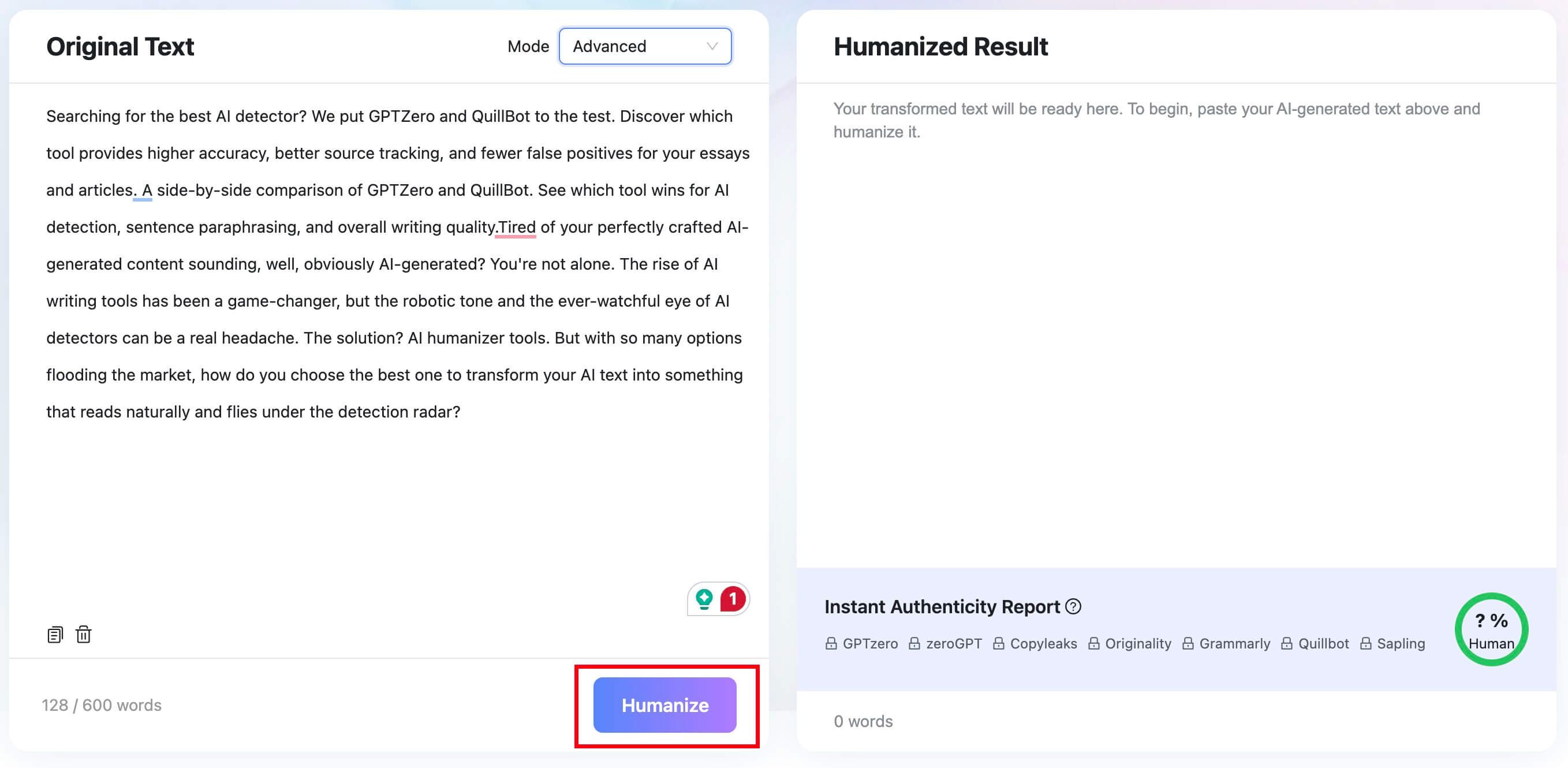
Step 4: Copy and Review the Output
After the process is complete, the final and most crucial step is human review. Copy the output and read it thoroughly. Check that the core meaning of your original draft has been preserved and that the new phrasing aligns with your personal or brand voice. The goal is a draft that reads smoothly and authentically, ready for final publication.


QuillBot Alternatives and Who Should Choose Each
QuillBot does not exist in a vacuum. Depending on your specific writing needs, other tools on the market might serve you better. Here is how QuillBot compares to its primary competitors:
QuillBot vs. Grammarly
Grammarly is the undisputed heavyweight in the grammar-checking space.
- Choose Grammarly if: Your primary concern is deep, structural line-editing, tone adjustments, and catching complex grammatical errors. Grammarly’s premium version offers more nuanced stylistic advice than QuillBot.
- Choose QuillBot if: You frequently need to rewrite or paraphrase entire paragraphs, or if you are on a tight budget. QuillBot’s paraphrasing engine is vastly superior to Grammarly’s rewriting suggestions, and QuillBot’s annual plan is significantly cheaper.
QuillBot vs. Wordtune
Wordtune, developed by AI21 Labs, is a direct competitor to QuillBot’s paraphraser.
- Choose Wordtune if: You want sentence-by-sentence rewriting suggestions that focus heavily on tone and context. Wordtune often provides more creative and contextually aware sentence variations.
- Choose QuillBot if: You need to paraphrase large blocks of text at once, or if you need a full suite of tools (summarizer, citations, plagiarism checker) in one place. Wordtune is more of a specialized sentence editor, whereas QuillBot is a comprehensive workspace.
QuillBot vs. ProWritingAid
ProWritingAid is a favorite among fiction authors and long-form content creators.
- Choose ProWritingAid if: You are writing a novel or a massive manuscript and need deep analytics on pacing, dialogue tags, overused words, and sentence variety.
- Choose QuillBot if: You are writing shorter academic papers, emails, or blog posts where speed and quick paraphrasing are more important than deep manuscript analytics.
QuillBot vs. ChatGPT / Claude
General-purpose LLMs can perform many of the same tasks as QuillBot through prompting.
- Choose ChatGPT/Claude if: You need to generate original ideas, outline an article, or write a draft from scratch based on a few bullet points.
- Choose QuillBot if: You already have a draft and want a frictionless, click-to-edit interface to polish it. QuillBot’s side-by-side UI and synonym drop-downs make the editing process much faster than constantly typing new prompts into a chatbot.
QuillBot vs. Lynote
- Choose Lynote if: Your primary goal is taking AI-generated or highly robotic text and restructuring it to achieve natural human cadences and authenticity.
- Choose QuillBot if: You need traditional academic paraphrasing modes, citation generation, and integrated plagiarism checking.
FAQs About QuillBot
Is QuillBot worth it?
Yes, QuillBot is worth it for users who frequently need to rephrase text, improve sentence fluency, or manage academic citations. It is particularly valuable for non-native English speakers and students. However, it is not worth it if you expect the tool to generate original ideas or do the critical thinking for you.
Is QuillBot Premium worth it?
QuillBot Premium is highly worth the cost if you purchase the Annual plan ($8.33/month) or qualify for the student discount ($6.25/month). The removal of the 125-word paraphrasing limit and the addition of the Plagiarism Checker provide immense value for daily writers. The month-to-month plan ($19.95) is less cost-effective.
Does QuillBot change the meaning of text?
It can. While the Standard and Fluency modes are generally safe, using the Creative mode or setting the Synonym Slider to its highest level can result in "meaning drift," where the AI selects synonyms that alter the original context. Users must always proofread the output.
Can QuillBot help avoid plagiarism?
QuillBot can help you rephrase source material, but using it to simply swap words from someone else's work without proper citation is still a form of plagiarism known as patchwriting. QuillBot should be used to improve the clarity of your own synthesized ideas, and its Premium Plagiarism Checker is useful for checking whether your final draft has originality issues.
Can QuillBot text be detected as AI?
Yes, sometimes. Even though QuillBot is a paraphraser rather than a text generator, heavily paraphrased text can still exhibit the uniform sentence structures and predictable vocabulary that AI detectors flag. If you need text to sound authentically human, you may need to manually inject personal voice or use specialized humanization workflows.
Is QuillBot good for students?
QuillBot can be a useful tool for students when used ethically. The Summarizer helps digest research, the Citation Generator saves time, and the Grammar Checker improves essay quality. However, it is risky if used as a crutch to hide a lack of original thought or to obscure copied work.
Final Verdict: Should You Use QuillBot?
QuillBot has earned its place as one of the most popular writing utilities on the internet because it solves a very specific problem exceptionally well: it removes the friction from sentence-level editing and rephrasing.
If you are a non-native English speaker looking to write emails with confidence, a student drowning in research papers who needs rapid summarization and citation formatting, or a blogger needing to quickly adjust the tone of a paragraph, QuillBot is a strong tool. The Free version is generous enough for casual use, and the Annual Premium plan can be a reasonable buy for daily writers.
However, QuillBot is not a magic wand for bad writing. It cannot fix a fundamentally flawed argument, and overusing the paraphraser will inevitably strip the unique human voice from your prose. It should be viewed as a digital assistant—a highly efficient thesaurus and grammar checker combined—rather than an automated author.
Use QuillBot to polish your drafts, clarify your confusing sentences, and manage your academic formatting. But reserve the actual thinking, structuring, and creative expression for yourself. When used with this balanced approach, QuillBot is an invaluable addition to any modern writing workflow.

Escrito por Janet L. Harris
Especialista en Redacción con IA
Janet revisa detectores de IA y herramientas de humanización, centrándose en la precisión, las limitaciones y el uso responsable. Ver todos los artículos →