7 Alternativas Gratuitas a Knowt para Diferentes Métodos de Estudio

Encontrar las alternativas adecuadas a Knowt depende completamente de cómo prefieras procesar la información y revisar tus materiales de curso. Algunos estudiantes requieren una plataforma que maneje investigaciones complejas y fundamentadas en fuentes a través de múltiples documentos. Otros simplemente quieren una forma más eficiente de repasar tarjetas de memoria o colaborar con compañeros en mazos de estudio compartidos.
Si constantemente alcanzas los límites mensuales de IA en el plan gratuito de Knowt, podrías estar buscando una herramienta con diferentes límites de uso. También podrías querer un flujo de trabajo completamente diferente, como sesiones de estudio gamificadas o programación de memoria a largo plazo altamente disciplinada. Afortunadamente, el panorama actual de la tecnología educativa ofrece varias opciones excelentes que se adaptan a estas necesidades específicas.
Esta guía compara siete plataformas de estudio gratuitas y de inicio gratuito que pueden reemplazar o complementar eficazmente tu flujo de trabajo actual de Knowt. Examinaremos herramientas diseñadas para la creación de estudios multimodales, ecosistemas de tarjetas de memoria compartidas, repetición espaciada rigurosa y tutoría guiada por IA. Al comprender las fortalezas y limitaciones específicas de cada plataforma, podrás elegir la que mejor apoye tus objetivos académicos.
Veredicto Rápido: La Mejor Alternativa Gratuita a Knowt Depende de Cómo Estudies
Si deseas omitir las reseñas detalladas, la mejor alternativa depende completamente de tu flujo de trabajo de aprendizaje específico y tus hábitos de estudio diarios. Knowt ya es una plataforma altamente capaz, por lo que solo deberías cambiarte en función de la característica o flujo de trabajo exacto que te falta actualmente. Hacer un cambio simplemente por probar una nueva aplicación puede interrumpir tus rutinas de estudio establecidas.
Aquí tienes un desglose rápido de las mejores herramientas categorizadas por su caso de uso ideal:
- Lynote para un flujo de trabajo completo desde documentos, páginas web, imágenes, audio, video y YouTube hasta transcripciones, resúmenes, notas, preguntas y respuestas fundamentadas en fuentes, y tarjetas de memoria.
- NotebookLM para investigaciones fundamentadas en fuentes, citas en línea y generación de artefactos de estudio ricos a partir de documentos complejos.
- Quizlet para acceder a un enorme ecosistema de mazos compartidos y utilizar modos de estudio familiares del aula.
- Anki para una repetición espaciada rigurosa y control total sobre tu programación de revisiones.
- RemNote para mantener tus notas conectadas, anotaciones en PDF y tarjetas de memoria en una base de conocimiento unificada.
- StudyFetch para interactuar con un tutor de IA guiado y gestionar un flujo de trabajo integral de preparación para exámenes.
- Gizmo para revisión de tarjetas de memoria gamificadas, sesiones de estudio sociales y rápidas importaciones desde diversas fuentes.
Alternativas Gratuitas a Knowt de un Vistazo
Utiliza esta tabla para comparar rápidamente el enfoque central y las realidades del plan gratuito de cada herramienta de estudio seleccionada. Destaca las principales fortalezas y los compromisos más significativos que encontrarás antes de actualizar a un nivel de pago.
| Herramienta | Mejor para | Tipo de acceso gratuito | Resultados clave de estudio | Principal compromiso |
|---|---|---|---|---|
| Lynote | Un flujo de trabajo multimodal completo | Gratis para empezar | Notas, resúmenes, transcripciones, tarjetas de memoria, traducciones | Sin mercado de mazos compartidos públicos |
| NotebookLM | Investigación fundamentada en fuentes y citas | Núcleo gratuito permanente | Notas, guías de estudio, resúmenes de audio, cuestionarios | Carece de un programador de repetición espaciada dedicado |
| Quizlet | Conjuntos de tarjetas de memoria compartidas y uso en el aula | Núcleo gratuito permanente | Tarjetas de memoria, modo básico de aprendizaje, juegos de emparejamiento | Los modos de estudio premium requieren un plan de pago |
| Anki | Control de memoria a largo plazo y programación | Núcleo gratuito permanente | Tarjetas de memoria de repetición espaciada altamente personalizables | Curva de aprendizaje más pronunciada; la aplicación de iOS es de pago |
| RemNote | Notas y repetición espaciada en un solo lugar | Núcleo gratuito permanente | Notas conectadas, tarjetas de memoria, anotaciones en PDF | Las funciones avanzadas de IA son limitadas o de pago |
| StudyFetch | Un tutor de IA guiado y flujo de trabajo de examen | Gratis para empezar | Chat de tutor de IA, pruebas de práctica, tarjetas de memoria | Conjunto de funciones amplio puede sentirse pesado para un uso rápido |
| Gizmo | Tarjetas de memoria gamificadas e importaciones rápidas | Gratis con límites de espera | Tarjetas de memoria de IA, cuestionarios, juegos de estudio en grupo | El sistema de corazones puede pausar el estudio continuo gratuito |
Lo Que Knowt Ya Hace Bien y Por Qué Podrías Seguir Cambiando
Antes de migrar toda tu rutina de estudio a una nueva plataforma, es crucial entender lo que Knowt realmente ofrece hoy. Muchas comparaciones antiguas afirman incorrectamente que Knowt solo convierte texto escrito en tarjetas de memoria o carece de programación avanzada de revisiones. En realidad, Knowt ha evolucionado en una suite de estudio integral con un conjunto robusto de características.
Núcleo Gratuito Actual de Knowt: Notas Ilimitadas, Tarjetas de Memoria y Modos de Estudio
Knowt actualmente proporciona un nivel fundamental excepcionalmente generoso para estudiantes que están dispuestos a crear sus propios materiales manualmente. El plan básico gratuito incluye la creación ilimitada de notas y tarjetas de memoria, lo que significa que no te encontrarás con un muro de pago solo por escribir tus guías de estudio. Esto lo convierte en un archivador digital altamente confiable para todo tu semestre académico.
Además, Knowt no restringe el acceso a sus mecánicas de revisión centrales en el nivel gratuito. Los usuarios pueden utilizar libremente los modos de estudio de Aprender, Probar, Emparejar, Tarjetas de Memoria y Repetición Espaciada sin necesidad de una suscripción premium. Este acceso sin restricciones a formatos de práctica variados es una de las ventajas competitivas más fuertes de la plataforma.
Flujo de Trabajo Actual de IA y Entrada: PDFs, Presentaciones, Videos y Kai Chat
Más allá de la entrada manual, Knowt soporta un flujo de trabajo de IA y entrada altamente capaz que maneja mucho más que simples pegados de texto. Puedes generar notas y tarjetas de memoria completas directamente de PDFs, presentaciones de PowerPoint y archivos de video subidos. La plataforma también soporta grabaciones de conferencias en vivo, lo que te permite capturar audio en tiempo real y convertirlo en materiales de estudio estructurados.
Para complementar estas herramientas de generación, Knowt cuenta con un asistente de IA integrado llamado Kai. Esta interfaz de chat te permite hacer preguntas de seguimiento sobre tus materiales subidos o aclarar conceptos confusos sobre la marcha. También puedes importar mazos existentes de Quizlet o explorar una gran biblioteca comunitaria de notas compartidas y materiales de examen.
Razones para Comparar Alternativas
A pesar de estas sólidas capacidades, hay varias razones válidas por las cuales un estudiante podría necesitar buscar una alternativa a Knowt. El punto de fricción más común es el límite de IA que se reinicia mensualmente en el plan básico gratuito, que restringe cuántas notas y tarjetas de memoria automatizadas puedes generar. Si dependes en gran medida de la IA para procesar docenas de conferencias por semana, probablemente alcanzarás rápidamente este límite.
Además, los estudiantes involucrados en investigaciones académicas profundas a menudo requieren citas en línea más sólidas y síntesis de múltiples fuentes de las que Knowt proporciona actualmente. Otros podrían preferir un algoritmo de repetición espaciada más riguroso y altamente personalizable para estudios médicos o de idiomas. Finalmente, algunos aprendices simplemente se concentran mejor cuando utilizan una experiencia de estudio gamificada e interactiva socialmente en lugar de una interfaz académica tradicional.
Cómo Evalué Estas Alternativas a Knowt
Para comparar estas alternativas de manera consistente, evalué cada herramienta en función de su capacidad para apoyar un flujo de trabajo de estudio repetible. Observé de cerca si el nivel gratuito proporciona utilidad genuina y continua o simplemente actúa como una breve prueba antes de exigir pago. Una alternativa útil debería permitir a un estudiante completar un ciclo de estudio significativo antes de requerir una actualización.
Flexibilidad de Entrada y Resultados de Estudio
El primer criterio importante fue la capacidad de la plataforma para manejar diversos materiales de origen. Evalué si cada herramienta acepta notas escritas, documentos complejos, páginas web, imágenes, archivos de audio, archivos de video y enlaces de YouTube. Las plataformas que obligan a los usuarios a volver a escribir manualmente la información obtuvieron una puntuación más baja que aquellas con capacidades de importación multimodal sin problemas.
A continuación, examiné la calidad y variedad de los resultados de estudio generados. Una buena alternativa debería ser capaz de generar resúmenes útiles, notas estructuradas, tarjetas de memoria de recuperación activa, cuestionarios y pruebas de práctica. Los materiales resultantes deberían preservar los conceptos clave, ser fáciles de editar y estar estructurados para la revisión en lugar de solo almacenamiento pasivo.
Profundidad de Aprendizaje y Fundamentación de Fuentes
También evalué qué tan bien cada herramienta apoya técnicas ampliamente estudiadas, como la práctica de recuperación activa, la repetición espaciada y la retroalimentación. La recuperación activa y la revisión espaciada se utilizan aquí como criterios editoriales para el diseño del estudio, no como garantías de un resultado de aprendizaje particular. La pregunta práctica es si una plataforma ayuda a los estudiantes a recordar, verificar y revisar información en lugar de solo volver a leerla.
La fundamentación de fuentes fue otro factor crítico, particularmente para los estudiantes que realizan investigaciones académicas. Evalué si una herramienta proporciona citas en línea y puede sintetizar información de múltiples fuentes subidas. Las respuestas rastreables facilitan la inspección del pasaje original y la detección de omisiones o interpretaciones no respaldadas, aunque las citas no eliminan la necesidad de revisión humana.
Usabilidad Práctica y Acceso Diario
Finalmente, consideré la usabilidad práctica y cotidiana de cada plataforma para un estudiante ocupado. Esto incluyó verificar el acceso móvil confiable, las capacidades de estudio sin conexión y las opciones de exportación sin problemas para mover datos a otras aplicaciones. Una herramienta que bloquea tus datos en un formato propietario es inherentemente menos útil que una que permite exportaciones fáciles.
También evalué la presencia de características de colaboración y la curva de aprendizaje general de la interfaz. Una herramienta poderosa solo es beneficiosa si un estudiante puede aprender a usarla rápidamente sin perder horas en la configuración. Las plataformas que equilibran características avanzadas con un diseño intuitivo y accesible obtuvieron las mejores calificaciones en esta comparación.
Las 7 Mejores Alternativas Gratuitas a Knowt
Aquí hay un desglose detallado de las siete mejores herramientas para reemplazar o complementar tu flujo de trabajo de estudio actual. Cada revisión destaca las fortalezas específicas de la plataforma, las limitaciones prácticas y las realidades exactas del plan gratuito.
1. Lynote: Mejor en General para un Flujo de Trabajo de Estudio Multimodal Completo
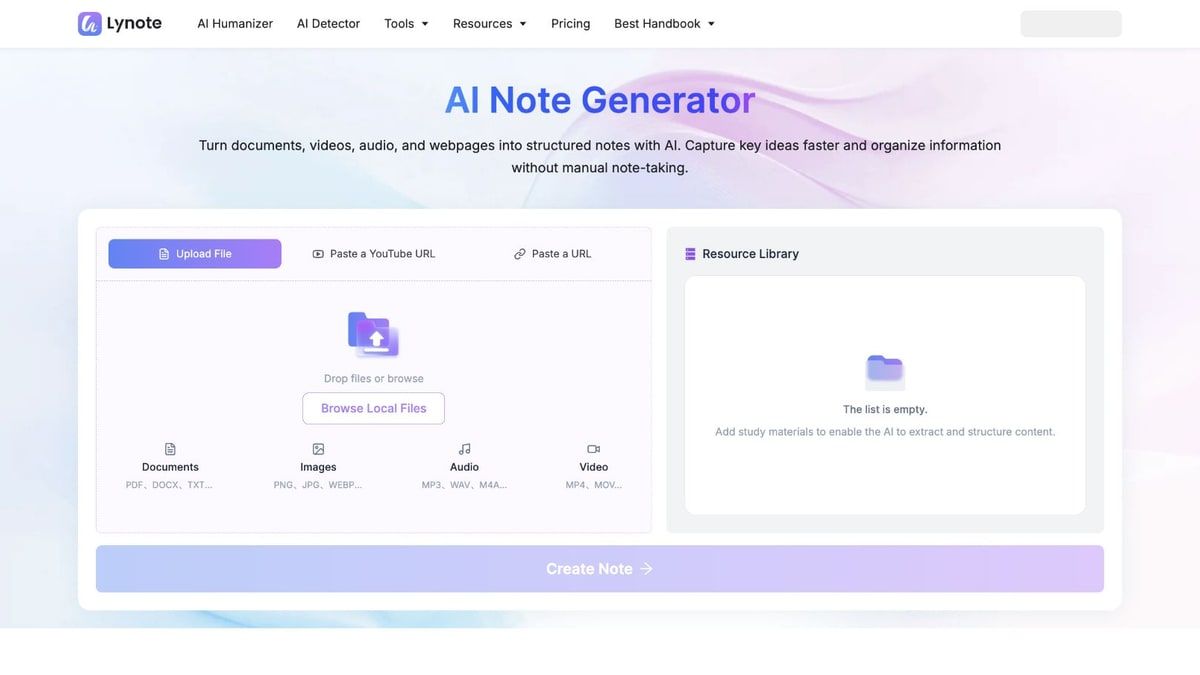
Lynote se destaca como un kit de herramientas de aprendizaje multimodal completo en lugar de funcionar solo como un generador de tarjetas de memoria. Está diseñado para manejar todo el proceso, desde el material de origen bruto hasta los resultados de estudio y trabajo utilizables dentro de un ecosistema conectado. Este enfoque unificado elimina la necesidad de manejar aplicaciones separadas para transcripción, traducción, resumen y creación de tarjetas de memoria.
Debido a que acepta una amplia variedad de entradas, Lynote se adapta fácilmente a diferentes tipos de cursos y estilos de aprendizaje. Puedes subir documentos complejos, páginas web, imágenes, archivos de audio, archivos de video o enlaces de YouTube, y procesarlos todos sin problemas. Esta flexibilidad lo convierte en una opción excepcionalmente fuerte para estudiantes que reciben sus materiales de curso en formatos mixtos e impredecibles.
Descripción General de la Plataforma
El flujo de trabajo de captura e ingreso comienza trayendo tus materiales en bruto al sistema. Puedes subir documentos estándar y PDFs, pegar URLs de páginas web en vivo, o subir imágenes y materiales escaneados. La plataforma también acepta archivos de audio, archivos de video y grabaciones de conferencias subidas, asegurando que, sin importar cómo tu profesor entregue la información, puedas procesarla.
Para cursos con mucho contenido multimedia, las herramientas de transcripción convierten el material hablado en texto editable y buscable. Puedes usar Lynote Audio a Texto para grabaciones de voz estándar o Lynote Video a Texto para archivos de video. El flujo de trabajo más amplio de Lynote AI Transcription acepta audio, video, grabaciones de reuniones y enlaces compatibles, con resultados que aún deben ser verificados contra el habla poco clara, acentos y terminología especializada.
Cuando necesitas condensar información, la plataforma ofrece varias herramientas especializadas de resumen y toma de notas. Lynote AI Summarizer maneja documentos de texto, mientras que Lynote AI Audio Summarizer se enfoca específicamente en contenido hablado. Luego puedes usar el Generador de Notas de Lynote AI para crear guías de estudio estructuradas y editables, y confiar en Lynote AI Chat with Content para hacer preguntas de seguimiento basadas en fuentes.
Si prefieres la recuperación activa, puedes convertir notas estructuradas en materiales de repaso utilizando el Generador de Tarjetas de Memoria de Lynote AI. Para estudiantes que dependen en gran medida de ensayos en video o seminarios grabados, Lynote YouTube Transcript proporciona texto con marcas de tiempo cuando están disponibles los subtítulos, mientras que Lynote YouTube Summary condensa el material en notas visuales, capítulos y una guía de acción. Estos resultados pueden ser copiados, exportados, compartidos o reutilizados en trabajos de estudio posteriores.
Los estudiantes internacionales y los aprendices de idiomas pueden utilizar los flujos de trabajo multilingües de la plataforma. Lynote Document Translator maneja archivos completos con preservación de diseño, mientras que Lynote Content Translator está destinado a palabras, oraciones y párrafos pegados; ambos ofrecen más de 130 idiomas de destino. Lynote Extract Text from Image agrega un camino estilo OCR para convertir capturas de pantalla legibles o páginas de libros de texto escaneadas en texto editable.
Finalmente, la plataforma incluye utilidades para revisión de escritura, revisión de imágenes y gestión de archivos. Lynote AI Detector proporciona señales probabilísticas y resaltados a nivel de oración, mientras que Lynote AI Humanizer ayuda a revisar la claridad y el tono del borrador del usuario. Lynote AI Image Detector y Lynote Deepfake Detector revisan imágenes fijas en busca de señales probabilísticas de IA o manipulación en lugar de probar la autoría; Lynote Compress PDF y Lynote Compress Image ayudan a abordar límites comunes de carga o compartición.
Características
- Acepta documentos, PDFs, páginas web, imágenes, audio, video y enlaces de YouTube.
- Genera resúmenes estructurados de IA, notas editables y tarjetas de memoria de recuperación activa.
- Proporciona chat de IA basado en fuentes para preguntas de seguimiento y aclaraciones.
- Incluye herramientas completas de transcripción y extracción de texto estilo OCR.
- Ofrece traducción de documentos y texto en más de 130 idiomas.
Ventajas
- Amplio soporte de fuentes que maneja medios, archivos y enlaces sin esfuerzo.
- Un flujo de trabajo conectado de origen a estudio ahorra tiempo significativo.
- Soporta transcripción de audio y video en el mismo kit de herramientas de aprendizaje más amplio.
- Puntos de entrada prácticos gratuitos y sin registro están disponibles para múltiples herramientas.
Desventajas
- Carece de un gran mercado público de mazos compartidos para encontrar materiales existentes.
- No presenta cuestionarios nativos ni un programador dedicado de repetición espaciada a largo plazo.
Mejor para: Estudiantes que necesitan convertir archivos mixtos, conferencias y multimedia en notas, transcripciones y tarjetas de memoria utilizables. Realidad del plan gratuito: Múltiples herramientas centrales ofrecen puntos de entrada gratuitos o sin registro; los límites exactos varían según la herramienta específica.
2. NotebookLM: Ideal para Investigación Basada en Fuentes y Materiales de Estudio
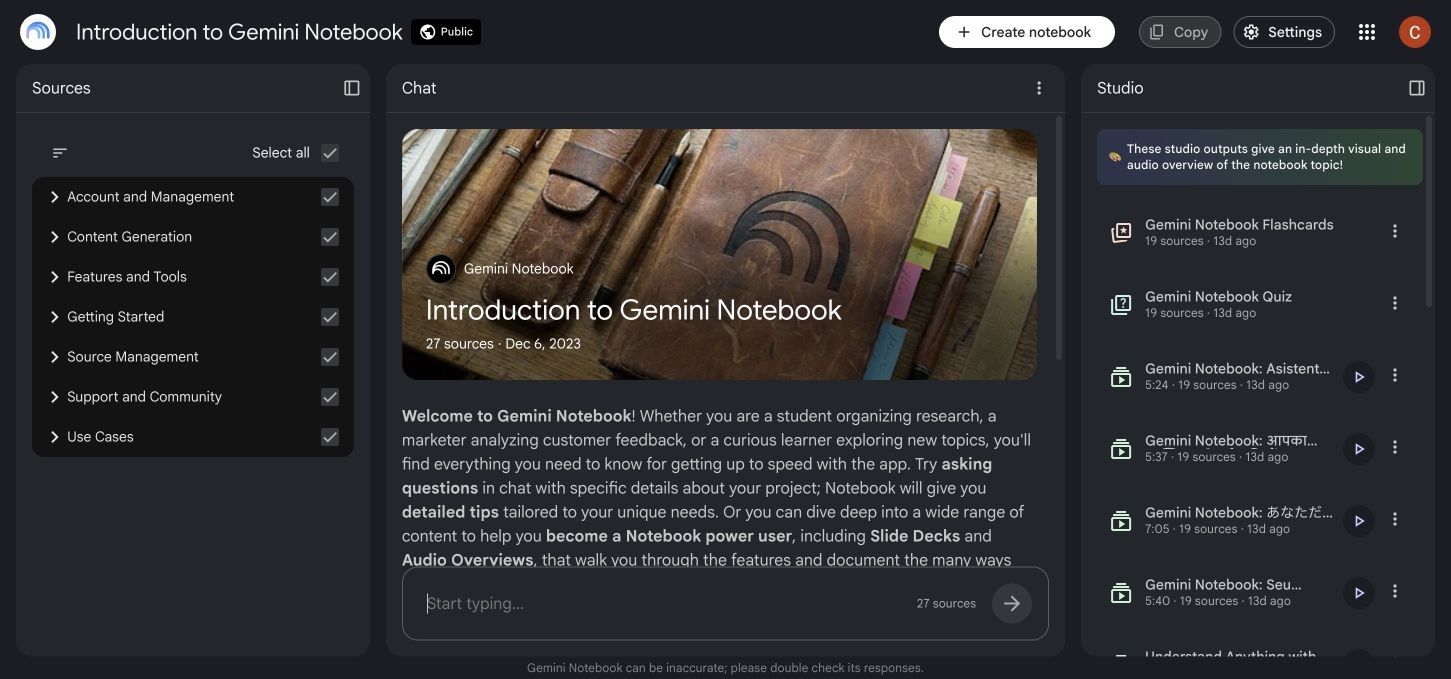
NotebookLM se centra en la síntesis de múltiples fuentes y citas en lugar de actuar como una aplicación convencional de tarjetas de memoria. Está diseñado para ayudarte a comprender temas complejos al basar su chat de IA en las fuentes que seleccionas. Este enfoque mejora la trazabilidad de las fuentes, aunque sus resultados aún requieren revisión para verificar la precisión fáctica y el contexto.
En lugar de generar solo mazos de tarjetas de memoria básicos, NotebookLM utiliza una función de Estudio para crear materiales de estudio ricos y diversos. Puedes generar cuestionarios de práctica, mapas conceptuales, documentos informativos e incluso Resúmenes de Audio conversacionales a partir de tus materiales subidos. Es la opción ideal para estudiantes universitarios e investigadores que necesitan hacer referencia a múltiples documentos extensos simultáneamente.
Características
- Chat basado en fuentes con citas en línea que mejoran la trazabilidad.
- Acepta PDFs, sitios web, enlaces de YouTube, archivos de audio, imágenes y archivos de Google Workspace.
- Genera guías de estudio, tarjetas de memoria, cuestionarios y mapas conceptuales.
- Produce Resúmenes de Audio y Resúmenes de Video únicos para el aprendizaje auditivo y visual.
- Ofrece aplicaciones móviles y capacidad limitada en la web en vivo para descubrir nuevas fuentes.
Ventajas
- La excepcional trazabilidad de las fuentes ayuda a verificar hechos y localizar el texto original.
- Sintetiza información de múltiples documentos grandes con facilidad.
- Genera salidas de presentación altamente creativas y ricas para diversos estilos de aprendizaje.
- Proporciona un nivel gratuito estándar significativo con límites generosos de uso diario.
Desventajas
- No es un mercado de mazos compartidos dedicado para encontrar materiales de estudio existentes.
- Carece de un sistema avanzado de programación de repetición espaciada para la memorización a largo plazo.
Ideal para: Investigadores y estudiantes que necesitan citas verificables y una profunda síntesis de múltiples fuentes. Realidad del plan gratuito: Hay un nivel gratuito estándar permanente disponible, sujeto a límites diarios de generación y cuadernos.
3. Quizlet: Mejor para Conjuntos de Tarjetas de Memoria Compartidas y Familiaridad en el Aula
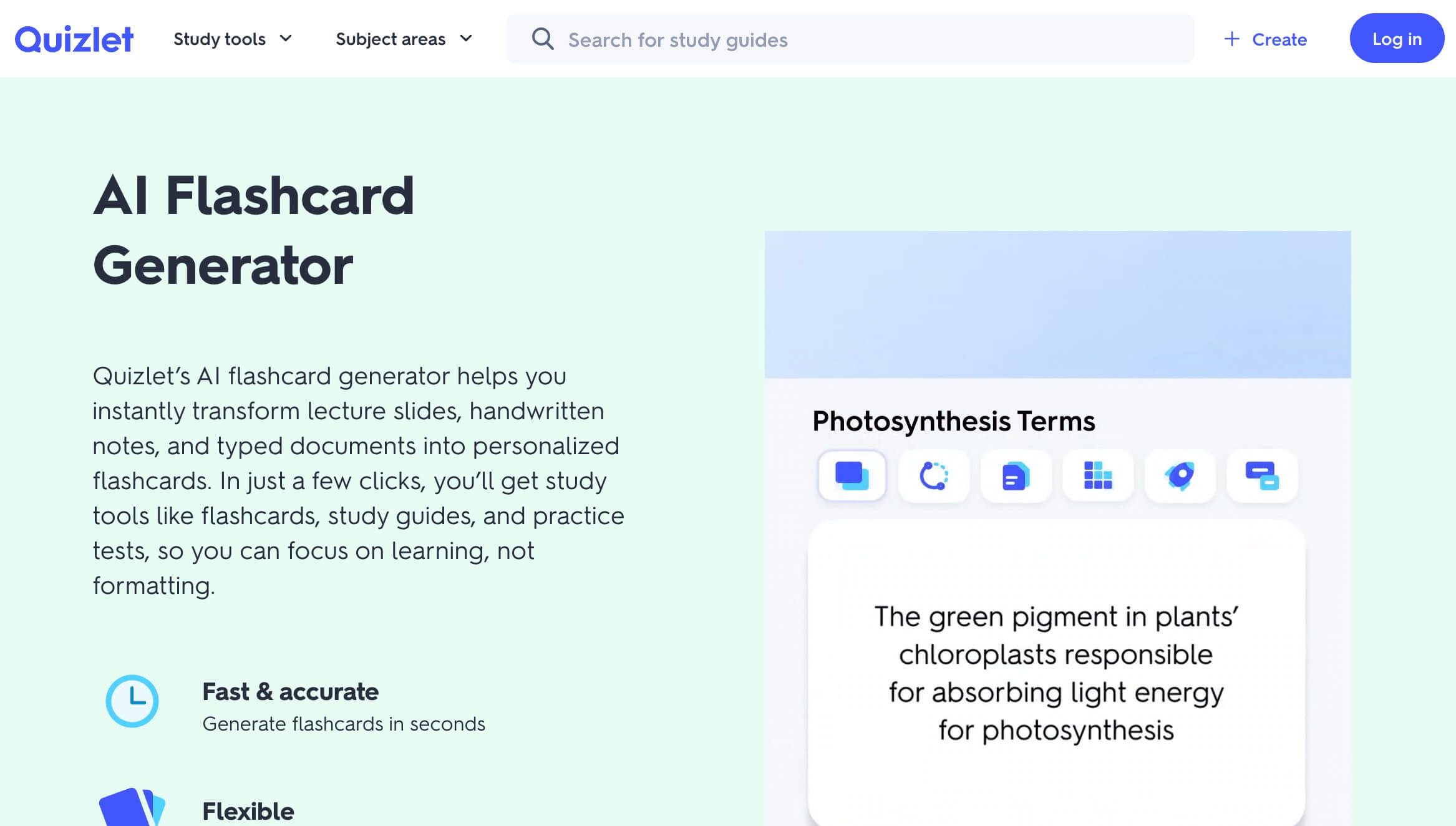
Quizlet sigue siendo el nombre más reconocible en tarjetas de memoria digitales, en gran parte debido a su enorme ecosistema establecido de contenido generado por usuarios. Si estás estudiando un tema común, hay una alta probabilidad de que alguien ya haya creado y refinado un mazo de Quizlet de alta calidad para ello. Esta biblioteca lista ahorra innumerables horas que de otro modo se gastarían en la creación manual de tarjetas.
Aunque Quizlet ha integrado características modernas de IA, su valor central sigue siendo su flujo de estudio familiar y muy sencillo. Los profesores lo utilizan frecuentemente en las aulas, lo que lo hace altamente compatible con los planes de estudio escolares estándar y las sesiones de estudio en grupo. Puedes estudiar a través de tarjetas de memoria básicas, juegos de emparejamiento atractivos y pruebas de práctica estructuradas.
Características
- Biblioteca pública masiva de mazos de tarjetas de memoria compartidos y generados por usuarios.
- Modos básicos de revisión de tarjetas de memoria y juegos de emparejamiento competitivos.
- Aplicaciones móviles pulidas diseñadas para sesiones de estudio rápidas y en movimiento.
- Características amigables para el aula y profundas integraciones para profesores.
- Rutas de estudio asistidas por IA disponibles en niveles de suscripción premium.
Ventajas
- Rara vez tienes que construir mazos de materias estándar completamente desde cero.
- Experiencia móvil altamente pulida e intuitiva para estudiar en cualquier lugar.
- La profunda familiaridad entre profesores, tutores y compañeros facilita el intercambio.
- La sólida funcionalidad central de tarjetas de memoria sigue siendo accesible en el nivel gratuito.
Desventajas
- El acceso completo al modo de Aprendizaje y a las pruebas de práctica está limitado en los niveles más bajos.
- La experiencia gratuita incluye anuncios frecuentes que pueden distraer del estudio.
Ideal para: Estudiantes que quieren ahorrar tiempo utilizando mazos compartidos existentes y juegos de estudio familiares. Realidad del plan gratuito: Una cuenta gratuita admite el uso básico de tarjetas de memoria; los modos de estudio premium y el acceso sin anuncios requieren planes de pago.
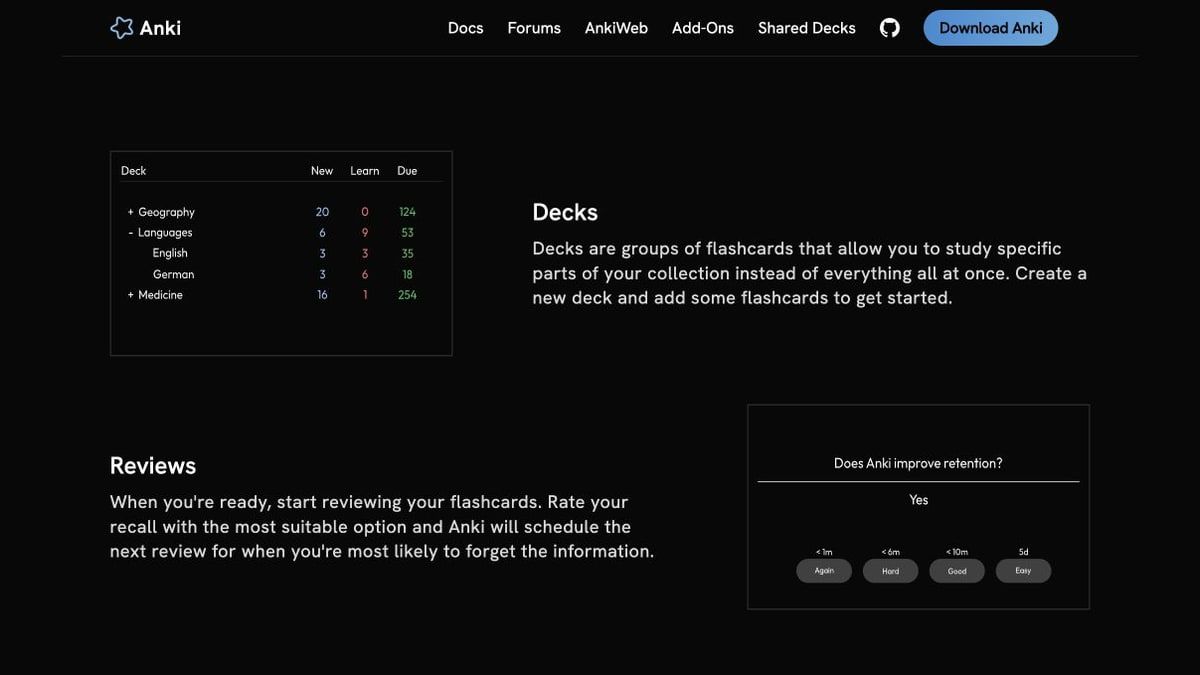
4. Anki: Mejor para Memoria a Largo Plazo y Control de Programación
Anki es un reemplazo especializado para estudiantes que valoran la programación rigurosa de retención más que la generación instantánea de IA. Utiliza un algoritmo de repetición espaciada altamente personalizable diseñado específicamente para impulsar hechos difíciles a tu memoria a largo plazo. Es increíblemente popular entre estudiantes de medicina, derecho y lenguas que deben memorizar miles de términos complejos a lo largo de varios años.
A diferencia de las herramientas modernas centradas en la IA, Anki requiere significativamente más esfuerzo para configurarse, formatearse y personalizarse a tu gusto. Sin embargo, recompensa ese esfuerzo inicial con programación de revisión adaptativa, soporte para marcado científico y la capacidad de manejar mazos masivos sin retrasos. También cuenta con una fuerte comunidad dedicada de desarrolladores de complementos y creadores de mazos compartidos.
Características
- Potente algoritmo de programación de repetición espaciada adaptativa para la retención a largo plazo.
- Soporta diseños de tarjetas personalizados, medios incrustados y marcado científico complejo.
- Maneja mazos excepcionalmente grandes con facilidad y con un mínimo de retraso en el rendimiento.
- Amplio ecosistema de complementos de terceros y mazos compartidos especializados.
- Sincronización multiplataforma a través del servicio gratuito AnkiWeb.
Ventajas
- Considerado ampliamente como una herramienta muy efectiva para la retención de memoria a largo plazo.
- Ofrece control total sobre el diseño de las tarjetas, etiquetado y tiempos de revisión.
- Las versiones de escritorio, web y Android son completamente gratuitas.
- Funciona completamente sin conexión una vez que tus mazos y medios están sincronizados.
Desventajas
- Curva de aprendizaje notablemente más pronunciada y una carga inicial de configuración más alta.
- La aplicación oficial para iOS requiere una compra única de pago.
Mejor para: Estudiantes serios que necesitan el máximo control sobre su programa de repetición espaciada a largo plazo. Realidad del plan gratuito: El acceso a escritorio, sincronización con AnkiWeb y acceso en Android son permanentemente gratuitos; la aplicación para iOS es de pago.
5. RemNote: Mejor para Notas y Repetición Espaciada en un Solo Lugar
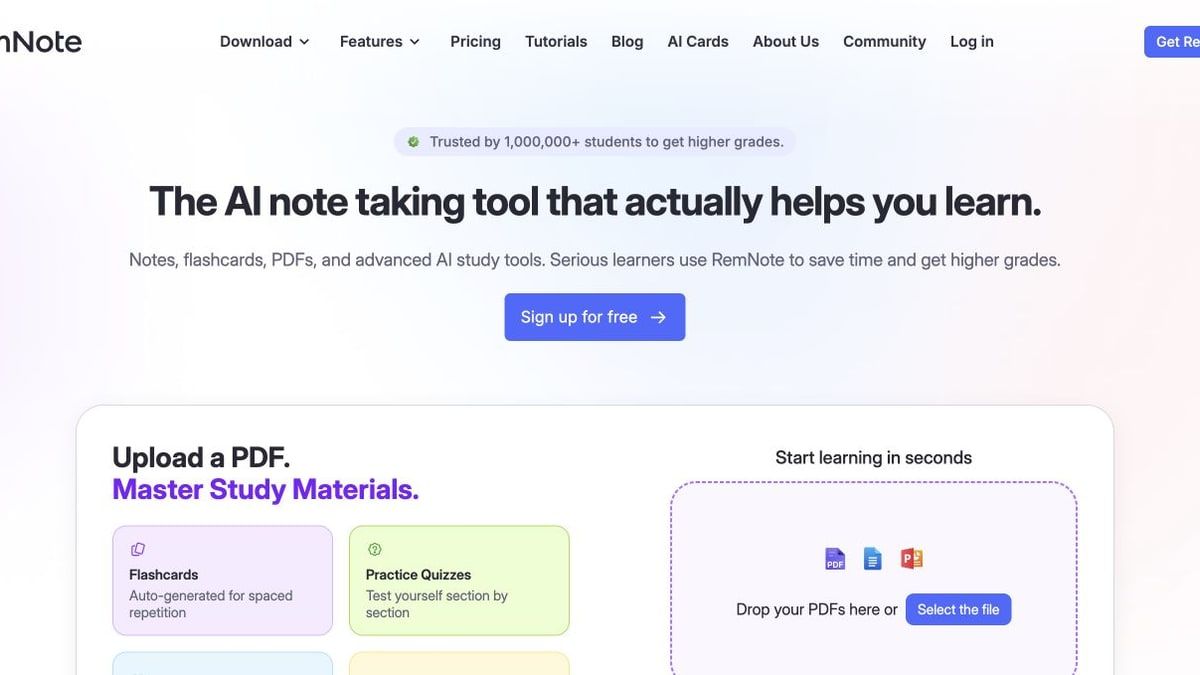
RemNote está diseñado para estudiantes que desean que sus notas de clase y sus tarjetas de memoria vivan en la misma base de conocimientos. En lugar de escribir notas en una aplicación y exportarlas a otra para revisión, RemNote te permite crear tarjetas de memoria directamente en línea mientras escribes. Esta conexión mantiene los materiales de estudio organizados y preserva el contexto alrededor de cada tarjeta.
La plataforma también incluye un lector de PDF integrado, lo que te permite resaltar texto y generar instantáneamente tarjetas de memoria vinculadas al material fuente. Debido a que cuenta con repetición espaciada nativa, puedes revisar tus notas y tarjetas integradas en un horario optimizado en todos tus dispositivos sincronizados. Este enfoque unificado reduce drásticamente la fricción de gestionar un flujo de trabajo de estudio complejo.
Características
- Creación de tarjetas de memoria en línea directamente dentro de tus notas de texto estructuradas.
- Lector de PDF integrado para anotaciones lado a lado y generación instantánea de tarjetas.
- Programación de repetición espaciada nativa para revisión a largo plazo de tarjetas integradas.
- Enlaces bidireccionales para conectar conceptos relacionados en toda tu base de conocimientos.
- Sincronización entre dispositivos para mantener tus notas accesibles en cualquier lugar.
Ventajas
- Se incluyen notas y tarjetas de memoria ilimitadas en el plan gratuito permanente.
- Mantiene las notas originales de la fuente y las tarjetas de revisión estrechamente conectadas para contexto.
- La sincronización entre dispositivos asegura que tus materiales de estudio estén siempre actualizados.
- Reduce la fricción y la pérdida de datos al gestionar dos aplicaciones de estudio separadas.
Desventajas
- La interfaz tiene una curva de aprendizaje notable para los nuevos usuarios.
- Las funciones de cuestionarios de IA y grabación de conferencias están en niveles de pago o medidos.
Mejor para: Estudiantes que desean combinar sin problemas la toma de notas y la revisión de tarjetas de memoria en un solo sistema. Realidad del plan gratuito: El plan gratuito incluye notas/tarjetas de memoria ilimitadas y dispositivos sincronizados, con límites medidos en funciones de IA y PDF avanzadas.
6. StudyFetch: Mejor para un Tutor de IA Guiado y Flujo de Trabajo de Exámenes
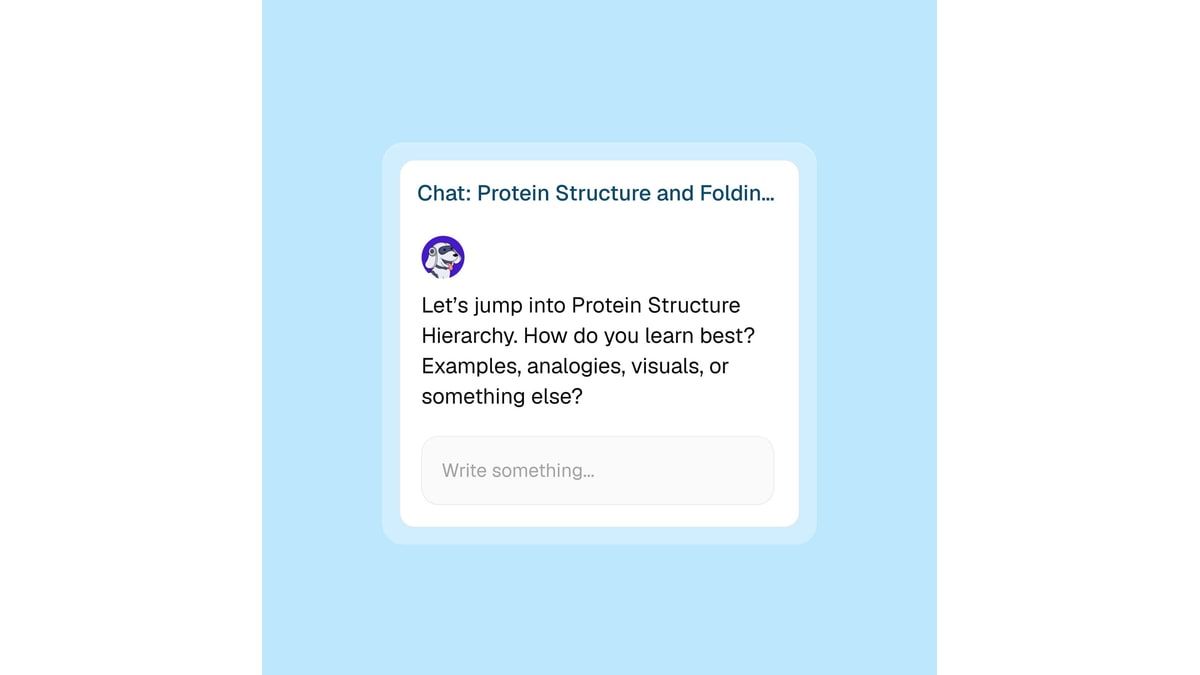
StudyFetch adopta un enfoque más amplio para la preparación de exámenes al emparejarte con un tutor de IA guiado llamado Spark.E. Subes tus materiales del curso, como PDFs, PowerPoints o videos de conferencias, y la plataforma genera un plan de estudio estructurado y personalizado. Está diseñado para simular una experiencia de tutoría integral en lugar de solo facilitar una rápida sesión de tarjetas de memoria.
La plataforma admite la captura de conferencias en vivo y genera automáticamente notas, tarjetas de memoria, cuestionarios y pruebas de práctica a partir de tus entradas. Puedes interactuar con el tutor de IA a través de chat de texto o voz, lo que facilita discutir conceptos difíciles antes de un examen próximo. También cuenta con herramientas únicas como Resumen de Audio y generación de Video Explicativo para adaptarse a diferentes preferencias de aprendizaje.
Características
- Planes de estudio personalizados generados directamente a partir de los materiales del curso subidos.
- Tutor de IA interactivo (Spark.E) disponible a través de interfaces de chat de texto y voz.
- Captura de conferencias en vivo con generación automática de notas estructuradas.
- Crea tarjetas de memoria, cuestionarios, juegos y pruebas de práctica automáticamente.
- Incluye capacidades de Resumen de Audio y Video Explicativo para revisión multimedia.
Ventajas
- Proporciona un flujo de trabajo de preparación de exámenes altamente guiado y amplio para un estudio estructurado.
- Acepta una amplia variedad de entradas, incluidos videos largos y presentaciones.
- El chat de voz hace que las sesiones de tutoría sean más conversacionales y atractivas.
- Múltiples formatos de práctica evitan que las largas sesiones de estudio se vuelvan monótonas.
Desventajas
- El amplio conjunto de funciones puede sentirse más pesado que una aplicación de tarjetas de memoria simple y enfocada.
- Los límites de generación gratuita en curso requieren una gestión cuidadosa para evitar muros de pago.
Mejor para: Estudiantes que desean un tutor de IA que los guíe a través de una secuencia estructurada de preparación para exámenes. Realidad del plan gratuito: El sitio oficial ofrece un punto de partida gratuito, pero los límites de generación en curso exactos varían y deben revisarse regularmente.
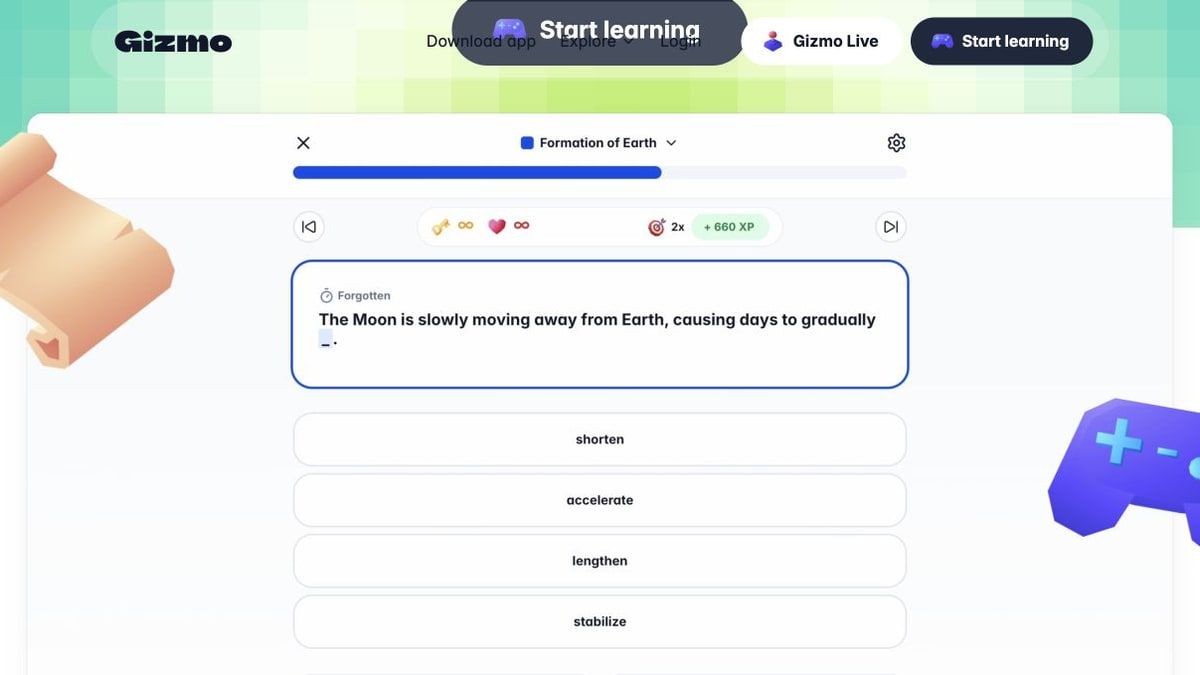
7. Gizmo: Mejor para Tarjetas de Memoria Gamificadas y Importaciones Rápidas
Gizmo está diseñado para que estudiar se sienta menos como una tarea y más como un juego social altamente interactivo. Utiliza mecánicas de gamificación, recuperación activa y repetición espaciada para mantenerte motivado durante largas sesiones de repaso repetitivas. Es muy popular entre los estudiantes que encuentran las aplicaciones de tarjetas de memoria tradicionales, cargadas de texto, demasiado secas o aislantes.
Una de las características más destacadas de Gizmo es su versátil herramienta Magic Import, que acelera drásticamente la creación de mazos. Puedes importar rápidamente materiales de estudio desde PDFs, videos de YouTube, PowerPoints, sitios web e incluso mazos existentes de Quizlet o Anki. Una vez importados, puedes estudiar de forma independiente o unirte a sesiones de estudio en grupo y modos de juego competitivos con tus amigos.
Características
- Generación rápida de tarjetas de memoria y cuestionarios a través de la herramienta Magic Import.
- Acepta importaciones desde Quizlet, Anki, YouTube, PDFs y fotos.
- Interfaz de repaso gamificada que utiliza recuperación activa y repetición espaciada.
- Sesiones de estudio en grupo sociales y modos de juego multijugador competitivos.
- Diseño optimizado para móviles, ideal para ráfagas de estudio rápidas y atractivas.
Ventajas
- Interfaz altamente atractiva que aumenta la motivación para estudiar de forma constante.
- Opciones de importación increíblemente versátiles que ahorran horas de configuración manual.
- El modo de aprendizaje es gratuito para practicar recuperación activa y repetición espaciada.
- Las características sociales facilitan el estudio en grupo, haciéndolo accesible y divertido.
Desventajas
- Las importaciones en el nivel gratuito a veces pueden requerir un período de espera obligatorio.
- El sistema de corazones gamificado puede interrumpir sesiones de estudio continuas e intensivas.
Mejor para: Estudiantes cuya motivación mejora con mecánicas de juego, importaciones rápidas y revisión social. Realidad del plan gratuito: La creación de tarjetas de memoria y el modo de aprendizaje son gratuitos, pero las importaciones pueden tener tiempos de espera y el sistema de corazones puede pausar el estudio.
NotebookLM vs Knowt y Cada Alternativa: Comparación Detallada
Dado que NotebookLM se considera frecuentemente junto a herramientas de estudio con IA, es útil compararlo directamente con Knowt y cada otro producto en la lista. NotebookLM es particularmente fuerte en la síntesis de múltiples fuentes y citas, mientras que varias alternativas están más especializadas en retención, uso en clase o preparación de exámenes. La pregunta útil no es qué plataforma tiene la lista de características más larga, sino cuál se adapta al trabajo que repites cada semana.
Tabla A: Contenido, Fuentes e Investigación
Esta tabla compara cómo cada herramienta maneja formatos de entrada comunes y si puede sintetizar información de múltiples fuentes.
| Herramienta | Chat de fuente fundamentada | Citaciones en línea | Documentos/PDFs | Páginas web/web en vivo | YouTube | Audio/video | Grabación de conferencias | Síntesis de múltiples fuentes |
|---|---|---|---|---|---|---|---|---|
| Knowt | Sí | No | Sí | Limitado | Sí | Sí | Sí | Limitado |
| NotebookLM | Sí | Sí | Sí | Limitado | Sí | Sí | No | Sí |
| Lynote | Sí | Sí | Sí | Sí | Sí | Sí | Solo carga | Sí |
| Quizlet | Limitado | No | Limitado | No | No | No | No | No |
| Anki | No | No | No | No | No | No | No | No |
| RemNote | Sí | Limitado | Sí | No | No | No | De pago | Limitado |
| StudyFetch | Sí | No | Sí | Limitado | Sí | Sí | Sí | Sí |
| Gizmo | Limitado | No | Sí | Sí | Sí | Sí | No | No |
Tabla B: Resultados de Estudio y Retención
Esta tabla evalúa los tipos de materiales de estudio que cada plataforma puede generar y cómo te ayuda a retener esa información a lo largo del tiempo.
| Herramienta | Notas/resúmenes | Tarjetas de memoria | Cuestionarios/pruebas | Repetición espaciada | Tutor de IA/Q&A | Biblioteca de mazos compartidos | Juegos/revisión en grupo | Resultados de aprendizaje en audio/video |
|---|---|---|---|---|---|---|---|---|
| Knowt | Sí | Sí | Sí | Sí | Sí | Sí | Sí | No |
| NotebookLM | Sí | Sí | Sí | No | Sí | No | No | Sí |
| Lynote | Sí | Sí | No | No | Sí | No | No | Sí |
| Quizlet | Limitado | Sí | Limitado | Limitado | Limitado/De pago | Sí | Sí | No |
| Anki | No | Sí | No | Sí | No | Sí | No | No |
| RemNote | Sí | Sí | Limitado | Sí | Limitado | Limitado | No | No |
| StudyFetch | Sí | Sí | Sí | Sí | Sí | Limitado | Sí | Sí |
| Gizmo | Sí | Sí | Sí | Sí | Limitado | Sí | Sí | No |
Tabla C: Acceso Gratuito y Uso Diario
Esta tabla describe las realidades prácticas de usar cada herramienta a diario, incluyendo limitaciones del nivel gratuito y accesibilidad general.
| Herramienta | Tipo de acceso gratuito | Límite gratuito importante | Móvil | Sin conexión | Exportar/editar | Aula/colaboración | Curva de aprendizaje | Mejor público |
|---|---|---|---|---|---|---|---|---|
| Knowt | Núcleo gratuito permanente | Reinicios de IA mensuales | Sí | Limitado | Sí | Sí | Bajo | Secundaria/Universidad |
| NotebookLM | Núcleo gratuito permanente | Límites de generación diarios | Sí | No | Sí | Limitado | Medio | Investigadores |
| Lynote | Gratis para comenzar | Varía según la herramienta | Web | No | Sí | Limitado | Bajo | Aprendices multimodales |
| Quizlet | Núcleo gratuito permanente | Modos premium de pago | Sí | De pago | Sí | Sí | Bajo | Estudiantes generales |
| Anki | Núcleo gratuito permanente | La app de iOS es de pago | Sí | Sí | Sí | Limitado | Alto | Estudiantes de Med/Idiomas |
| RemNote | Núcleo gratuito permanente | AI/PDFs medidos | Sí | Sí | Sí | Limitado | Alto | Tomadores de notas |
| StudyFetch | Gratis para comenzar | Límites de generación continuos | Sí | No | Sí | Limitado | Medio | Estudiantes de preparación de exámenes |
| Gizmo | Gratis con límites de espera | Esperas de importación/Pausas de corazón | Sí | Limitado | Sí | Sí | Bajo | Estudiantes gamificados |
Comparaciones Detalladas de Alternativas
Para aclarar aún más estas distinciones, aquí hay un desglose detallado de cómo NotebookLM se compara directamente con cada una de las otras alternativas en la lista.
NotebookLM vs Lynote
NotebookLM funciona principalmente como un estudio de investigación limitado y fundamentado en fuentes que proporciona excelentes citaciones en línea para la escritura académica. Está altamente especializado para usuarios que necesitan hacer referencias cruzadas de múltiples PDFs densos y generar artefactos de presentación ricos como Resúmenes de Audio. Sin embargo, no está diseñado para ser una utilidad rápida y cotidiana para procesar formatos de medios variados sobre la marcha.
Lynote, por el contrario, actúa como un kit de herramientas multimodal mucho más amplio que maneja una variedad más amplia de tareas académicas y profesionales diarias. Gestiona todo, desde transcripción de audio y traducción de texto hasta OCR y generación de tarjetas de memoria dentro de un flujo de trabajo continuo. Debes elegir Lynote si necesitas procesar rápidamente formatos de medios mixtos, mientras que NotebookLM es mejor para una investigación profunda y rica en citas.
NotebookLM vs Quizlet
NotebookLM está construido específicamente para sintetizar documentos de fuentes complejas y originales en artefactos de estudio personalizados y notas de investigación. Asume que traes tus propios materiales únicos a la plataforma y necesitas ayuda para comprenderlos en profundidad. No ofrece un mercado comunitario ni juegos de estudio predefinidos.
Quizlet es un ecosistema masivo y compartido diseñado completamente para encontrar y estudiar rápidamente conjuntos de tarjetas de memoria existentes. Está pensado para estudiantes que quieren omitir la fase de investigación y aprovechar los materiales creados por sus compañeros o profesores. Elige Quizlet cuando necesites memorizar rápidamente hechos del currículo estándar, y NotebookLM cuando necesites analizar textos originales.
NotebookLM vs Anki
NotebookLM te ayuda a entender, sintetizar y presentar artefactos de fuente ricos a partir de documentos complejos. Es excelente para la fase inicial de comprensión del estudio, donde intentas captar conceptos amplios y conexiones. Sin embargo, carece de un sistema de programación dedicado y basado en algoritmos para la memorización a largo plazo.
Anki es un programador de memoria disciplinado diseñado para ayudarte a repasar hechos específicos durante meses o incluso años. No genera síntesis de fuentes de manera nativa; su principal valor radica en decidir cuándo debe regresar una tarjeta según el historial de revisiones del aprendiz. NotebookLM se adapta a la etapa de comprensión y síntesis, mientras que Anki se ajusta al recuerdo repetido de hechos y terminología seleccionados.
NotebookLM vs RemNote
NotebookLM organiza tu investigación en cuadernos aislados y específicos de proyectos que no interactúan naturalmente entre sí. Esto es ideal para mantener trabajos de investigación distintos o clases separadas bien compartimentadas. Sin embargo, no funciona bien como un cerebro digital interconectado y de por vida.
RemNote conecta notas a largo plazo y tarjetas de memoria con repetición espaciada dentro de una única base de conocimientos. Los conceptos pueden vincularse entre notas para que las tarjetas retengan más de su contexto original. Elige RemNote si deseas un sistema de notas y revisiones en evolución, y NotebookLM cuando la prioridad sea analizar una colección seleccionada de fuentes.
NotebookLM vs StudyFetch
NotebookLM prioriza la trazabilidad de fuentes, la síntesis de múltiples fuentes y las citas. Se comporta más como un espacio de trabajo de investigación que ayuda a los usuarios a mapear información compleja a partir de materiales seleccionados. El usuario aún necesita dirigir la investigación, inspeccionar los pasajes citados y decidir qué hallazgos son relevantes.
StudyFetch se centra en la tutoría guiada por IA, pruebas prácticas interactivas y una preparación de exámenes altamente estructurada. Actúa más como un tutor personal, guiándote activamente a través de un plan de estudio y evaluando tu conocimiento a través de chat y voz. Elige StudyFetch si necesitas una preparación de exámenes guiada e interactiva, y NotebookLM si prefieres una investigación objetiva y autodirigida.
NotebookLM vs Gizmo
NotebookLM utiliza un flujo de trabajo de fuente, chat y estudio diseñado para la comprensión de múltiples fuentes y la generación de artefactos de aprendizaje. Es adecuado para estudiantes e investigadores que necesitan trabajar con información densa y rastrear respuestas hasta el material fuente. No centra la experiencia en mecánicas de juego, revisión social o tablas de clasificación competitivas.
Gizmo está diseñado específicamente para el recuerdo rápido y gamificado, la revisión social y mantener a los estudiantes motivados a través de mecánicas de juego interactivas. Se destaca en importaciones rápidas y hace que el proceso de memorización se sienta menos aislante y tedioso. Elige Gizmo si tienes dificultades con la motivación de estudio y disfrutas del aprendizaje social, y NotebookLM para un análisis de documentos serio y sin distracciones.
¿Qué alternativa gratuita a Knowt deberías elegir?
Elegir la alternativa adecuada depende en última instancia de alinear las fortalezas clave de la herramienta con tus hábitos de estudio diarios. Te recomiendo encarecidamente probar una grabación de clase real, un PDF o un conjunto existente en la herramienta que elijas antes de migrar completamente tu flujo de trabajo. Esta prueba práctica te permite juzgar la precisión de los resultados, el esfuerzo de edición y la fricción de los límites gratuitos de primera mano.
- Elige Lynote para archivos mixtos, conferencias, medios, estudio multilingüe y un flujo de trabajo completo de fuente a resultado.
- Elige NotebookLM para citas, investigación de múltiples fuentes y generación de artefactos de estudio ricos a partir de documentos complejos.
- Elige Quizlet cuando un conjunto compartido existente ahorra más tiempo que generar y formatear uno nuevo.
- Elige Anki cuando la retención a largo plazo, el control total de la programación y el acceso sin conexión son lo más importante.
- Elige RemNote cuando tus notas, anotaciones en PDF y tarjetas de memoria deben permanecer estrechamente conectadas en un solo sistema.
- Elige StudyFetch cuando quieras un tutor interactivo de IA que guíe una secuencia completa de preparación para exámenes.
- Elige Gizmo cuando tu motivación mejore con mecánicas de juego, importaciones rápidas y sesiones de revisión social.
Cómo cambiar de Knowt sin perder tus materiales de estudio
Migrar todo tu flujo de trabajo de estudio a una nueva plataforma puede ser estresante, especialmente si lo intentas justo antes de exámenes importantes. No confíes en las promesas de migración con un solo clic a menos que la aplicación de destino soporte oficialmente el formato relevante y hayas verificado una importación de prueba tú mismo. Una migración apresurada puede resultar en formatos rotos, medios faltantes o lados de tarjetas de memoria desalineados.
Sigue estos pasos para una transición suave y segura:
- Haz un inventario de las notas, conjuntos de tarjetas de memoria y modos de estudio específicos que realmente usas a diario en Knowt.
- Preserva tus archivos fuente originales (PDFs, grabaciones) localmente, y exporta o copia el contenido de estudio esencial de Knowt donde sea posible.
- Elige un curso representativo y reconstruye solo un pequeño conjunto de prueba manejable en tu nueva herramienta primero.
- Compara la calidad de las nuevas tarjetas, los conceptos perdidos, la programación de revisiones y la fricción de exportación con tu antiguo flujo de trabajo de Knowt.
- Ejecuta Knowt y la herramienta de reemplazo en paralelo durante al menos una semana antes de mover todo completamente.
Preguntas frecuentes sobre alternativas gratuitas a Knowt
¿Cuál es la mejor alternativa gratuita a Knowt? La mejor alternativa gratuita depende completamente de tu flujo de trabajo y hábitos de estudio específicos. Lynote es mejor para la generación multimodal de fuente a estudio, NotebookLM es mejor para investigaciones profundas y citas, y Anki es mejor para la repetición espaciada a largo plazo.
¿Knowt sigue siendo gratuito? Sí, Knowt actualmente ofrece un plan básico gratuito muy capaz que incluye notas ilimitadas, tarjetas de memoria y acceso a todos los modos de estudio. Sin embargo, las funciones de generación de IA en el plan gratuito tienen límites de uso estrictos que se restablecen mensualmente.
¿Es NotebookLM mejor que Knowt? NotebookLM es mejor para la investigación de múltiples fuentes, proporcionando citas en línea y generando artefactos de estudio ricos como resúmenes de audio. Knowt es mejor si deseas un estudio tradicional de tarjetas de memoria, pruebas prácticas estructuradas y acceso a una gran biblioteca de conjuntos comunitarios.
¿Cuál alternativa a Knowt es mejor para tarjetas de memoria? Anki es la alternativa más poderosa para la retención a largo plazo de tarjetas de memoria debido a su algoritmo de programación altamente personalizable y adaptativo. Quizlet es la mejor opción si deseas encontrar conjuntos de tarjetas de memoria listas para usar rápidamente sin tener que crearlas tú mismo.
¿Qué alternativa gratuita a Knowt tiene repetición espaciada? Anki proporciona el algoritmo de repetición espaciada más riguroso y completamente gratuito disponible en plataformas de escritorio, web y Android. RemNote, Gizmo y StudyFetch también incorporan mecánicas de repetición espaciada altamente efectivas en sus modos de estudio gratuitos.
¿Puedo importar conjuntos de Quizlet en una alternativa a Knowt? Sí, varias alternativas admiten importaciones directas o indirectas de Quizlet para ahorrarte tiempo. Gizmo cuenta con una herramienta de importación mágica que facilita la incorporación de conjuntos de Quizlet, y los usuarios de Anki frecuentemente utilizan complementos de terceros para importar conjuntos de Quizlet.
¿Qué alternativa puede convertir conferencias, videos o PDFs en materiales de estudio? Lynote se destaca en convertir medios variados—incluyendo audio de conferencias, videos de YouTube y PDFs complejos—en transcripciones, notas y tarjetas de memoria. StudyFetch y NotebookLM también ofrecen un sólido soporte para generar materiales de estudio directamente a partir de múltiples tipos de documentos y medios.
Veredicto Final
Knowt sigue siendo una plataforma de estudio gratuita capaz, por lo que cambiar debería resolver idealmente una limitación específica que estés enfrentando actualmente. Si constantemente alcanzas los límites de generación de IA o necesitas un estilo de estudio diferente, varias alternativas pueden ser adecuadas. Identificar tu principal obstáculo de aprendizaje es el primer paso para elegir un reemplazo adecuado.
Lynote es la opción más amplia cuando se necesita convertir material de diversas fuentes—como videos, audio y documentos—en transcripciones, resúmenes, notas, preguntas y respuestas, y tarjetas de memoria. NotebookLM es la mejor elección para la comprensión basada en fuentes y citas, mientras que Anki, Quizlet, RemNote, StudyFetch y Gizmo destacan en sus propios trabajos de estudio más especializados.

Escrito por Janet L. Harris
Especialista en Redacción con IA
Janet revisa detectores de IA y herramientas de humanización, centrándose en la precisión, las limitaciones y el uso responsable. Ver todos los artículos →