8 NotebookLM Alternatieven Die Passen Bij Verschillende Onderzoeksworkflows

NotebookLM is moeilijk te vervangen door één enkele tool, omdat het verschillende taken combineert: bronnen verzamelen, gefundeerde vragen stellen, antwoorden herleiden tot bewijsmateriaal en materiaal omzetten in studie- of presentatie-uitvoer. Google heeft het product in juli 2026 hernoemd naar Gemini Notebook, maar NotebookLM blijft de bekende zoekterm voor gebruikers die alternatieven vergelijken. Het beste NotebookLM-alternatief hangt daarom af van welk deel van die workflow voor jou het belangrijkst is.
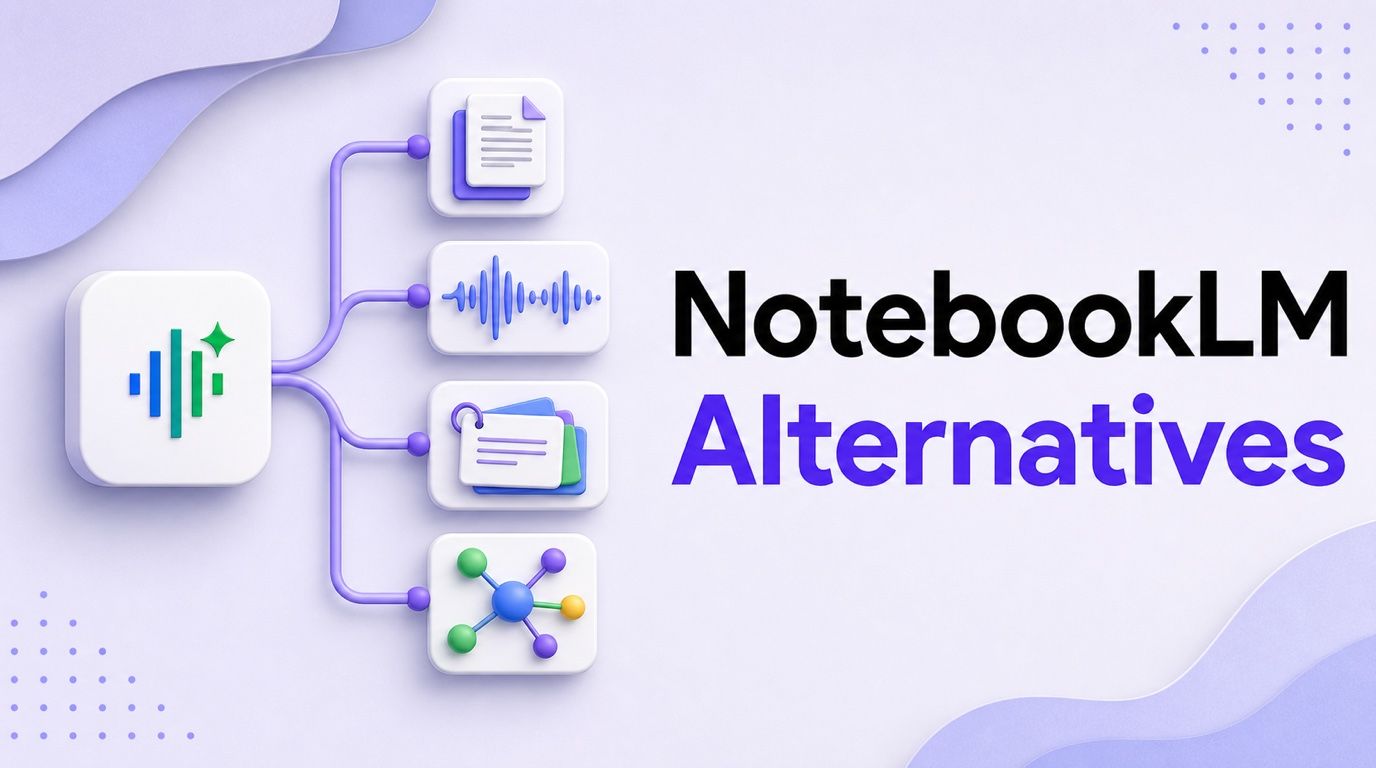
Direct antwoord: Lynote is het sterkste allround alternatief wanneer je bronnen documenten, webpagina's, afbeeldingen, audio, video of YouTube omvatten en je praktische uitvoer wilt, zoals transcripties, samenvattingen, notities, Q&A, flashcards en vertalingen. ChatGPT Projects is flexibeler voor algemeen werk, Claude Projects is beter geschikt voor zorgvuldige synthese van lange documenten, Perplexity Projects is sterker voor live webonderzoek, SciSpace specialiseert zich in academische papers, Mindgrasp richt zich op examenvoorbereiding, Notion AI past bij gedeelde bedrijfskennis, en Obsidian is hier de beste optie voor lokaal eigendom.
Geen enkel alternatief reproduceert elk onderdeel van NotebookLM. Met name de brongebaseerde Studio-workflow en geïntegreerde Audio Overviews blijven onderscheidend, dus de juiste vraag is niet simpelweg: "Welke tool heeft meer functies?" Het is: "Welke tool vervangt het werk waarvoor ik NotebookLM daadwerkelijk gebruik?" Voor een bredere blik buiten directe vervangingen, zie deze vergelijking van de beste AI-notitie-apps.
NotebookLM-alternatieven in één oogopslag
| Tool | Beste voor | Dichtstbijzijnde NotebookLM-functionaliteit | Type gratis toegang | Belangrijkste afweging |
|---|---|---|---|---|
| Lynote | Leertrajecten met gemengde media | Bronnen omzetten in transcripties, samenvattingen, notities, Q&A en flashcards | Handige gratis instappunten | Geen podcast-achtige Audio Overview |
| ChatGPT Projects | Flexibel onderzoek en opstellen | Permanente projectbestanden, chats en instructies | Permanent beperkt gratis abonnement | Minder automatische studie-uitvoer |
| Claude Projects | Lange documenten en synthese | Projectkennis en brongebaseerde analyse | Permanent beperkt gratis abonnement | Verbeterde RAG is betaald |
| Perplexity Projects | Actueel webonderzoek | Bestanden plus live zoeken en citaten | Beperkte gratis toegang | Minder controle over notities maken en oproepen |
| Notion AI | Teamkennisystemen | Zoeken en werken in een gedeelde werkruimte | AI-proefversie of betaalde werkruimtetoegang | Meer instellingen en een hogere betaalde verbintenis |
| SciSpace | Onderzoekspapers | Paperontdekking, PDF-analyse en citaten | Beperkte gratis toegang | Smaller buiten academisch onderzoek |
| Mindgrasp | Quizzen en examenvoorbereiding | Cursusbronnen omzetten in studiemateriaal | Proefversie of beperkte gratis toegang | Studiegericht in plaats van onderzoeksgericht |
| Obsidian | Privé, langetermijnnotities | Gekoppelde bronnotities en lokale organisatie | Gratis kernapplicatie | AI-onderzoeksfuncties vereisen add-ons |
Wat moet een echt NotebookLM-alternatief kunnen doen?
Een nuttig alternatief moet worden beoordeeld op basis van de taak die NotebookLM uitvoert, niet op basis van een generieke checklist met AI-functies. Ik heb vijf criteria gebruikt om directe alternatieven te scheiden van producten die slechts aanverwant zijn.
1. Het moet antwoorden verbonden houden met bronnen
Het centrale voordeel van NotebookLM is niet de basis samenvatting. Het stelt je in staat om te werken binnen een afgebakende verzameling materiaal en citaten te inspecteren die een antwoord verbinden met de onderliggende bron.
Een alternatief hoeft die interface niet te kopiëren, maar het moet redelijk duidelijk maken of een antwoord afkomstig is van je bestanden, het live web, algemene modelkennis, of een mix van alle drie. Dit onderscheid is belangrijk wanneer je een onderzoeksclaim controleert in plaats van brainstormt, en het is ook de reden waarom het leren hoe je AI-vragen stelt met expliciete bronafbakeningen het resultaat verbetert.
2. Het moet het materiaal accepteren dat je al hebt
Voor de ene persoon kan de bronset bestaan uit PDF's en webpagina's. Voor een ander kan het collegerecordingen, screenshots, YouTube-tutorials, vergadervideo's of gescande notities omvatten.
De breedte van bestandsformaten is alleen van belang wanneer deze overeenkomt met je daadwerkelijke invoer. Een product dat academische PDF's uitzonderlijk goed verwerkt, kan een betere vervanging zijn dan een brede tool voor een literatuurstudie, terwijl een multimediatool nuttiger zal zijn voor een cursus die is opgebouwd rond opnames.
3. Het moet herbruikbaar werk produceren
Een chatreactie is nuttig maar tijdelijk. Notities, transcripties, flashcards, quizzen, citaten, samenvattingen en bewerkbare documenten kunnen door een studie- of werkproces heen worden gebruikt.
Dit is waar verschillende algemene AI-assistenten afwijken van NotebookLM. Ze kunnen vaak meer soorten vragen beantwoorden, maar ze organiseren de bron niet automatisch in dezelfde set Studio-uitvoer.
4. Het moet passen bij je organisatie- en privacymodel
NotebookLM is notitieboek-gecentreerd. Notion is werkruimte-gecentreerd, ChatGPT en Claude zijn project-gecentreerd, en Obsidian is gebouwd rond lokale bestanden en links.
Dat structurele verschil wordt na verloop van tijd belangrijker dan een kleine functie-kloof. Een onderzoeksnotitieboek voor een semester, een duurzame persoonlijke kennisbank en een gedeelde handleiding hebben verschillende 'thuis' nodig.
5. "Gratis" moet meer betekenen dan een korte demo
Gratis NotebookLM-alternatieven vallen in verschillende categorieën: een permanent maar beperkt gratis abonnement, een gratis kernapp met betaalde optionele diensten, een kleine proefversie, of een betaald product met een gratis preview. Deze zijn niet gelijkwaardig.
De onderstaande vergelijking identificeert het type gratis toegang in plaats van elk aanmeldscherm als een gratis product te behandelen. Limieten en abonnementspakketten kunnen veranderen, dus controleer het huidige abonnement voordat je een groot project migreert.
De 8 beste NotebookLM-alternatieven
1. Lynote: Beste algemene multimodale leeroplossing
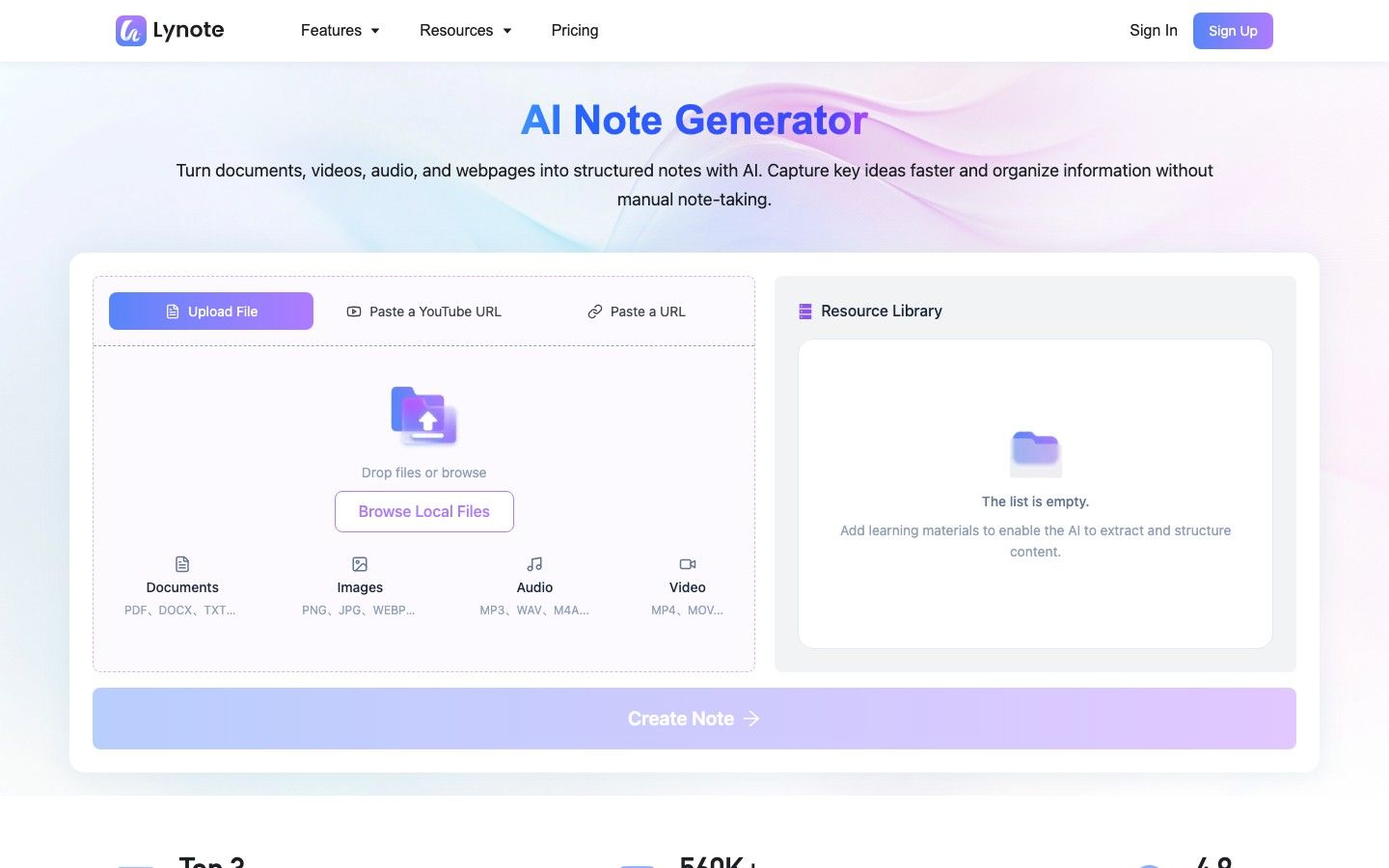
Lynote past het beste in deze lijst voor mensen wier onderzoek niet begint en eindigt met PDF's. De gekoppelde tools kunnen werken met documenten, webpagina's, afbeeldingen, audio, video en YouTube, en vervolgens het materiaal verwerken via transcriptie, samenvatting, notitiegeneratie, vragen, flashcards of vertaling.
Het belangrijke verschil is dat Lynote een bron-naar-uitvoer toolkit is in plaats van een kloon van de notitieboekinterface van NotebookLM. De AI-transcriptieworkflow verwerkt opnames, de YouTube-tools produceren transcripties en visuele samenvattingen, en de samenvatter werkt met gemengde brontypen. Het resulterende materiaal kan verder worden gebruikt in gestructureerde notities, bronbewuste vragen en door AI gegenereerde flashcards zonder dat gebruikers dezelfde inhoud helemaal opnieuw hoeven op te bouwen.
Die breedte maakt Lynote bijzonder nuttig voor studenten die tussen formaten wisselen. Speciale audio-naar-tekst, video-naar-tekst en audio-samenvattingsworkflows verminderen de noodzaak om opnames elders voor te bewerken. De suite omvat ook documentvertaling, tekstvertaling en tekstextractie uit afbeeldingen, wat belangrijker kan zijn dan Audio Overviews voor meertalig of afbeeldingsrijk cursusmateriaal.
Lynote gaat verder dan het maken van notities met praktische PDF- en afbeeldingscompressie, tekst- en afbeeldingsbeoordelingstools, een AI Humanizer en deepfake-screening van stilstaande beelden. Dit zijn ondersteunende hulpprogramma's in plaats van de belangrijkste reden om het als NotebookLM-alternatief te kiezen, maar ze verminderen het aantal afzonderlijke services dat nodig is rond een onderzoeks- of studieworkflow. Detectorresultaten moeten worden behandeld als beoordelingssignalen in plaats van bewijs.
Functies
- Documenten, webpagina's, screenshots, audio, video en YouTube-invoer
- Transcripties, gestructureerde samenvattingen, bewerkbare notities, vervolg-Q&A en flashcards
- Document- en tekstvertaling voor meertalig werk
- OCR-achtige extractie uit screenshots en gescande notities
- Hulpprogramma's voor PDF- en afbeeldingscompressie
- Tekst-, afbeelding- en deepfake-beoordelingstools
Voordelen
- Omvat meer directe multimedia-invoer- en transformatietaken dan de meeste projectgebaseerde assistenten
- Verbindt passief begrip met actieve herinneringsuitvoer
- Biedt taakspecifieke gratis instappunten, met verschillende basisworkflows beschikbaar zonder aanmelding
- Werkt goed wanneer een project beweegt tussen transcriptie, notities, vertaling en studie
Nadelen
- Gratis en betaalde toegang omvatten verschillende gebruiksbeperkingen en geavanceerde functies
Het beste voor: Studenten, docenten, onderzoekers, makers en meertalige gebruikers die diverse bronformaten willen omzetten in bruikbare leeruitvoer.
Gratis/betaalde opmerking: Lynote biedt gratis basistoegang tot verschillende tools, terwijl limieten en geavanceerde opties per functie verschillen. Controleer de relevante toolpagina voor de huidige toelage voordat je een grote batch verwerkt.
2. ChatGPT Projects: Beste flexibele algemene vervanging
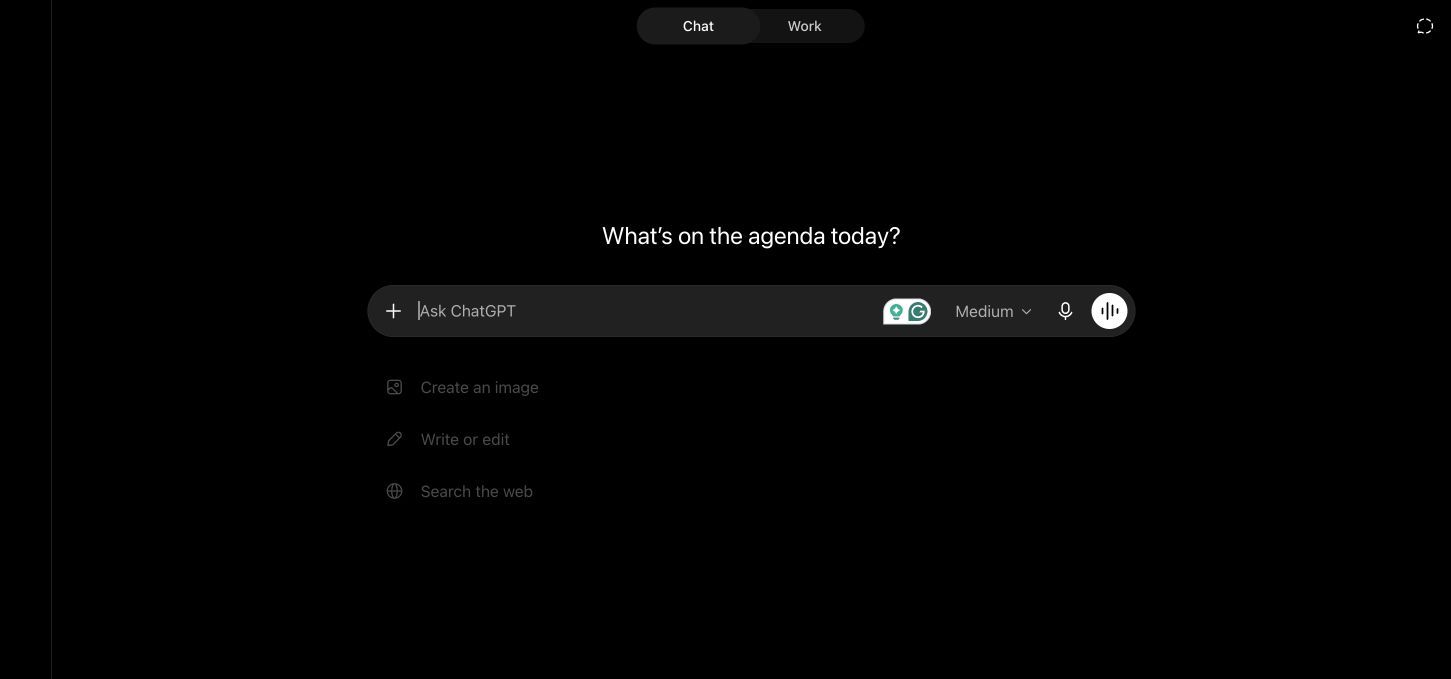
ChatGPT Projects vervangt het afgebakende notitieboek door een openere projectwerkruimte. Een project kan bestanden, herbruikbare instructies en gerelateerde chats bevatten, terwijl ChatGPT ook kan werken met webzoekopdrachten, Canvas, data-analyse en Studiemodus wanneer die mogelijkheden beschikbaar zijn in het account.
Deze flexibiliteit is waardevol wanneer bronanalyse slechts één fase is van een grotere opdracht. Je kunt referentiebestanden bekijken, deze vergelijken met actuele webinformatie, berekeningen uitvoeren vanuit een spreadsheet, een rapport opstellen in Canvas en vervolggesprekken onder dezelfde projectcontext houden. NotebookLM is meer uitgesproken over brongebaseerd onderzoek; ChatGPT is flexibeler over wat er voor en na gebeurt.
De afweging is dat een flexibele assistent meer sturing vereist. Het zet niet automatisch elke bronverzameling om in NotebookLM-achtige Audio Overviews, mindmaps, studiegidsen of bronspecifieke Studio-artefacten. Je moet ook expliciet zijn over de vraag of een vraag alleen geüploade bestanden moet gebruiken of externe kennis mag integreren.
Functies
- Permanente projectbestanden, chats en aangepaste projectinstructies
- Webonderzoek naast geüpload materiaal
- Canvas voor opstellen en revisie
- Data-analyse voor spreadsheets en gestructureerde bestanden
- Studiegerichte vragen en uitleg
- Opties voor projectdeling en samenwerking
Voordelen
- Breed genoeg om onderzoek, analyse, schrijven en datawerk op één plek te ondersteunen
- Projecten zijn beschikbaar voor gratis gebruikers
- Herbruikbare instructies helpen het doel en de stijl van een project te behouden
- Beter dan een workflow met alleen een notitieboek wanneer het uiteindelijke resultaat een rapport, plan of analyse is
Nadelen
- Het gratis abonnement heeft een relatief kleine bestandsruimte per project
- Bronverankering is niet de enige bedrijfsmodus, dus prompts hebben duidelijke grenzen nodig
- Geen direct equivalent van de volledige Studio-uitvoer van NotebookLM
Het beste voor: Algemene onderzoekers, schrijvers, analisten en studenten die één project willen dat van bronbeoordeling overgaat naar opstellen en probleemoplossing.
Gratis/betaalde opmerking: Projecten zijn beschikbaar op gratis en betaalde ChatGPT-abonnementen, maar bestandslimieten en model-/tooltoegang verschillen. De huidige gratis toelage is geschikt voor een kleine bronset in plaats van een groot onderzoeksarchief.
3. Claude Projects: Beste voor lange documenten en zorgvuldige synthese
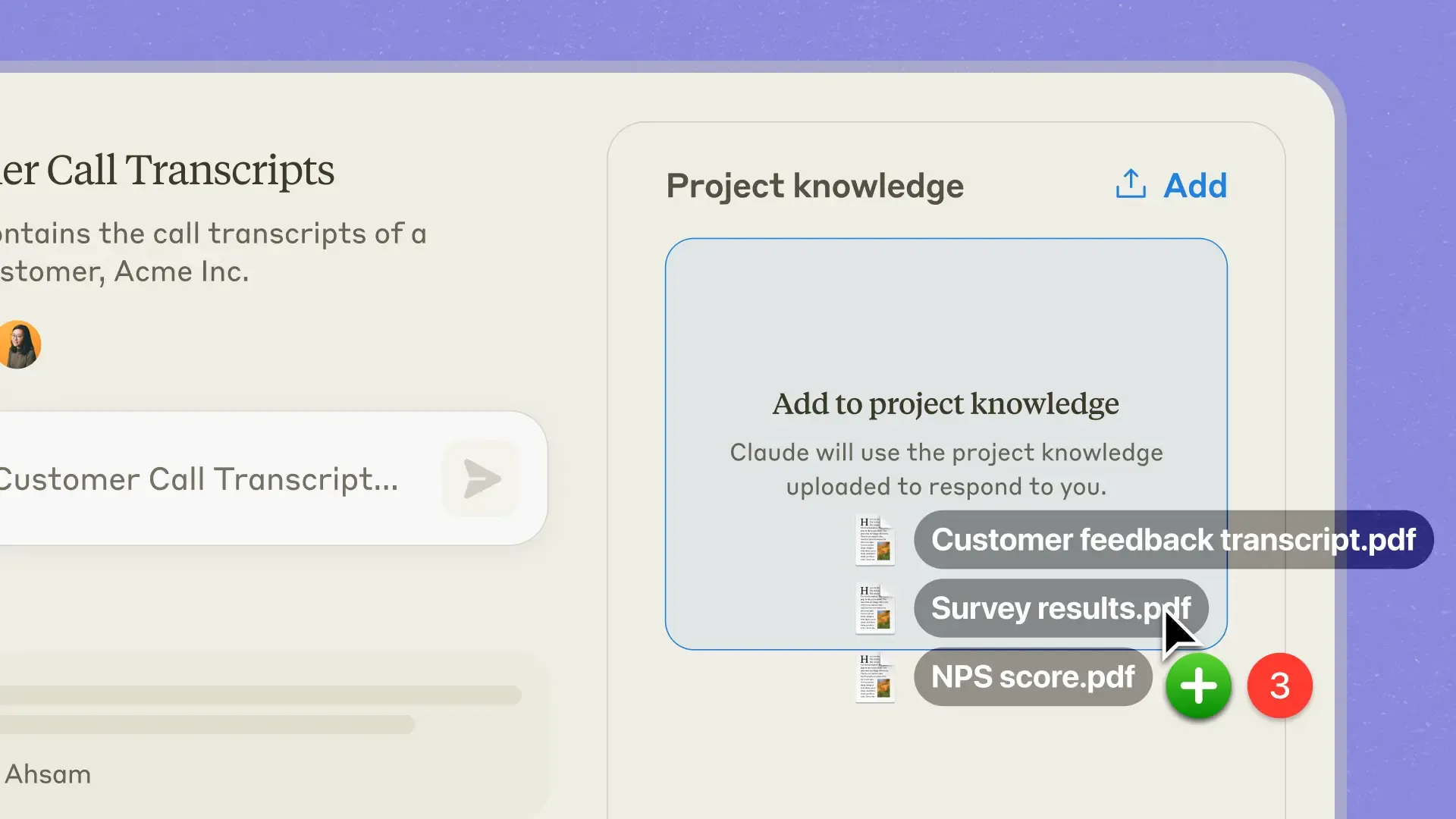
Claude Projects is een sterk alternatief wanneer de centrale taak het lezen van een verzameling lange documenten en het produceren van een zorgvuldige synthese is. Elk project kan zijn eigen kennisbank combineren met projectspecifieke instructies, waardoor een literatuurstudie, beleidsanalyse, klantaccount of schrijfproject kan worden gescheiden van ongerelateerde gesprekken.
Claude is minder een kant-en-klare studiestudio en meer een omgeving voor nauwkeurig lezen en schrijven. Het kan argumenten vergelijken, spanningen tussen documenten identificeren, dichte materie herstructureren en een lang antwoord ontwikkelen, terwijl het de redactionele of analytische instructies van het project volgt. Wanneer een projectkennisbank groeit, kan Anthropic retrieval gebruiken om relevant materiaal in de werkcontext te brengen.
Claude stelt Projecten nu beschikbaar voor gratis accounts, met een limiet van vijf projecten. Echter, verbeterde projectkennis met automatische retrieval-augmented generation is gereserveerd voor betaalde abonnementen. Het is ook niet de beste keuze als je ideale resultaat een automatisch gegenereerde quiz, flashcard-deck of audiogesprek is, in plaats van een doordachte geschreven analyse.
Functies
- Projectspecifieke kennisbanken
- Herbruikbare projectinstructies
- Analyse en vergelijking van lange documenten
- Retrieval-ondersteuning voor grotere kenniscollecties
- Sterk opstellen, bewerken en gestructureerde synthese
- Deel- en teamopties op in aanmerking komende abonnementen
Voordelen
- Zeer geschikt voor genuanceerd lezen van lange rapporten en documenten
- Projectinstructies creëren een consistent analytisch kader
- Sterke keuze voor schriftelijke synthese en revisie
- Schaalbaar voorbij wat direct in één gesprek past
Nadelen
- Gratis accounts zijn beperkt tot vijf projecten, terwijl verbeterde RAG een betaald abonnement vereist
- Minder native leeruitvoer dan NotebookLM, Lynote of Mindgrasp
- Niet primair ontworpen voor live webontdekking
Het beste voor: Onderzoekers, consultants, beleidsteams en schrijvers wier grootste uitdaging het begrijpen en synthetiseren van lange documenten is.
Gratis/betaalde opmerking: Gratis Claude-accounts kunnen maximaal vijf projecten aanmaken. Betaalde abonnementen voegen verbeterde projectkennis met RAG toe voor grotere collecties, terwijl het delen binnen de organisatie beperkt is tot in aanmerking komende teamabonnementen.
4. Perplexity Projects: Beste voor bestanden plus live webonderzoek
Perplexity Projects is hier het meest relevante alternatief wanneer je onderzoek actueel moet blijven. Het kan gerelateerd werk organiseren, geüpload materiaal combineren met webonderzoek en gekoppelde citaten presenteren die het gemakkelijker maken om te controleren waar een antwoord vandaan komt.
Dat model lost een ander probleem op dan NotebookLM. NotebookLM is uitstekend wanneer je de wereld van het antwoord wilt beperken tot geselecteerde bronnen. Perplexity is nuttig wanneer de geselecteerde bestanden slechts het startpunt zijn en je ook recente rapportage, academische resultaten, marktinformatie of openbare discussie nodig hebt.
Het onderscheid heeft praktische gevolgen. Een live-zoekproduct kan belangrijke context vinden die ontbreekt in je bestanden, maar het kan ook de bewijsset verbreden buiten de grenzen die je voor ogen had. Perplexity is minder gericht op bewerkbare notities, actieve herinnering en gegenereerde leerartefacten, dus het werkt het beste als een onderzoekslayer in plaats van een compleet studiesysteem.
Functies
- Projectgebaseerde organisatie voor gerelateerd onderzoek
- Geüploade bestanden en permanente projectbronnen op in aanmerking komende abonnementen
- Live web-, academische en sociale onderzoeksmodi
- Gekoppelde citaten en broninspectie
- Aangepaste instructies voor projectcontext
- Opties voor delen en samenwerken aan onderzoek
Voordelen
- Sterkste optie in deze lijst voor het combineren van privé-materiaal met vers openbaar bewijs
- Citaten maken webbevindingen gemakkelijker te controleren
- Nuttig voor snel landschapsonderzoek en feitenontdekking
- Meerdere onderzoeksmodi helpen het type bron te verfijnen dat wordt gezocht
Nadelen
- Permanente projectbronnen en grotere toelagen neigen naar betaalde abonnementen
- Minder geschikt voor het bewerken van een duurzame set persoonlijke notities
- Beperkte native ondersteuning voor flashcards en andere actieve herinneringsuitvoer
Het beste voor: Journalisten, marketeers, analisten, onderzoekers en studenten die actueel webbewijs nodig hebben naast hun eigen bestanden.
Gratis/betaalde opmerking: Perplexity biedt een beperkte gratis onderzoekservaring. Grotere projectbroncollecties, geavanceerd onderzoeksgebruik en premium modeltoegang vereisen over het algemeen betaling.
5. Notion AI: Beste voor een collaboratieve teamkennisbank
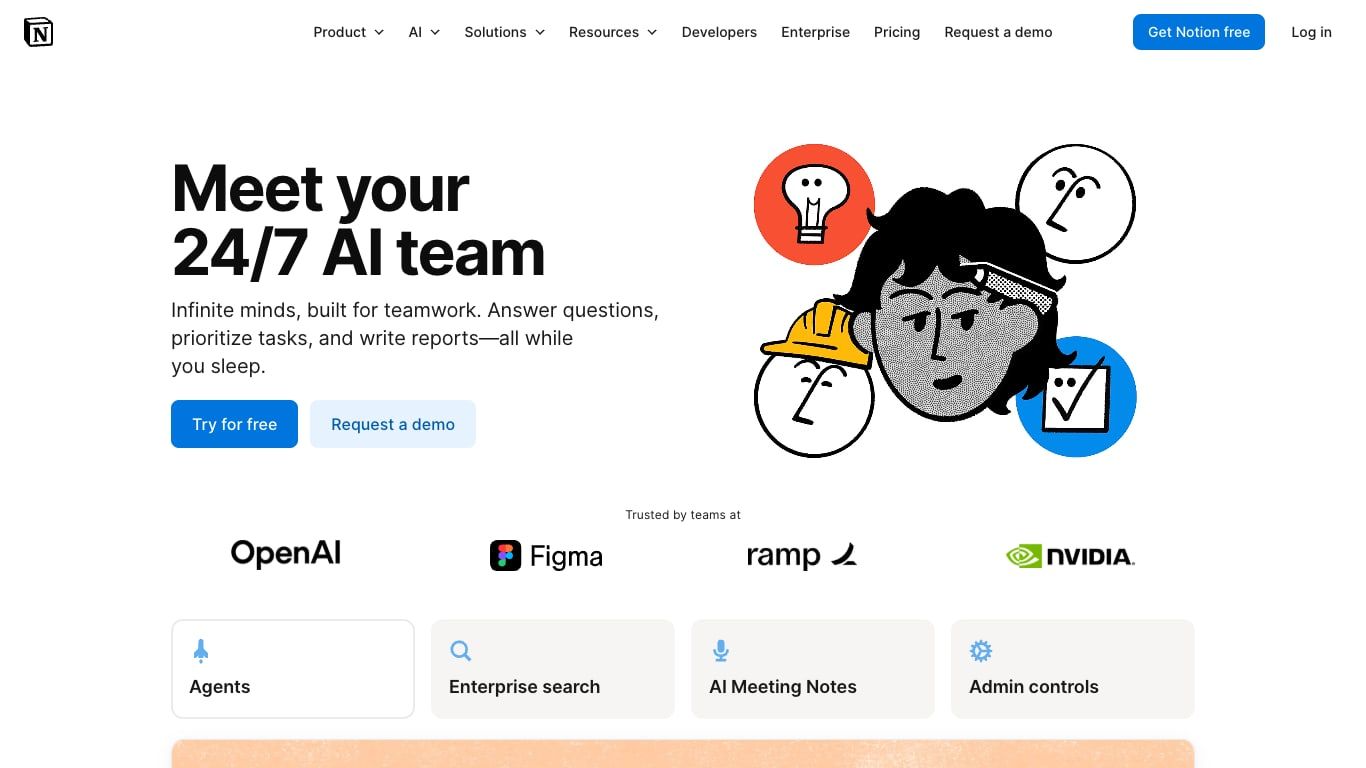
Notion AI wordt een geloofwaardig NotebookLM-alternatief wanneer het 'notitieboek' eigenlijk een levende teamwerkruimte is. In plaats van een aparte onderzoekscontainer te creëren, kunnen teams bronpagina's, databases, vergadernotities, projectplannen, beslissingen en operationele documenten in hetzelfde systeem bewaren waar het werk wordt beheerd.
Dit maakt Notion beter geschikt voor cumulatieve organisatiekennis. AI-zoek- en gekoppelde app-functies kunnen mensen helpen informatie te vinden en te synthetiseren in de werkruimte, terwijl databases en machtigingen de informatie een operationele structuur geven. NotebookLM kan sneller zijn voor het verkennen van een afgebakende set bronnen; Notion kan sterker zijn wanneer die bevindingen eigenaren, statusvelden, gekoppelde projecten en langetermijnonderhoud nodig hebben.
De kosten zijn de installatie en de complexiteit van het abonnement. Notion wordt geen gepolijste onderzoeksomgeving alleen omdat AI is ingeschakeld; de onderliggende werkruimte heeft nog steeds verstandige pagina's, databases, machtigingen en naamgeving nodig. Volledige AI-toegang is ook gepositioneerd rond hogere werkruimteabonnementen in plaats van een genereus permanent gratis AI-abonnement.
Functies
- Pagina's, databases, wiki's, projecten en vergadernotities
- AI-zoekopdrachten en Q&A over werkruimtekennis
- Gekoppelde applicaties op ondersteunde abonnementen
- Collaboratief bewerken, opmerkingen en machtigingen
- Sjablonen en gestructureerde databaseweergaven
- AI-schrijven en samenvatten binnen werkpagina's
Voordelen
- Zet onderzoek om in onderhouden teamkennis in plaats van een geïsoleerd notitieboek
- Uitstekende organisatie- en samenwerkingscontroles
- Houdt bronmateriaal dicht bij taken, beslissingen en documentatie
- Betere langetermijnstructuur voor bedrijfs- of projectkennis
Nadelen
- Volledig AI-gebruik vereist een hogere betaalde werkruimtelaag
- Meer installatie- en informatiearchitectuurwerk dan NotebookLM
- Minder gericht op citaten terug naar een klein, gecontroleerd bronpakket
Het beste voor: Teams die onderzoek, vergaderkennis, documentatie en projectuitvoering in één gedeelde werkruimte willen.
Gratis/betaalde opmerking: Notion heeft een gratis werkruimtelaag, maar de meest relevante AI-mogelijkheden zijn proefversie-beperkt of gekoppeld aan betaalde Business- en Enterprise-aanbiedingen.
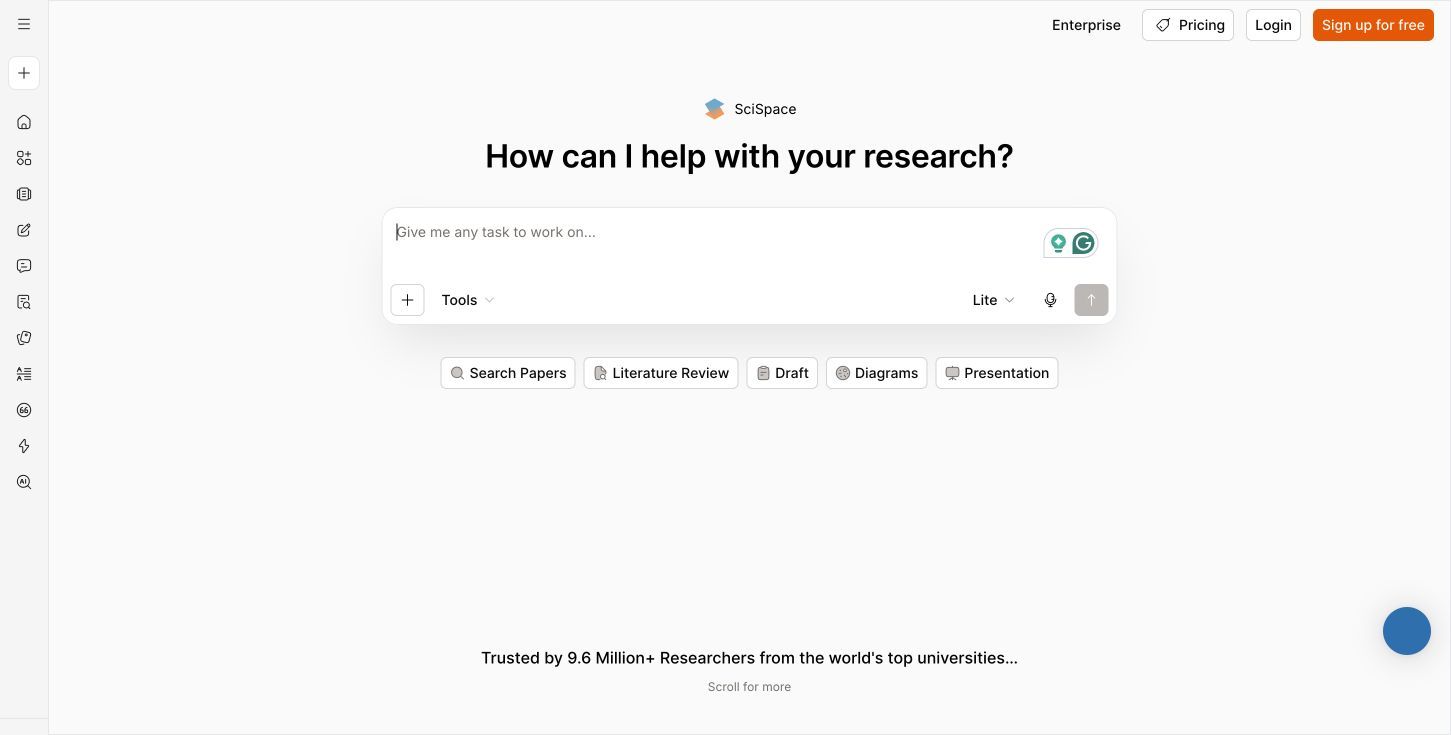
6. SciSpace: Beste voor academische papers en literatuurstudies
SciSpace is een specialistisch alternatief voor onderzoekers die NotebookLM voornamelijk gebruiken om wetenschappelijke papers te begrijpen. De workflow is opgebouwd rond het vinden van literatuur, chatten met PDF's, uitleggen van dichte passages, vergelijken van studies, extraheren van informatie, beheren van citaten en ondersteunen van academisch schrijven.
Die specialisatie kan waardevoller zijn dan brede invoerondersteuning. Een literatuurstudie hangt af van paperontdekking, methodologische context, traceerbaarheid van citaten en de mogelijkheid om claims tussen studies te vergelijken. SciSpace plaatst die taken dichter bij elkaar dan een algemeen notitie- of chatproduct.
Het is minder aantrekkelijk voor een maker die video's organiseert, een team dat operationele kennis opslaat, of een student die voornamelijk werkt met collegerecordingen. De meest nuttige geavanceerde workflows vallen ook onder gebruiksbeperkingen of betaalde toegang, dus het moet worden beoordeeld op basis van het volume en de diepte van het onderzoek dat je uitvoert.
Functies
- Zoeken en ontdekken van wetenschappelijke papers
- Chatten met PDF en passage-uitleg
- Ondersteuning voor literatuurstudie
- Gestructureerde data-extractie uit papers
- Citatie-ontdekking en -beheer
- Academische opstel- en parafraseerhulp
Voordelen
- Speciaal gebouwd rond onderzoekspapers in plaats van generieke bestanden
- Helpt paperontdekking te verbinden met lezen en synthese
- Betere academische context dan veel brede AI-assistenten
- Nuttig voor het beoordelen van methoden, bevindingen en gerelateerde literatuur
Nadelen
- Minder waarde buiten wetenschappelijk onderzoek
- Geen natuurlijke pasvorm voor vergaderingen, podcasts of algemene multimedia
- Geavanceerde en grootschalige workflows vereisen betaling
Het beste voor: Afgestudeerde studenten, onderzoekers en academische schrijvers die werken met tijdschriftartikelen en literatuurstudies.
Gratis/betaalde opmerking: SciSpace biedt beperkte gratis toegang, terwijl diepere of frequentere academische workflows een betaald abonnement vereisen.
7. Mindgrasp: Beste voor quizzen, flashcards en examenvoorbereiding
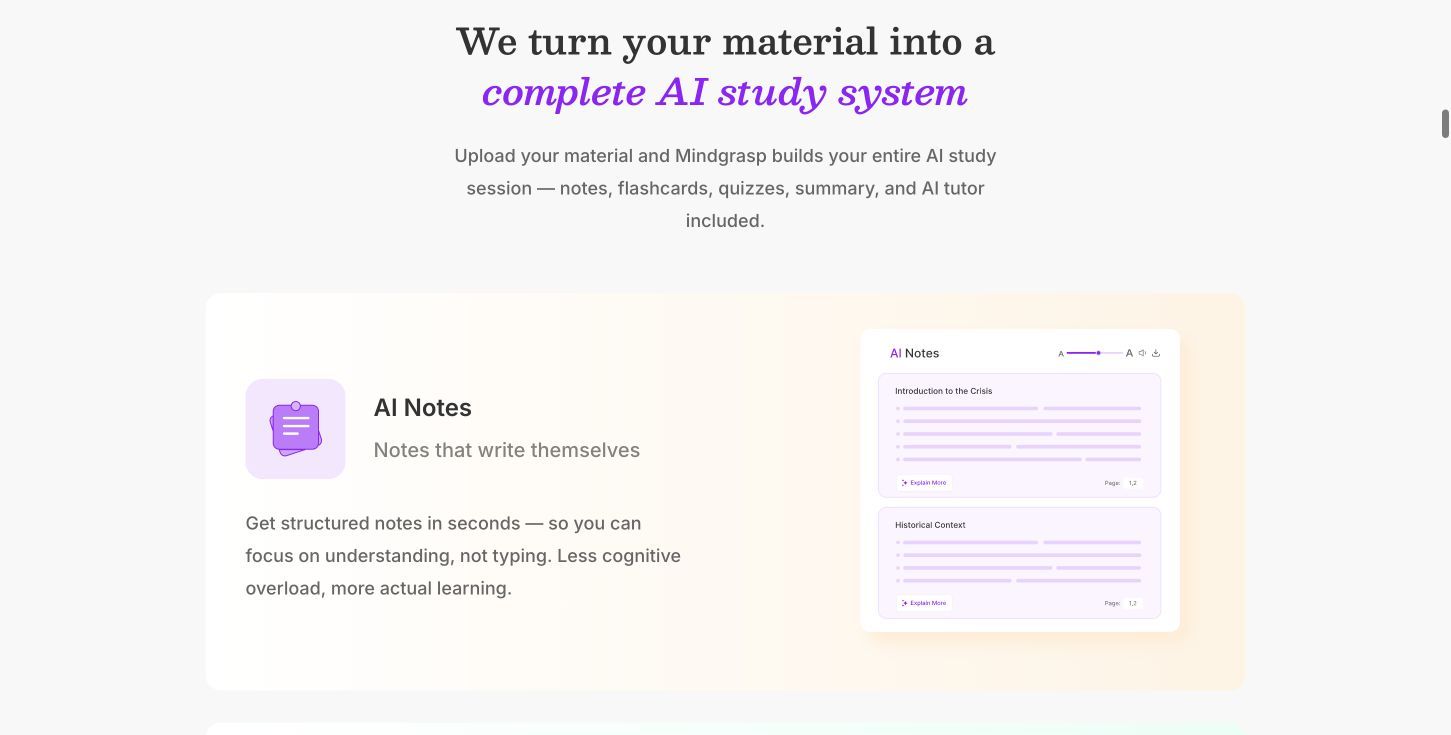
Mindgrasp is een betere vervanging dan NotebookLM wanneer het uiteindelijke doel niet alleen het begrijpen van een bron is, maar het onthouden ervan voor een examen. Het kan cursusmateriaal omzetten in notities, samenvattingen, quizzen, flashcards, studiegidsen, oefentoetsen en tutor-achtige interacties.
De workflow is expliciet gericht op actieve herinnering. PDF's, dia's, opnames, video's en YouTube-materiaal kunnen oefenmateriaal worden zonder dat de leerling elk belangrijk punt handmatig naar een aparte flashcard-app hoeft te verplaatsen. Dat is een aanzienlijk voordeel voor studenten die de studiegidsen van NotebookLM waarderen, maar een sterkere oefenlus willen.
Mindgrasp is minder geschikt voor open-ended professioneel onderzoek of een langetermijnkennisysteem. De organisatie, uitvoer en producttaal richten zich op cursuswerk en studeren, en zinvol gebruik moet worden geëvalueerd aan de hand van de huidige proefversie en betaalde abonnementslimieten.
Functies
- Ondersteuning voor gangbare cursusdocumenten en multimedia
- Geautomatiseerde notities en samenvattingen
- Quizzen en flashcards
- Studiegidsen en oefentoetsen
- Tutor-achtige vragen en uitleg
- Studiegerichte organisatie
Voordelen
- Sterke overgang van bronmateriaal naar actieve herinnering
- Vermindert handmatig werk bij het maken van oefenvragen
- Betere focus op examenvoorbereiding dan algemene AI-projecttools
- Nuttig voor opgenomen colleges en gemengd cursusmateriaal
Nadelen
- Beperkte gratis toegang vergeleken met een permanent gratis kernproduct
- Minder geschikt voor teamkennis of breed professioneel onderzoek
- Niet ontworpen als een duurzaam lokaal notitiearchief
Het beste voor: Middelbare school-, hogeschool- en beroepscertificeringsstudenten die zich voorbereiden op assessments.
Gratis/betaalde opmerking: Beschouw Mindgrasp primair als een betaald studieplatform met een beperkte gratis of proefversie-toegang, in plaats van als een onbeperkt gratis NotebookLM-alternatief.
8. Obsidian: Beste gratis lokale kennisbank
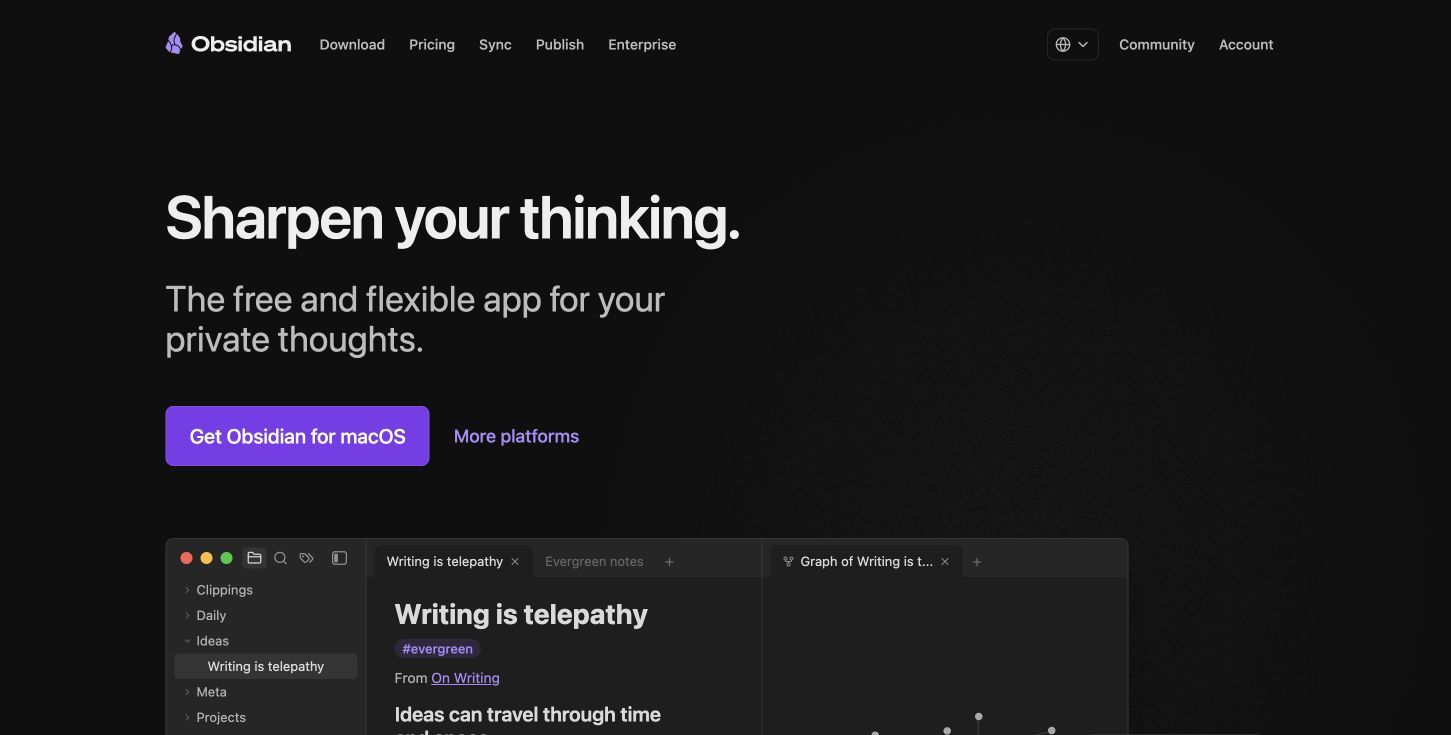
Obsidian is geen directe AI-vervanging voor NotebookLM, maar het is de sterkste keuze in deze lijst wanneer eigendom en langetermijnorganisatie belangrijker zijn dan automatische bronchat. Notities worden opgeslagen als lokale Markdown-bestanden, en links, backlinks, grafiekweergaven, eigenschappen, Canvas en community-plugins kunnen ze omzetten in een verbonden persoonlijke kennisbank.
Dit model vermijdt een veelvoorkomende beperking van afgebakende AI-notitieboeken: je kennis hoeft niet opgesplitst te blijven in geïsoleerde onderzoekscontainers. Een notitie van het ene project kan linken naar een concept, persoon, bron of claim die elders wordt gebruikt, en de onderliggende bestanden blijven toegankelijk zonder afhankelijk te zijn van één AI-interface.
De afweging is handmatige assemblage. De gratis kern van Obsidian biedt niet standaard de volledige brongebaseerde AI-workflow van NotebookLM. AI-chat, semantisch zoeken, transcriptie of geautomatiseerde studiefuncties vereisen over het algemeen community-plugins, externe modellen of afzonderlijke services, wat configuratie, kosten en privacybeslissingen met zich mee kan brengen.
Functies
-
Lokale Markdown-opslag en offline toegang
-
Links, backlinks, grafiekweergave en eigenschappen
-
Canvas voor visuele organisatie
-
Groot ecosysteem van community-plugins
-
Cross-platform desktop- en mobiele applicaties
-
Optionele betaalde Sync- en Publish-diensten
Voordelen
- Gratis kernapplicatie met lokaal eigendom
- Uitstekend voor een duurzame, onderwerpoverschrijdende kennisbank
- Open bestandsformaat vermindert platformafhankelijkheid
- Zeer aanpasbare organisatie en workflows
Nadelen
- Geen native AI-onderzoeksassistent
- NotebookLM-achtig AI-gedrag vereist add-ons of externe services
- Meer installatie en doorlopende organisatie zijn vereist
Het beste voor: Onderzoekers, schrijvers en kenniswerkers die prioriteit geven aan offline toegang, duurzame bestanden en gekoppelde langetermijnnotities.
Gratis/betaalde opmerking: De kernapplicatie van Obsidian is gratis. De officiële Sync- en Publish-diensten zijn optionele betaalde producten, terwijl de kosten voor AI van derden afhangen van de geselecteerde plugins en modelproviders.
NotebookLM versus deze alternatieven: Gedetailleerde functieoverzicht
De volgende tabellen vergelijken native productmogelijkheden, niet alles wat mogelijk zou kunnen zijn via een onofficiële plugin of een complexe workaround. "Beperkt" betekent dat de mogelijkheid bestaat met aanzienlijke beperkingen; "Add-on" betekent dat het afhankelijk is van een extensie, extern model of afzonderlijke service.
Bron-, onderzoeks- en uitvoermatrix
| Tool | Gefundeerde bronchat | Inline citaten | PDF's/docs | Live webonderzoek | YouTube | Directe audio/video | Transcriptie | Notities | Flashcards/quizzen | Audio-overzicht | Vertaling |
|---|---|---|---|---|---|---|---|---|---|---|---|
| NotebookLM | Ja | Ja | Ja | Beperkt | Ja | Ja | Beperkt | Ja | Ja | Ja | Beperkt |
| Lynote | Ja | Beperkt | Ja | Webpagina-invoer | Ja | Ja | Ja | Ja | Ja | Nee | Ja |
| ChatGPT Projects | Ja | Beperkt | Ja | Ja | Beperkt | Beperkt | Beperkt | Ja | Beperkt | Nee | Ja |
| Claude Projects | Ja | Beperkt | Ja | Beperkt | Nee | Beperkt | Beperkt | Ja | Nee | Nee | Ja |
| Perplexity Projects | Ja | Ja | Ja | Ja | Beperkt | Beperkt | Beperkt | Beperkt | Nee | Nee | Beperkt |
| Notion AI | Werkruimte-gebaseerd | Beperkt | Ja | Gekoppeld zoeken | Beperkt | Vergader-audio | Vergadernotities | Ja | Nee | Nee | Ja |
| SciSpace | Ja | Ja | Ja | Academisch zoeken | Nee | Nee | Nee | Onderzoeksnotities | Beperkt | Nee | Beperkt |
| Mindgrasp | Ja | Beperkt | Ja | URL-invoer | Ja | Ja | Ja | Ja | Ja | Nee | Beperkt |
| Obsidian | Add-on | Add-on | Add-on | Add-on | Add-on | Add-on | Add-on | Ja | Add-on | Add-on | Add-on |
NotebookLM blijft de meest coherente optie wanneer Audio Overviews, broncitaten en de Studio-uitvoer allemaal centraal staan. Lynote dekt een breder praktisch conversiepad voor directe multimedia, transcriptie, vertaling, notities en flashcards, maar het moet niet worden gepresenteerd als hebbende het audio-discussieformaat van NotebookLM.
ChatGPT en Claude bieden meer algemene redeneer- en schrijf flexibiliteit, terwijl Perplexity en SciSpace sterkere ontdekkingsomgevingen zijn in hun respectievelijke domeinen. Obsidian is opzettelijk gemarkeerd als "Add-on" voor AI-functies, omdat wat mogelijk is via plugins niet hetzelfde is als native inbegrepen.
Werkruimte-, privacy- en toegangsmatrix
| Tool | Langetermijnorganisatie | Teamsamenwerking | Offline/lokaal | Exporteren | Permanent gratis abonnement | Belangrijkste gratis beperking | Beste doelgroep |
|---|---|---|---|---|---|---|---|
| NotebookLM | Notitieboek-gebaseerd | Ja | Nee | Beperkt | Ja | Dagelijkse en notitieboeklimieten | Brongebaseerde studenten |
| Lynote | Workflow-gebaseerd | Beperkt | Nee | Ja | Ja | Verschilt per tool | Multimedia-studenten |
| ChatGPT Projects | Project-gebaseerd | Ja | Nee | Beperkt | Ja | Kleine gratis bestandsruimte | Algemeen projectwerk |
| Claude Projects | Project-gebaseerd | Teamabonnementen | Nee | Beperkt | Ja | Vijf gratis projecten; verbeterde RAG is betaald | Analyse van lange documenten |
| Perplexity Projects | Project-gebaseerd | Ja | Nee | Beperkt | Beperkt | Bron- en onderzoekslimieten | Actueel webonderzoek |
| Notion AI | Werkruimte/database | Ja | Beperkt | Ja | Werkruimte ja, volledige AI nee | AI-proefversie of betaalde laag | Teams |
| SciSpace | Bibliotheek/onderzoeksgebaseerd | Beperkt | Nee | Ja | Beperkt | Gebruikslimieten | Academische onderzoekers |
| Mindgrasp | Cursus/studie-gebaseerd | Beperkt | Nee | Beperkt | Proefversie/beperkt | Studiegenereerlimieten | Examenvoorbereiding |
| Obsidian | Lokale kluis en links | Add-on | Ja | Native bestanden | Ja | AI niet inbegrepen | Persoonlijke kennisbanken |
Deze tabel toont een belangrijke splitsing. NotebookLM, Lynote, ChatGPT, Claude en Perplexity gaan ervan uit dat de werkomgeving online is. Obsidian begint met lokale bestanden, terwijl Notion begint met een gedeelde werkruimte; die twee keuzes kunnen de winnaar bepalen voordat de AI-uitvoerkwaliteit wordt overwogen.
Welk gratis NotebookLM-alternatief is daadwerkelijk gratis?
Het beste gratis alternatief hangt af van wat je verwacht dat gratis blijft.
Kies Lynote voor gratis taken met gemengde bronnen. Het is hier de meest nuttige optie wanneer je specifieke brontransformaties nodig hebt, zoals het maken van een transcriptie, samenvatting, notitieset, vertaling of flashcards. Basistoegang en limieten variëren per tool, dus het werkt het beste als een verzameling gratis taakworkflows in plaats van een onbeperkte onderzoeksrepository.
Kies ChatGPT Projects voor een gratis algemene AI-werkruimte. Het gratis abonnement ondersteunt Projecten, maar de kleine bestandsruimte betekent dat het beter past bij een gerichte opdracht dan bij een bronzware scriptie of teamarchief.
Kies Perplexity voor beperkt gratis webonderzoek. De gratis ervaring is waardevol wanneer live ontdekking en geciteerde antwoorden belangrijk zijn, maar premium onderzoeksfrequentie, modellen en permanente broncapaciteit zijn de redenen waarom veel serieuze gebruikers upgraden.
Kies Obsidian wanneer gratis duurzaam lokaal eigendom moet betekenen. De kernapp kan gratis blijven terwijl je Markdown-bestanden op je apparaat blijven staan. Het AI-gedrag dat NotebookLM aantrekkelijk maakt, is echter niet in die gratis kern inbegrepen.
Claude Projects kwalificeert nu als een beperkt gratis alternatief omdat gratis accounts maximaal vijf projecten kunnen aanmaken, hoewel grotere verbeterde-RAG-kenniscollecties betaling vereisen. Volledige Notion AI mag niet als gratis worden bestempeld simpelweg omdat de onderliggende werkruimte een gratis laag heeft. Evenzo kunnen een Mindgrasp-proefversie en een beperkte SciSpace-toelage nuttig zijn voor evaluatie, maar ze zijn niet gelijkwaardig aan een permanent gratis, grootschalig onderzoekssysteem.
Kies op basis van workflow, niet op basis van het aantal functies
Voor collegerecordingen, podcasts, YouTube en gemengde bestanden
Kies Lynote wanneer je een praktische volgorde wilt van transcriptie naar samenvatting, notities, vragen, flashcards of vertaling. Kies Mindgrasp wanneer het dominante doel is om hetzelfde materiaal om te zetten in examenpraktijk.
Voor actueel webonderzoek met citaten
Kies Perplexity Projects. Het sterkste voordeel is niet alleen het beantwoorden van vragen; het is het verbreden van een project buiten geüploade bestanden en het tonen van inspecteerbare webcitaten.
Voor lange rapporten en zorgvuldige schriftelijke synthese
Kies Claude Projects wanneer je een betaald abonnement hebt en nauwkeurig lange rapporten moet lezen. Kies ChatGPT Projects wanneer de bronanalyse moet doorgaan naar breder datawerk, webonderzoek of opstelhulpmiddelen.
Voor wetenschappelijke literatuurstudies
Kies SciSpace. De workflows voor paperontdekking, PDF-uitleg, extractie en citatie zijn relevanter dan brede multimedia-ondersteuning wanneer wetenschappelijke literatuur de bron van waarheid is.
Voor gedeelde teamkennis
Kies Notion AI wanneer onderzoek moet worden omgezet in onderhouden documentatie, databaserecords, vergaderkennis, taken en beslissingen. Het is een grotere werkruimteverbintenis, maar dat is precies waarom het een eenmalig notitieboek kan overleven.
Voor privé, langetermijn gekoppelde notities
Kies Obsidian. Het is niet de dichtstbijzijnde AI-vervanger, maar het is de sterkste vervanging voor mensen wier echte frustratie is dat onderzoek in geïsoleerde cloudnotitieboeken leeft in plaats van duurzame, gekoppelde lokale bestanden.
Hoe over te stappen van NotebookLM zonder je onderzoeksworkflow te verliezen
Het wisselen van tools moet worden behandeld als een workflowtest, niet als een beslissing op basis van een functielijst.
Stap 1: Maak een lijst van de NotebookLM-taken die je daadwerkelijk gebruikt
Scheid verzameling, gefundeerde Q&A, citaten, samenvattingen, Audio Overviews, studie-uitvoer en organisatie. Je zult misschien ontdekken dat slechts twee hiervan essentieel zijn en dat verschillende producten ze beter kunnen afhandelen.
Stap 2: Bewaar het bronmateriaal
Bewaar de originele PDF's, documenten, links, opnames en video's buiten NotebookLM. Sla alle gegenereerde notities of uitvoer op die beslissingen, annotaties of synthese bevatten die je niet gemakkelijk kunt reproduceren.
Ga er niet van uit dat een ander product een NotebookLM-notitieboek direct kan importeren. Een draagbare bronmap is betrouwbaarder dan een platformspecifieke container.
Stap 3: Bouw een representatieve testset
Gebruik één substantiële PDF, één webpagina, één audio- of videobron en vijf vragen waarvan je de antwoorden al weet. Voeg ten minste één vraag toe die het verbinden van informatie uit twee bronnen vereist en één vraag waarbij het juiste antwoord is: "de bronnen zeggen het niet."
Deze test onthult of de vervanging gegrond blijft, belangrijke details mist of hiaten opvult met algemene kennis.
Stap 4: Vergelijk de volledige uitvoer, niet alleen het eerste antwoord
Controleer of citaten naar de juiste passage verwijzen, of samenvattingen kwalificaties behouden en of gegenereerde notities bewerkbaar en gemakkelijk te exporteren zijn. Voor studietools, inspecteer de kwaliteit van de vragen in plaats van te tellen hoeveel flashcards er zijn geproduceerd.
Meet ook de frictie: uploadtijd, bronorganisatie, herhaalde instellingen, naamgeving, export en het aantal tools dat nodig is om het eindresultaat te bereiken.
Stap 5: Draai beide systemen voor één echt project
Gebruik NotebookLM en het kandidaat-alternatief parallel voor een opdracht of onderzoekstaak. Dit voorkomt dat een gepolijste demo de basis wordt voor een lange migratie.
Kies uiteindelijk het systeem dat het meest betrouwbare en herbruikbare werk produceerde met de minste terugkerende frictie. De beste vervanging kan een workflow met twee tools zijn, zoals Perplexity voor ontdekking plus Obsidian voor duurzame notities, in plaats van één enkel platform.
Veelgestelde vragen over NotebookLM-alternatieven
Wat is het beste NotebookLM-alternatief in het algemeen?
Lynote is de beste allround keuze in deze vergelijking voor workflows met gemengde documenten, webpagina's, afbeeldingen, audio, video en YouTube die transcripties, samenvattingen, notities, Q&A, flashcards of vertalingen moeten produceren. Perplexity is echter sterker voor live webonderzoek, SciSpace is sterker voor academische literatuur en Obsidian is beter voor lokaal kennisbezit.
Wat is het beste gratis alternatief voor NotebookLM?
Lynote is een sterk gratis taakgebaseerd alternatief voor multimedia-leeruitvoer, terwijl ChatGPT Projects een gratis algemene projectwerkruimte biedt met een beperkte bestandsruimte. Obsidian is de duidelijkste gratis keuze wanneer lokale opslag en duurzame notities belangrijker zijn dan native AI-bronchat.
Welk NotebookLM-alternatief is het beste voor studenten?
Lynote past bij studenten die werken met documenten, colleges, video's, talen, notities en flashcards. Mindgrasp is beter wanneer examenpraktijk en gegenereerde quizzen de hoogste prioriteit hebben, terwijl SciSpace geschikter is voor studenten die academische literatuurstudies uitvoeren.
Welk alternatief is het beste voor academische onderzoekspapers?
SciSpace is de meest gespecialiseerde optie voor het ontdekken, lezen, extraheren en citeren van wetenschappelijke papers. Claude Projects is nuttig voor zorgvuldige synthese over een geselecteerde collectie lange documenten, en Perplexity kan helpen bij het ontdekken van actuele web- en academische bronnen.
Kunnen NotebookLM-alternatieven YouTube-video's en collegerecordingen samenvatten?
Ja, maar de ondersteuning varieert. Lynote biedt speciale YouTube-, audio- en video-transcriptie- en samenvattingsworkflows, terwijl Mindgrasp multimedia-cursusmateriaal kan omzetten in studie-uitvoer. Algemene projectassistenten kunnen sommige media indirect verwerken, maar ze zijn minder specifiek gebouwd voor deze workflow.
Welk NotebookLM-alternatief werkt offline?
Obsidian is de sterkste offline optie in deze lijst omdat de kernnotities lokale Markdown-bestanden zijn. De meeste AI-analyse vereist nog steeds een extern model of een plugin, tenzij je een lokaal model configureert, dus offline notitietoegang en offline AI zijn afzonderlijke mogelijkheden.
Kan ik een NotebookLM-notitieboek overzetten naar een andere tool?
Er is geen universeel overdrachtspad met één klik tussen deze producten. Bewaar en upload de originele bronbestanden opnieuw, exporteer of sla belangrijk gegenereerd werk op, en bouw de organisatie opnieuw op in de doeltool. Test met een klein notitieboek voordat je een grote collectie verplaatst.
Eindoordeel
NotebookLM blijft ongewoon sterk wanneer je een gecontroleerde bronverzameling, traceerbare antwoorden en de specifieke Studio-uitvoer wilt, vooral Audio Overviews. Het vervangen ervan is alleen zinvol wanneer een ander product beter aansluit bij het werk rond die uitvoer.
Kies Lynote wanneer diverse bronformaten moeten worden omgezet in transcripties, samenvattingen, notities, vragen, flashcards of vertalingen. Kies ChatGPT of Claude voor flexibele projectredenering, Perplexity voor vers webonderzoek, SciSpace voor papers, Mindgrasp voor examens, Notion AI voor teamkennis, of Obsidian voor duurzame lokale notities.
De meest betrouwbare beslissing is niet het product met de langste functielijst. Het is het product dat je bewijsmateriaal bewaart, je echte bronformaten accepteert en werk produceert dat je kunt blijven gebruiken nadat de chat is afgelopen.

Geschreven door Janet L. Harris
AI Schrijfspecialist
Janet beoordeelt AI-detectors en humaniseringstools, met een focus op nauwkeurigheid, beperkingen en verantwoord gebruik. Alle artikelen bekijken →