logo
menu

YouTube Video Text Extractor

Instantly convert any YouTube video into clean, searchable text, structured transcripts, and Markdown notes—no login or registration required.

Example:
https://www.youtube.com/watch?v=7OLVwZeMCfY
02:42:06
https://www.youtube.com/watch?v=ouvbeb2wSGA
01:02:16
https://www.youtube.com/watch?v=ZdO00Y-u1y0
18:09
https://www.youtube.com/watch?v=v5Jz5PcVE-8
25:22
500M+
Words Extracted
100%
Accuracy in Transcription
0s
Wait Time for Results

Why Use Lynote for YouTube Text Extraction

High-Precision Text Extraction

High-Precision Text Extraction

Stop squinting at screens. Our AI engine pulls every word with pinpoint accuracy, ensuring you get a clean text file that reflects exactly what was said in the video.

Time-Synced Text Blocks

Time-Synced Text Blocks

Every paragraph of extracted text comes with a precise timestamp. Click any sentence to jump to that specific moment in the video for instant verification.

Clean Formatting & No Noise

Clean Formatting & No Noise

We strip out the “umms,” “ahhs,” and filler words. You get professional-grade text ready for articles, study guides, or documentation without manual editing.

No Account, No Limits

No Account, No Limits

Extract text from as many videos as you need. We don’t gate our tool behind sign-up forms or credit card walls—just pure, instant text extraction.

Export to Your Second Brain

Export to Your Second Brain

Move your extracted text directly into your workflow. Export as structured Markdown for Notion and Obsidian, or copy the plain text to your clipboard in one click.

Global Language Extraction

Global Language Extraction

Extract text from videos in over 50 languages. Whether it’s a Spanish lecture or a Japanese tech review, get the text in the original language or translated.

3 Steps to Extract Text from YouTube

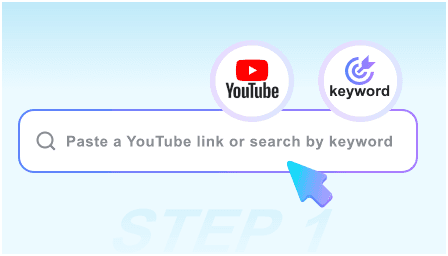
Step 1: Paste the Video Link

Step 1: Paste the Video Link

Copy the URL of the YouTube video, interview, or lecture you need to transcribe and paste it into our extraction engine.

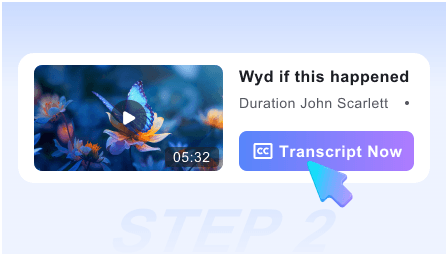
Step 2: Run the Text Extractor

Step 2: Run the Text Extractor

Click “Extract” and watch as our AI processes the audio track, converting speech into structured, readable text in real-time.

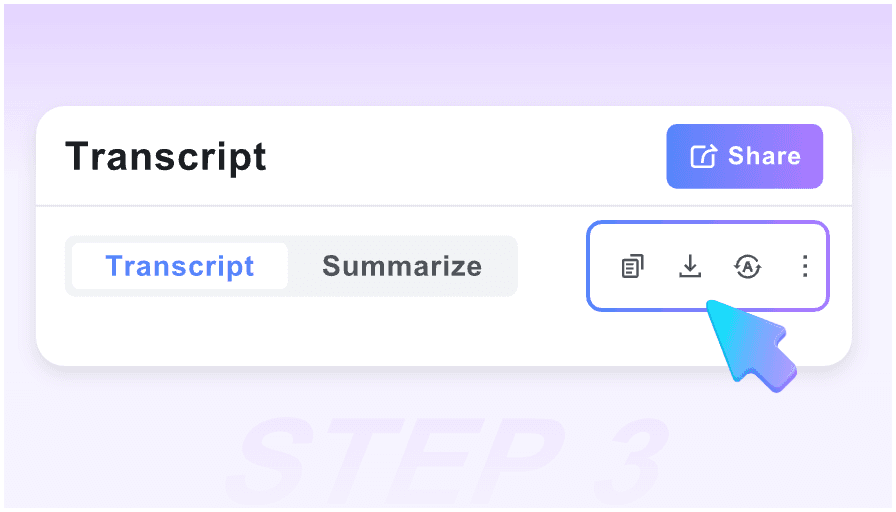
Step 3: Copy or Export Text

Step 3: Copy or Export Text

Review your extracted text, use the search function to find keywords, and export the final result to Markdown or your favorite note-taking app.

Who is this text extractor for?

Academic Researchers

Academic Researchers

Turn hours of primary source interviews and video archives into searchable text databases for qualitative analysis and easy citation.

SEO & Content Writers

SEO & Content Writers

Convert your video content into blog posts or articles. Extracting the text is the first step to repurposing video into high-ranking written content.

Legal & Admin Pros

Legal & Admin Pros

Quickly get written records of webinars, public hearings, or recorded statements without the high cost of manual transcription services.

Students & Note-Takers

Students & Note-Takers

Don’t miss a word from your professor. Extract the full lecture text to create comprehensive study guides and searchable class notes.

Developers & Techies

Developers & Techies

Extract code snippets and technical explanations from video tutorials. Move the text directly into your documentation or IDE.

Journalists

Journalists

Get the exact quotes you need from press conferences or video statements instantly, ensuring accuracy in your reporting.

What our users say

Dr. Aris Thorne
Dr. Aris Thorne

University Researcher

starstarstarstarstar

This is the fastest way to get text out of video interviews. The Markdown export saves me hours of formatting when moving data into my research software.

Marcus Reed
Marcus Reed

SEO Strategist

starstarstarstarstar

I use this to turn my YouTube scripts into blog posts. The text extraction is incredibly clean, requiring almost zero cleanup before I start editing.

Elena Vance
Elena Vance

PhD Candidate

starstarstarstarstar

No login required is a huge plus for me. I can extract text from five different lectures in minutes and have them all organized in my Obsidian vault.

Kevin Zhang
Kevin Zhang

Technical Writer

starstarstarstarstar

The timestamped text is a lifesaver. If a technical term looks weird in the text, I just click the timestamp to hear exactly what the speaker said.

Sarah L.
Sarah L.

Journalist

starstarstarstarstar

Accuracy is everything in my field. This tool handles different accents and technical jargon better than any other free extractor I’ve tried.

James Miller
James Miller

Online Learner

starstarstarstarstar

I extract the text from coding tutorials so I can search for specific functions. It’s much faster than scrubbing through a 30-minute video manually.

Frequently Asked Questions

Everything you need to know about extracting text from YouTube videos.

Yes, you can extract text from YouTube videos completely free of charge. There are no daily limits or hidden “premium” tiers for text length.

Absolutely. We believe in friction-less tools. You can paste a link and get your text immediately without ever giving us your email address.

Our AI uses advanced speech-to-text models that achieve up to 99% accuracy, even with background noise or diverse accents.

You can copy the raw text to your clipboard or export it as a structured Markdown file (.md), which is perfect for Notion, Obsidian, and Roam Research.

Yes. Our extractor can handle long-form content like podcasts, full-length lectures, and long livestreams without timing out.

Yes! Once the text is extracted, you can use the built-in search bar to find specific keywords and jump to those exact timestamps.

Yes, we support text extraction for over 50 languages. You can extract the text in the original language or use our AI to translate it into English.

Your privacy is our priority. Since no account is required, we don’t track your identity. We do not store the extracted text after your session ends.

YouTube Video Text Extractor