Does Turnitin Detect AI? The 2026 Guide & How to Check Work Before Submitting
If you are asking, "does Turnitin detect AI?", the short answer is yes.
Currently, the platform does more than just check for plagiarism (copy-pasting from other sources). It actively analyzes submissions for text generated by Large Language Models (LLMs).

Turnitin activated its dedicated AI writing detection capabilities in April 2023. When you submit an assignment, the system runs two separate reports: a Similarity Report (for plagiarism) and an AI Writing Report (for generative AI).
Turnitin is specifically trained to flag text generated by the following tools:
● ChatGPT (Including GPT-3.5, GPT-4, and the newer GPT-4o models).
● Google Gemini (Formerly known as Bard).
● Claude (Anthropic’s LLM).
● Microsoft Copilot (Powered by GPT-4).
● Paraphrased AI Content (To a certain extent, especially if "spinning" tools were used without significant manual editing).
Accuracy Rates: What the Data Says
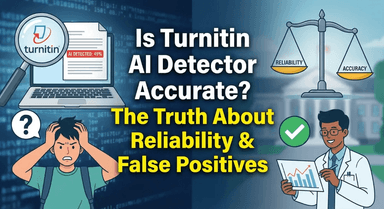
Understanding the reliability of these scores is critical for students worried about false accusations. There is often a gap between what Turnitin claims and what independent academic testing reveals.
● Turnitin’s Official Claim: The company states its detector has a 98% confidence rating in identifying AI writing, with a claimed false positive rate of less than 1%. This means they argue that if the tool flags a sentence, they are 98% sure a human didn't write it.
● Independent Reality: Despite these claims, several top-tier universities (including Vanderbilt, Michigan State, and Northwestern) have previously paused or opted out of using Turnitin’s AI detector due to concerns over false positives. Independent tests suggest that the tool can struggle with mixed writing (human text mixed with AI) and non-native English writing, occasionally flagging completely original work as "AI Generated."
The Takeaway: While Turnitin is highly effective at catching raw ChatGPT output, it is not perfect. A high score is a strong indicator to a professor, but it is not definitive proof of misconduct.
How Turnitin’s AI Detection Actually Works
Many students believe Turnitin "reads" their essay like a human professor, but the reality is strictly mathematical. Turnitin’s AI detection doesn't care about the quality of your arguments or your facts; it cares about the statistical probability of your word choices.
It isn't looking for plagiarism in the traditional sense. Instead, it analyzes your text to see if it follows the highly predictable patterns of an LLM like GPT-4 or Gemini.
It’s All About "Perplexity" and "Burstiness"

To understand how you get flagged, you need to understand the two metrics Turnitin measures:
1. Perplexity (Predictability): AI models are designed to predict the next most likely word in a sentence. They aim for the "average" or "safest" choice. If Turnitin can easily guess the next word in your sentence again and again, your text has low perplexity, which signals AI generation. Humans, by contrast, are chaotic and use unexpected words, resulting in high perplexity.
2. Burstiness (Variation): This measures the variation in sentence structure and length. AI writing tends to be monotone—sentences often have similar lengths and rhythms. Human writing is "bursty." We might write a very long, complex sentence followed immediately by a short one.
The Bottom Line: If your writing is too smooth, grammatically perfect, and rhythmically repetitive, Turnitin sees it as a statistical anomaly for a human writer.
Crucial Distinction: Similarity Score vs. AI Score

A common mistake students make is confusing the Similarity Report with the AI Writing Report. These are two completely separate mechanisms within the Turnitin dashboard.
● The Similarity Score (Plagiarism): This checks your text against Turnitin’s massive database of websites, books, and previously submitted student papers. It looks for exact text matches. You can have a 0% Similarity score (no plagiarism) but still get flagged for AI.
● The AI Writing Score (Generative AI): This analyzes the syntax and writing style described above. It does not look for matching text; it looks for the signature of an algorithm.
Warning: Most universities treat these differently. A high Similarity score implies you copied someone else. A high AI score implies you didn't write the paper at all. Because the AI score is often visible only to instructors, you cannot rely on the standard "plagiarism checker" view to warn you about potential AI flags.
The "Blind Spot" Problem: Why You Can’t Check Your Own Score
The biggest source of anxiety for students isn't necessarily writing the paper—it’s the lack of transparency regarding how that paper is graded.
Unlike tools like Grammarly or ChatGPT, Turnitin is not a consumer product. It is an institutional tool sold directly to universities and schools. This creates a "closed garden" ecosystem where the professor holds all the keys, and the student is often left flying blind.
The Visibility Gap
When you upload an assignment to a Learning Management System (LMS) like Canvas, Blackboard, or Moodle, the Turnitin report is generated immediately. However, most institutions disable the Student View for AI reports.
While some professors allow students to see their Similarity Report (plagiarism), the AI Writing Report is frequently hidden. This leads to a dangerous dynamic:
● The Professor sees: A precise percentage (e.g., "42% AI Generated") and highlighted sentences indicating non-human syntax.
● The Student sees: Nothing—until they receive a failing grade or an email from the academic integrity office.
Why You Can't Just "Test" It
A common mistake students make is trying to "test" their paper by submitting it to a different class or asking a friend with instructor access to run it. Do not do this.
Turnitin stores submitted papers in a massive global repository. If you submit a draft to "check the score" through an official Turnitin portal:
1. The system indexes that draft.
2. When you submit the final version to your actual class, Turnitin will flag it as 100% Plagiarized because it matches the draft you previously uploaded.
The Consequence: No "Undo" Button
Once you hit submit on your university portal, the document is part of the permanent record. If Turnitin flags a false positive—perhaps because your writing style is naturally formal or you used Grammarly too heavily—you cannot retract the paper to edit those sections. You are immediately put on the defensive, forced to prove your innocence after the accusation has already been made.
Because you cannot access the official Turnitin report safely or privately, the only way to protect yourself is to use a third-party verification tool that mimics Turnitin’s detection logic without storing your data.
How to "Pre-Check" Your Essay for AI Flags (Safe Method)
Since you cannot access Turnitin’s internal dashboard personally, the safest strategy is to use a proxy tool—a third-party detector that mimics the analysis logic of academic software.
The Solution: Lynote AI Detector
For students and academic writers, we developed the Lynote AI Detector to serve as a reliable "pre-flight check" for your essays. It analyzes your text for the same perplexity and burstiness patterns that institutional tools look for, giving you a clear probability score before you officially submit.

Here is why Lynote is the ideal companion for academic work:
● It Checks for "False Positives": Even if you wrote the paper yourself, stiff academic phrasing can sometimes trigger AI flags. Lynote highlights these high-risk sentences so you can rewrite them to sound more natural.
● 100% Free & Unlimited: Unlike other tools that charge you after checking 500 words, Lynote is completely free with no word limits. You can scan your entire dissertation in one go.
● No Sign-Up Required: We prioritize your privacy. You do not need to create an account or provide an email address to use the tool.
Step-by-Step: How to Verify Your Work
To ensure your grade is protected, follow this workflow before every submission:
1. Draft your essay in Word or Google Docs as usual.
2. Copy your text and paste it into the Lynote AI Detector.
3. Review the Heatmap: Look for sections highlighted in red. These are areas with low perplexity (predictable phrasing) that an academic detector might flag as AI-generated.
4. Edit "Robotic" Phrasing: Manually rewrite the highlighted sections to vary your sentence structure and vocabulary.
5. Re-scan and Submit: Once Lynote gives you a clear human score, you can confidently upload your file to your university portal.
Does Turnitin Detect Grammarly, Quillbot, or Translated Text?
The short answer is: It depends on how you use them.
Turnitin’s algorithms are sophisticated enough to distinguish between minor mechanical corrections and text generated by Large Language Models (LLMs). However, relying too heavily on writing assistants can inadvertently trigger a false positive.
Here is the breakdown of how Turnitin interacts with the most common student tools.
Grammarly: Safe vs. Risky Features

Many students panic that using a spell-checker will flag their essay. Generally, standard Grammarly features are safe.
● The Safe Zone: If you use Grammarly strictly for spell-checking, punctuation, and minor sentence restructuring (conciseness), Turnitin will likely view the text as human. These changes do not fundamentally alter the "perplexity" (randomness) of your natural writing voice.
● The Danger Zone: The risk arises with Grammarly GO and aggressive "rewrite" suggestions. If you allow Grammarly’s generative AI to rewrite entire paragraphs or generate text from scratch, it creates the predictable syntax patterns that Turnitin helps identify.
Rule of Thumb: Use Grammarly as a proofreader, not a co-writer. If you accept a "Complete Rewrite" suggestion, verify the text with a tool like Lynote before submitting.
Quillbot and Paraphrasing Tools
For years, students used "spinners" like Quillbot to bypass plagiarism detection. However, Turnitin’s AI detection is specifically designed to catch AI-paraphrased content.
When Quillbot rewrites a sentence, it often swaps words for synonyms while maintaining a rigid, predictable sentence structure. To an AI detector, this looks mathematically "perfect" and lacks the chaotic sentence variation (burstiness) of human writing.
● Does it work? Rarely. Modern updates to Turnitin have increased sensitivity to "spun" content.
● The Risk: Even if you wrote the original draft yourself, running it through a paraphraser can "sanitize" your human voice, causing the final output to receive a high AI score.
Google Translate and Translated Text
This is a major cause of false positives for ESL (English as a Second Language) students.
If you write an essay in your native language and use Google Translate or DeepL to convert it to English, there is a high probability it will be flagged as AI.
● Why? Translation tools function similarly to LLMs like ChatGPT. They choose the most statistically probable English word for every sentence.
● The Result: The resulting English text is grammatically correct but extremely predictable and "flat." It lacks the nuance and unique stylistic errors that human writers make.
If you must use translation tools, you need to manually edit the English output significantly to inject your own vocabulary and sentence structure variation.
Common Causes of False Positives (And How to Fix Them)
Nothing induces panic quite like seeing a high AI score on an essay you wrote entirely from scratch. This phenomenon, known as a False Positive, occurs because Turnitin is not actually "detecting" AI; it is detecting statistical predictability.
If your writing style happens to align closely with the mathematical patterns used by models like GPT-4, you risk being flagged. Here is why it happens and how to humanize your text.
1. Repetitive Sentence Structure
AI models are designed to be consistent. Humans are naturally chaotic. If you write three sentences in a row that follow the exact same rhythm (e.g., Subject-Verb-Object), the detector sees a pattern.
● The Trigger: "The economy is stable. The market is growing. The investors are happy."
● The Fix: Vary your sentence length. Combine short, punchy statements with longer, complex clauses. This concept is called Burstiness.
2. Over-Reliance on "Stiff" Academic Phrasing
Many students believe that "academic writing" means stripping all personality from their work and using overly formal language. Unfortunately, LLMs are trained heavily on academic datasets, making them experts at generating this exact tone.
● The Trigger: Overusing transition words like "Furthermore," "Consequently," and "In conclusion" at the start of every paragraph, or relying heavily on passive voice.
● The Fix: Write more conversationally where appropriate. Use active voice ("The study shows..." instead of "It is shown by the study...").
3. Technical Definitions and Factual Lists
There are only so many ways to describe the process of photosynthesis or list the causes of WWI. When you state universally accepted facts, your "Perplexity" score (unpredictability) drops because the next word is highly probable.
● The Trigger: Quoting definitions or standard procedures without adding original analysis.
● The Fix: Break up factual blocks with your own analysis or specific examples that an AI wouldn't know about (e.g., a specific lecture from your class or a niche case study).
�� Pro Tip: Use Lynote as a Diagnostic Tool
If you are worried about false accusations, don't submit blindly. Paste your draft into Lynote AI Detector first.
If Lynote flags a paragraph you wrote yourself, do not panic. It simply means your sentence structure in that section is too predictable.
● Action: Rewrite the flagged section by changing the vocabulary and varying the sentence length.
● Result: You lower the probability score, ensuring Turnitin recognizes your work as human.
Comparison: Turnitin vs. Free Online Detectors
It is important to be realistic: no third-party tool is identical to Turnitin. Turnitin has access to a private database of millions of student papers and institutional repositories that no public tool can access.
However, the AI detection algorithms (the math that spots GPT patterns) are often similar across high-end tools. While you cannot check Turnitin’s plagiarism database yourself, you can use advanced detectors to mimic how Turnitin analyzes syntax, perplexity, and burstiness.
Think of public detectors as a "mirror." They may not be the official judge, but they show you exactly what the judge is likely to see.
Feature Breakdown: Institutional vs. Public Tools
The table below outlines the key differences between the institutional software your professor uses and the tools available to you.
| Feature | Turnitin (Institutional) | Lynote AI Detector (Public) | Generic Paid Tools
|
| Target Audience | Professors / Institutions | Students / Writers | Enterprise / Business |
| Accessibility | Closed: Only instructors can view reports. | Open: Instant access for anyone. | Restricted: Often requires credit card/subscription. |
| Cost | Thousands $$ (Paid by University) | 100% Free & Unlimited | $10 - $20 / month |
| Privacy | Submissions are stored in a database. | No Data Storage: Checks are private. | Varies (Some store data for training). |
| Req. Sign-Up | Yes (Institutional Login) | No Sign-Up Required | Yes (Email required) |
| Analysis Level | Sentence-level highlighting & probability. | Sentence-level highlighting & probability. | Often just a "% Score" summary. |
Why Accessibility Matters More Than "Perfect" Accuracy
The biggest problem with Turnitin isn't accuracy—it's transparency. Because it is a "closed garden," you usually do not see your AI score until after you have submitted your assignment. At that point, if there is a false positive, it is too late to fix it without a formal appeal.
Lynote bridges this gap by offering the same depth of analysis—showing you which specific sentences trigger high-probability flags—without the barriers.
● Generic tools often give you a single percentage score (e.g., "40% AI"). This is useless for editing.
● Lynote highlights the specific "robotic" phrasing that lowers your perplexity score.
By using a tool that mimics the instructor's view (sentence-by-sentence breakdown), you can identify and rewrite high-risk sections before your work ever hits the official LMS.
Frequently Asked Questions (FAQ)
What percentage of AI is acceptable on Turnitin?
Ideally, your score should be 0%, but reality is often messier. Most universities do not have a hard "fail" threshold because false positives exist. Many professors consider an AI score of under 15% to be acceptable noise, provided the flagged content consists of generic sentences, citations, or standard academic phrasing.
However, context matters more than the number. A 15% score scattered across random half-sentences is usually ignored. A 15% score that highlights three entire paragraphs in a row will likely trigger an investigation.
Can Turnitin detect AI if I paraphrase it?
Yes. Turnitin’s algorithms are trained to recognize sentence structures and logic patterns, not just specific keywords. If you use a basic paraphrasing tool (like Quillbot’s standard mode) to simply swap synonyms, the underlying syntax remains "robotic" and predictable, which Turnitin will flag.
To avoid detection, you cannot rely on automated spinning. You must alter the sentence length, structure, and flow manually to increase the text's "perplexity" (randomness).
Does Turnitin detect hidden characters (the "White Text" hack)?
Do not try this. A popular TikTok myth suggests inserting random characters (like "x" or "1") between words and turning the font color white to hide them from human eyes while confusing the AI.
Turnitin does not look at font colors; it looks at the raw text data. When your professor opens the text-only view of your submission, they will see the hidden characters plainly (e.g., "The_x_mitochondria_x_is..."). This is an immediate red flag for academic dishonesty and often results in harsher penalties than plagiarism itself.
Is Lynote accurate compared to Turnitin?
While Turnitin is a closed institutional system that no public tool can replicate 1:1, Lynote is engineered to mirror the exact same analysis vectors: Perplexity (complexity of text) and Burstiness (variation in sentence structure).
Because Lynote uses these advanced probability metrics rather than simple keyword matching, it serves as a highly accurate "mirror." If Lynote flags your content as high-risk, there is a very high probability that Turnitin will flag it as well. It is currently the safest way to "pre-check" your work before the final submission.
Conclusion: Protect Your Grades Before You Submit
Turnitin has fundamentally changed the academic landscape. While its detection capabilities are sophisticated, the technology is not magic—and it is certainly not infallible. The reality is that even 100% human-written essays can occasionally trigger false positives due to predictable sentence structures or heavy reliance on editing tools like Grammarly.
The biggest risk isn't just cheating; it's the anxiety of not knowing how your original work will be interpreted by an algorithm. Once you hit "Submit" on your university portal, you lose the chance to explain or correct those flags before your professor sees them.
The best defense against false accusations is verification.
Don’t leave your academic reputation up to chance. Before you turn in your next assignment, run it through a reliable third-party tool to see what the algorithms see.
Ready to scan your paper?
Use the Lynote AI Detector for a comprehensive analysis of your text. It is 100% free, offers unlimited scans, and requires no sign-up. Ensure your hard work is recognized as human—check your score instantly with Lynote.